Description
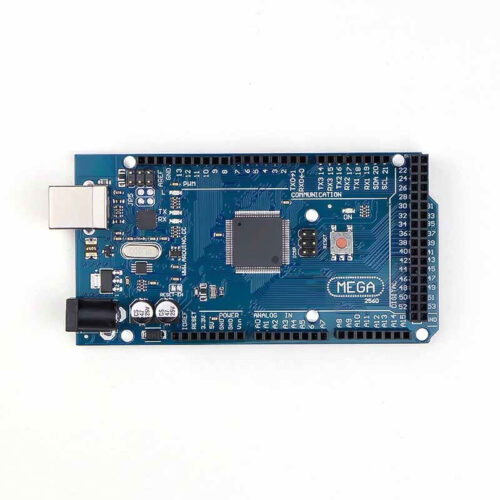
🔧 Arduino Mega 2560 PRO – ATmega2560 Compact Embedded Development Board
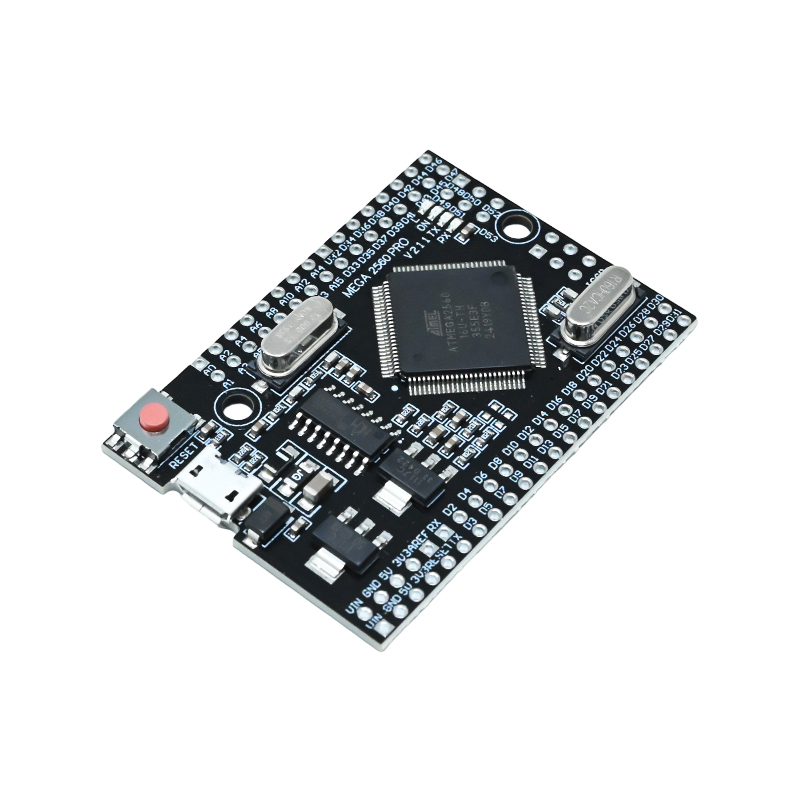
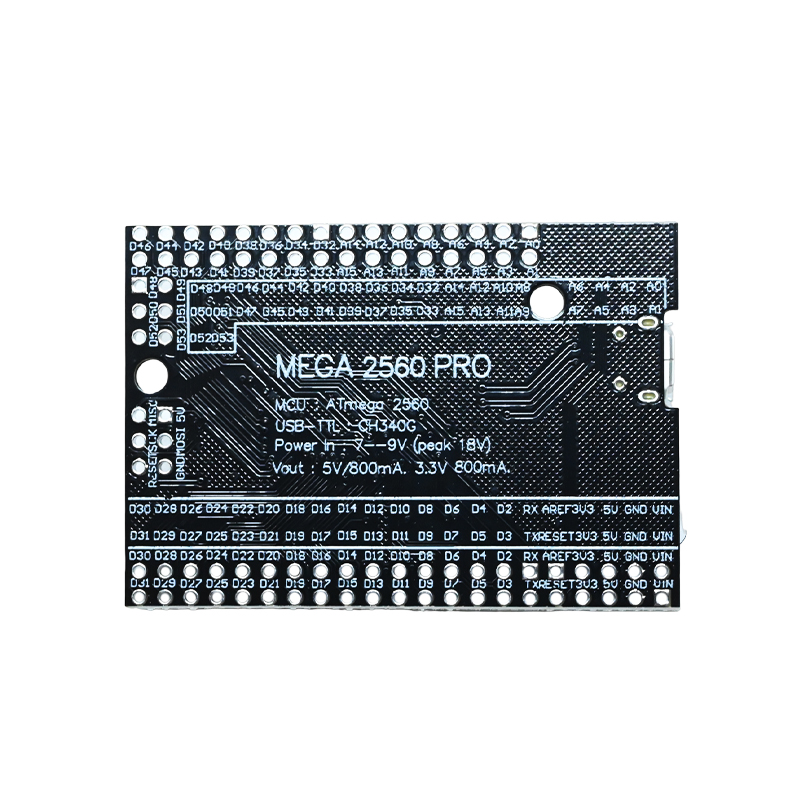
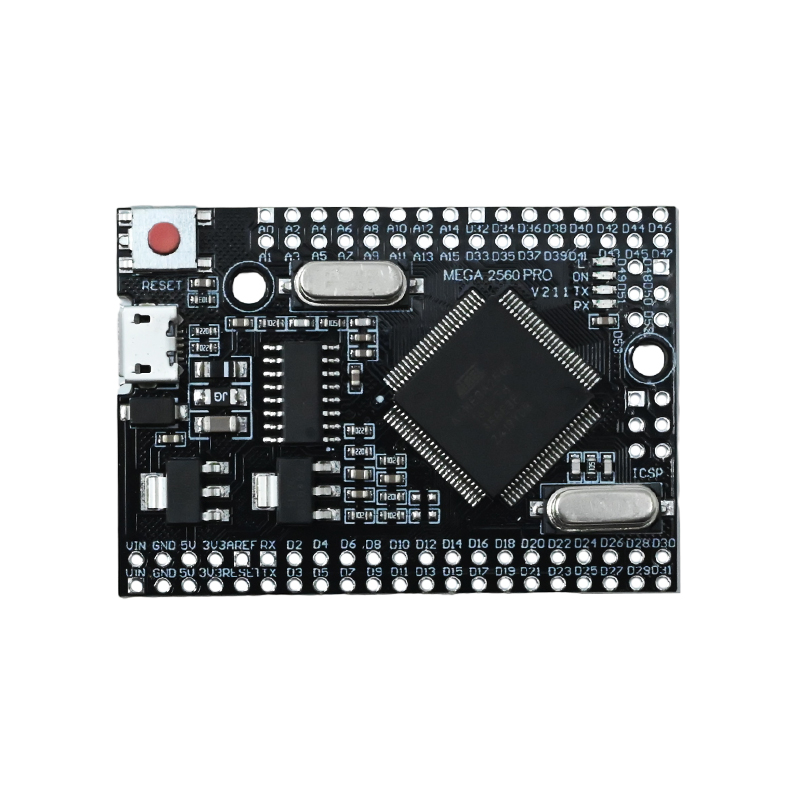
The Arduino Mega 2560 PRO is a compact, embedded-style microcontroller development board based on the ATmega2560 chip with CH340G USB-to-Serial converter. This board combines the massive I/O capability of the standard Mega 2560 (54 digital pins, 16 analog inputs, 256KB flash) in a significantly smaller, breadboard-friendly form factor similar to Arduino Pro Mini. Perfect for space-constrained projects, production deployments, embedded systems, and permanent installations where you need Mega’s power but in a compact package that fits standard breadboards.
✨ Key Highlights
- 📐 Compact Size – Smaller than standard Mega, breadboard-friendly
- 💻 ATmega2560 Microcontroller – Full Mega power
- 📌 54 Digital I/O Pins – Massive I/O capability (15 PWM)
- 📊 16 Analog Inputs – 10-bit ADC resolution (A0-A15)
- 💾 256 KB Flash Memory – 8x more than Arduino Uno
- 🧠 8 KB SRAM – 4x more RAM than Uno
- ⚡ 16 MHz Clock Speed – Fast real-time processing
- 🔌 Micro-USB Programming – Built-in CH340G USB
- 📡 4 Hardware Serial Ports – Multiple UART communication
- 💰 Cost-Effective – Affordable Mega in compact form
📊 Technical Specifications
| 💻 Microcontroller |
ATmega2560 |
| 🔌 USB Chip |
CH340G |
| ⚡ Operating Voltage |
5V DC |
| 🔋 Input Voltage |
5-12V (VIN pin or USB) |
| ⏱️ Clock Speed |
16 MHz |
| 💾 Flash Memory |
256 KB (8 KB bootloader) |
| 🧠 SRAM |
8 KB |
| 💿 EEPROM |
4 KB |
| 📌 Digital I/O |
54 pins (15 PWM) |
| 📊 Analog Input |
16 pins (10-bit ADC) |
| 📡 Serial Ports |
4 UART (Serial 0-3) |
| 🔌 USB Type |
Micro-USB |
| 📏 Dimensions |
~70×53mm (approx) |
| ⚖️ Weight |
~15 grams |
🆚 Mega PRO vs Standard Mega 2560 Comparison
| Feature |
Mega PRO |
Standard Mega |
| Size |
~70×53mm (compact) |
101.52×53.3mm |
| Form Factor |
✅ Breadboard fit |
❌ Too wide |
| USB Type |
Micro-USB |
USB Type-B |
| Shield Compat |
❌ No shields |
✅ Mega shields |
| Functionality |
✅ Identical |
✅ Identical |
| Best For |
Embedded, compact |
Shields, 3D printers |
📌 Pin Configuration Overview
| Digital I/O |
54 pins (D0-D53) |
| PWM Output |
15 pins (D2-D13, D44-D46) |
| Analog Input |
16 pins (A0-A15) |
| Serial Ports |
Serial0-3 (4 UART) |
| I2C Bus |
SDA(D20), SCL(D21) |
| SPI Bus |
SS(D53), MOSI(D51), MISO(D50), SCK(D52) |
| Interrupts |
6 external interrupts |
| Power Pins |
VIN, 5V, 3.3V, GND |
🎯 Perfect For
- 📦 Embedded Systems – Compact installations, tight spaces
- 🍞 Breadboard Prototyping – Fits standard breadboards unlike Mega
- 🤖 Compact Robotics – Small robots with many sensors
- 🏠 Home Automation – Space-limited control boxes
- 📊 Multi-Sensor Projects – Many inputs in small package
- 🏭 Production Deployments – Final product integration
- 💡 LED Controllers – Multiple strips, compact design
- 📡 IoT Devices – WiFi/Bluetooth with many I/O
🔧 Getting Started
| 1. Install Drivers |
Download CH340G drivers from manufacturer |
| 2. Install IDE |
Get Arduino IDE from arduino.cc |
| 3. Connect Board |
Plug via Micro-USB cable |
| 4. Select Board |
Tools → Board → Arduino Mega or Mega 2560 |
| 5. Select Processor |
Tools → Processor → ATmega2560 |
| 6. Select Port |
Choose correct COM/serial port |
| 7. Upload Code |
Load test sketch and upload |
✅ Key Advantages
- 📐 Compact Design – Much smaller than standard Mega 2560
- 🍞 Breadboard Friendly – Fits standard breadboards easily
- 📌 Full Mega Power – 54 digital + 16 analog pins
- 💾 256KB Flash – Same memory as standard Mega
- 📡 4 Serial Ports – Multiple UART communication
- 🔌 Micro-USB – Modern, common cable type
- 💰 Cost-Effective – Affordable Mega alternative
- 🏭 Production Ready – Compact for final products
- ⚙️ Same Code – All Mega sketches work identically
- 📦 Space Saving – Perfect for tight enclosures
⚠️ Important Notes
- 🔌 CH340G Drivers – Must install before first use
- 🛡️ No Shield Support – Different form factor, can’t use Mega shields
- 💡 Current Limits – Max 40mA per I/O pin
- ⚡ Voltage Protection – Never exceed 5V on I/O pins
- 🔋 Power Options – Micro-USB or VIN pin (5-12V)
- 📌 Serial0 for USB – D0/D1 reserved, use Serial1-3
- 🔧 Header Soldering – May require soldering headers
- 📏 Pin Layout – Different from standard Mega arrangement
🔋 Power Supply Options
| Micro-USB |
5V from computer – programming & testing |
| VIN Pin |
5-12V regulated – external power projects |
| 5V Pin |
5V direct – bypass regulator (pre-regulated) |
| USB Power Bank |
5V portable – mobile applications |
| 7-9V Battery |
Portable via VIN – recommended range |
📡 Multiple Serial Ports Usage
| Serial0 (D0,D1) |
USB communication (reserved) |
| Serial1 (D19,D18) |
GPS, Bluetooth modules |
| Serial2 (D17,D16) |
WiFi (ESP8266), GSM |
| Serial3 (D15,D14) |
Sensors, displays |
🔍 Troubleshooting
| Not Detected |
Install CH340G drivers from manufacturer |
| Upload Failed |
Select “Arduino Mega 2560” as board |
| Wrong Processor |
Ensure ATmega2560 selected |
| USB Issues |
Try different Micro-USB cable/port |
| Code Won’t Run |
Check power, press reset button |
| Pin Not Working |
Verify correct pin numbers (D0-D53) |
💡 Pro Tips
- 🔧 Install CH340G First – Download drivers before connecting
- 📡 Use Serial1-3 – Reserve Serial0 for debugging
- 🍞 Breadboard Fit – Use two breadboards side-by-side for all pins
- 🔌 External Power – Use VIN for motor/servo projects
- 📌 Pin Mapping – Print reference diagram for 54 pins
- 💾 Memory Advantage – Leverage 256KB for complex code
- 📦 Compact Enclosures – Much easier to fit than standard Mega
- 🔧 Header Options – Solder headers based on needs
🆚 When to Choose Mega PRO vs Standard Mega
- ✅ Choose Mega PRO if: Need compact size, breadboard prototyping, embedded systems, space-constrained projects
- ✅ Choose Standard Mega if: Using RAMPS/shields, 3D printer, CNC machine, need established form factor
- ⚙️ Same Performance: Both have identical processing power and capabilities
- 💡 Code Compatible: All sketches work on both boards identically
🔧 Mega PRO vs Other Compact Boards
| Feature |
Mega PRO |
Nano |
Pro Mini |
| Digital I/O |
54 pins |
14 pins |
14 pins |
| Analog Input |
16 pins |
8 pins |
8 pins |
| Flash Memory |
256 KB |
32 KB |
32 KB |
| Serial Ports |
4 UART |
1 UART |
1 UART |
| USB Onboard |
✅ Yes |
✅ Yes |
❌ No |
| Best For |
Max I/O compact |
Simple compact |
Production |
📦 Package Contents
- ✅ 1x Arduino Mega 2560 PRO Development Board
- ✅ 1x Micro-USB Cable (may vary by seller)
- ⚠️ Note: CH340G drivers NOT included (download separately)
- ⚠️ Note: Headers may need soldering (check before ordering)
- ⚠️ Note: Jumper wires, breadboard sold separately
- ⚠️ Note: External power supply sold separately if needed
🎓 Example Projects
- 🤖 Compact Robot – Many sensors/motors in small chassis
- 🏠 Smart Home Controller – Multiple zones in compact box
- 📊 Weather Station – 16 analog sensors, compact design
- 💡 LED Strip Controller – Multiple NeoPixel channels
- 📡 Multi-Serial Hub – GPS + WiFi + Bluetooth + sensor
- 🎮 Game Controller – Many buttons in small form factor
- 🔧 CNC Pendant – Handheld control with many inputs
- 📦 IoT Gateway – Compact multi-sensor data collector
🔧 Pin Layout Notes
- 📌 Different Arrangement – Pins arranged differently than standard Mega
- 🔢 Same Pin Numbers – Still D0-D53, A0-A15 in software
- 📋 Reference Needed – Keep pinout diagram handy
- 🍞 Dual Breadboard – Use two breadboards for full access
- 📏 Check Datasheet – Verify exact pin locations before wiring
🛡️ Product Information
✅ Arduino Mega 2560 PRO – Compact Embedded Development Board
✅ ATmega2560 microcontroller – full Mega processing power
✅ CH340G USB chip – affordable Micro-USB programming
✅ Compact size (~70×53mm) – breadboard-friendly form factor
✅ 54 digital I/O pins (15 PWM) + 16 analog inputs (A0-A15)
✅ 16 MHz clock, 256 KB flash, 8 KB SRAM, 4 KB EEPROM
✅ 4 hardware serial ports (UART 0-3) for multiple devices
✅ 6 external interrupts for responsive applications
✅ I2C and SPI communication protocols
✅ Micro-USB interface with CH340G converter
✅ Multiple power options: USB (5V) or VIN pin (5-12V)
✅ Same functionality as standard Mega 2560
✅ Arduino IDE compatible – all Mega code works
⚠️ Important: CH340G drivers MUST be installed before use. Select “Arduino Mega 2560” as board in IDE. Max 40mA per I/O pin. Never exceed 5V on I/O pins. Serial0 (D0/D1) reserved for USB. Not compatible with Mega shields due to different form factor. Headers may require soldering depending on version. Pin arrangement different from standard Mega – check pinout diagram. Use external power (VIN 5-12V) for motors/servos. Compact size ideal for embedded systems and breadboard prototyping.