Description
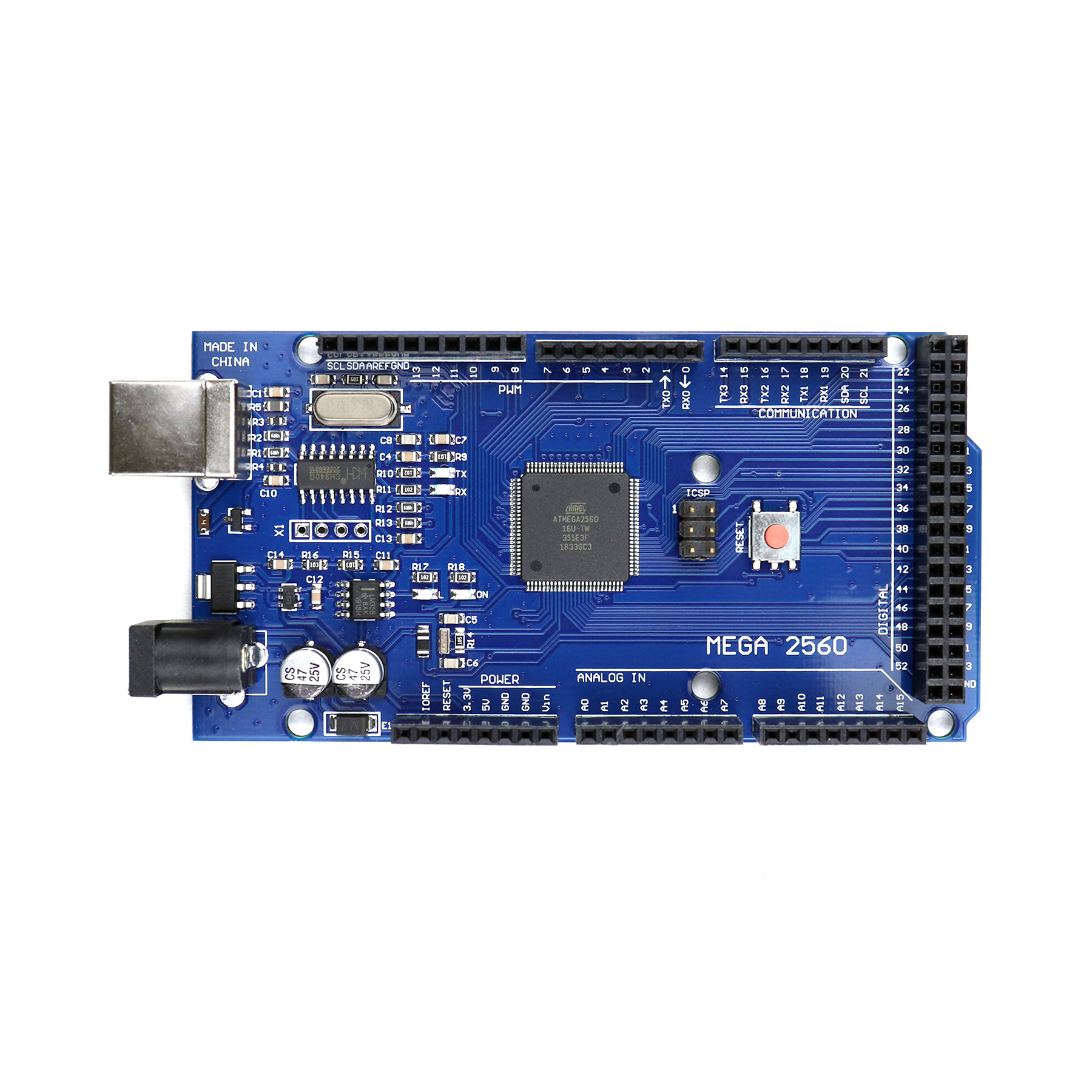
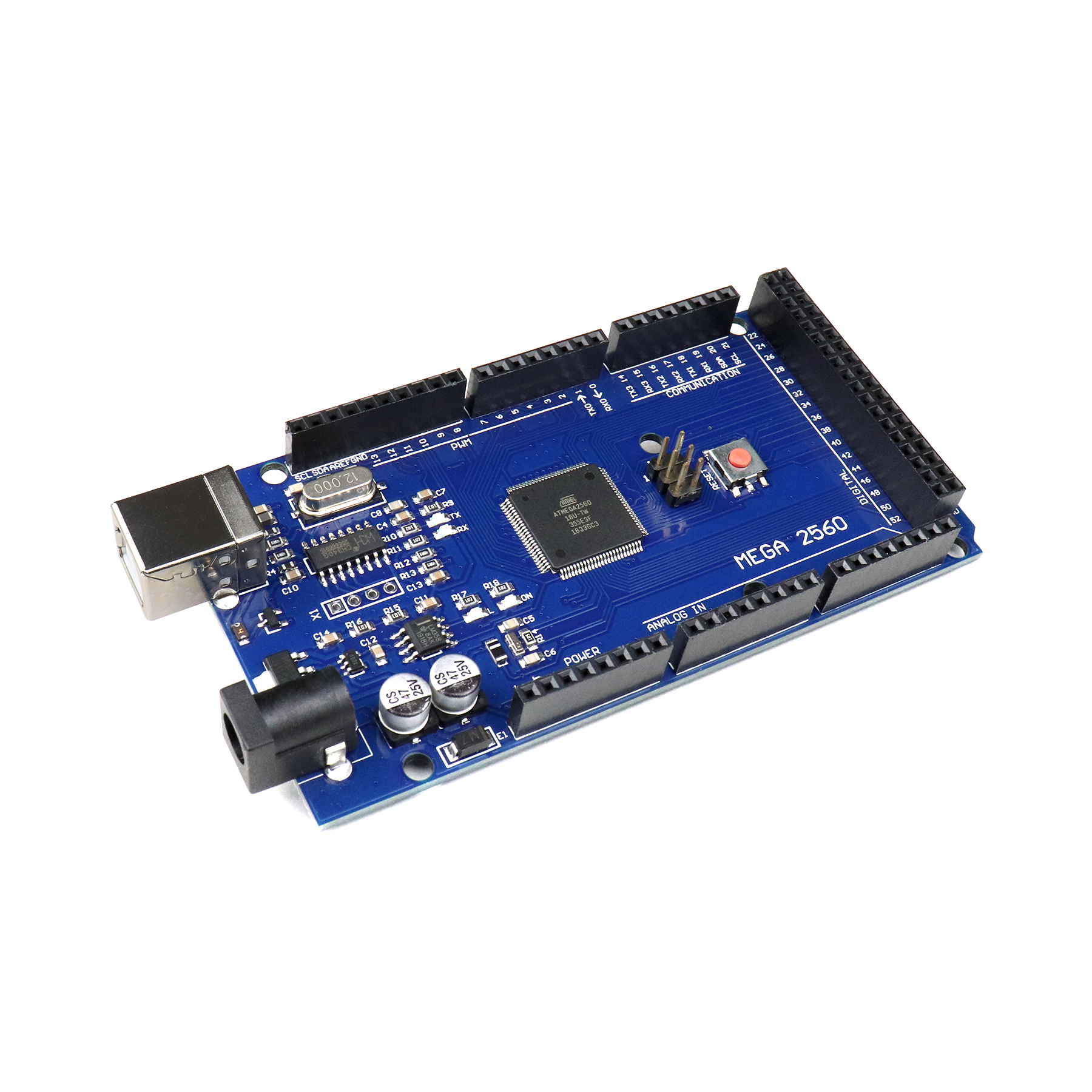
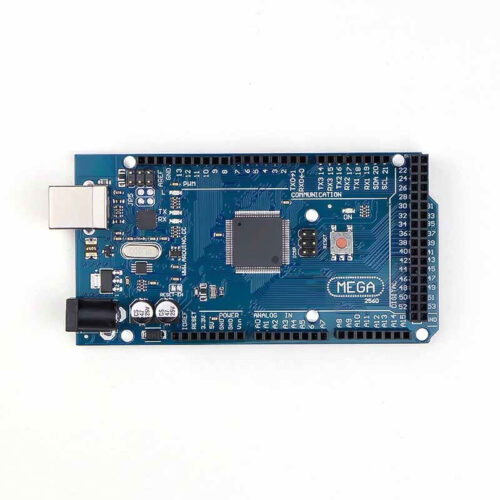
🔧 Arduino Mega 2560 CH340 – ATmega2560 High I/O Development Board
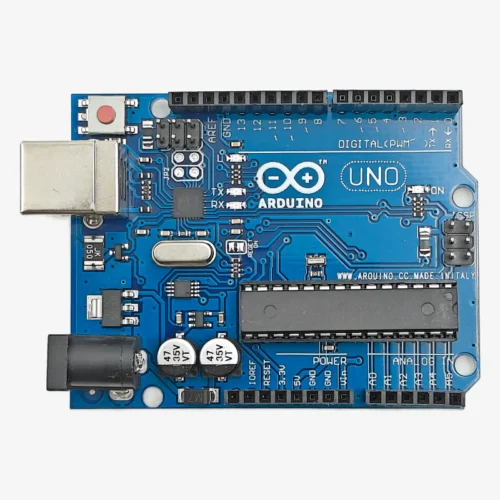
The Arduino Mega 2560 CH340 is a powerful microcontroller development board based on the ATmega2560 chip with CH340G USB-to-Serial converter. Featuring an impressive 54 digital I/O pins (15 with PWM), 16 analog inputs, 256KB flash memory, and 16MHz clock speed, this board is designed for complex projects requiring extensive I/O connections. Perfect for 3D printers, CNC machines, multi-sensor systems, robotics, home automation, and large-scale projects where the Arduino Uno’s limited pins are insufficient.
✨ Key Highlights
- 💻 ATmega2560 Microcontroller – Powerful 8-bit AVR processor
- 📌 54 Digital I/O Pins – Massive I/O capability (15 PWM)
- 📊 16 Analog Inputs – 10-bit ADC resolution (A0-A15)
- 💾 256 KB Flash Memory – 8x more than Arduino Uno
- 🧠 8 KB SRAM – 4x more RAM than Uno
- ⚡ 16 MHz Clock Speed – Fast real-time processing
- 🔌 CH340G USB Chip – Affordable USB programming
- 📡 4 Hardware Serial Ports – Multiple UART communication
- 🛡️ Shield Compatible – Works with Mega shields
- 🔓 Arduino Compatible – Full IDE and library support
📊 Technical Specifications
| 💻 Microcontroller |
ATmega2560 |
| ⚡ Operating Voltage |
5V DC |
| 🔋 Input Voltage |
7-12V (recommended) |
| ⏱️ Clock Speed |
16 MHz |
| 💾 Flash Memory |
256 KB (8 KB bootloader) |
| 🧠 SRAM |
8 KB |
| 💿 EEPROM |
4 KB |
| 📌 Digital I/O |
54 pins (15 PWM) |
| 📊 Analog Input |
16 pins (10-bit ADC) |
| 📡 Serial Ports |
4 UART (Serial 0-3) |
| 🔌 USB Chip |
CH340G |
| 📏 Dimensions |
101.52×53.3mm |
| ⚖️ Weight |
~37 grams |
📌 Pin Configuration Overview
| Digital I/O |
54 pins (D0-D53) |
| PWM Output |
15 pins (D2-D13, D44-D46) |
| Analog Input |
16 pins (A0-A15) |
| Serial Ports |
Serial0(D0,D1), Serial1(D19,D18), Serial2(D17,D16), Serial3(D15,D14) |
| I2C Bus |
SDA(D20), SCL(D21) |
| SPI Bus |
SS(D53), MOSI(D51), MISO(D50), SCK(D52) |
| Interrupts |
6 external (D2, D3, D18, D19, D20, D21) |
| Power Pins |
VIN, 5V, 3.3V, GND (multiple) |
🆚 Mega 2560 vs Arduino Uno Comparison
| Feature |
Mega 2560 |
Uno R3 |
| Digital I/O |
54 pins |
14 pins |
| Analog Input |
16 pins |
6 pins |
| PWM Pins |
15 pins |
6 pins |
| Flash Memory |
256 KB |
32 KB |
| SRAM |
8 KB |
2 KB |
| Serial Ports |
4 UART |
1 UART |
| Best For |
Complex projects |
Simple projects |
🎯 Perfect For
- 🖨️ 3D Printers – RAMPS shield, stepper control, multiple sensors
- 🔧 CNC Machines – Multi-axis control, limit switches, spindle
- 🤖 Advanced Robotics – Multiple motors, sensors, communication
- 🏠 Home Automation – Extensive I/O for multiple rooms/zones
- 📊 Multi-Sensor Systems – Weather stations, environmental monitoring
- 🎮 Gaming Projects – Multiple buttons, joysticks, LED matrices
- 💡 Large LED Projects – Multiple NeoPixel strips, RGB control
- 📡 Communication Hubs – Multiple serial devices, data logging
🔧 Getting Started
| 1. Install Drivers |
Download CH340G drivers from manufacturer |
| 2. Install IDE |
Get Arduino IDE from arduino.cc |
| 3. Connect Board |
Plug via USB Type-B cable |
| 4. Select Board |
Tools → Board → Arduino Mega or Mega 2560 |
| 5. Select Processor |
Tools → Processor → ATmega2560 |
| 6. Select Port |
Choose correct COM/serial port |
| 7. Upload Code |
Load Blink example and upload |
| 8. Verify |
Onboard LED (pin 13) should blink |
✅ Key Advantages
- 📌 Massive I/O – 54 digital + 16 analog pins for complex projects
- 💾 Large Memory – 256KB flash for extensive code, 8KB SRAM
- 📡 4 Serial Ports – Connect multiple serial devices simultaneously
- ⚡ 15 PWM Pins – Control many servos, motors, LED brightness
- 🔌 USB Programming – Built-in CH340G, no external programmer
- 💰 CH340G Version – More affordable than original FTDI version
- 🛡️ Shield Compatible – RAMPS, sensor shields, expansions
- 📚 Arduino Compatible – All libraries and IDE features work
⚠️ Important Notes
- 🔌 CH340G Drivers Required – Must install before first use
- 💡 Current Limits – Max 40mA per I/O pin
- ⚡ Voltage Protection – Never exceed 5V on I/O pins
- 🔋 Power Consumption – Higher than Uno due to more I/O
- 📌 Serial0 for USB – D0/D1 used for USB, avoid during programming
- 🔌 External Power – Recommended for motors/servos (7-12V)
- 🛡️ Shield Compatibility – Not all Uno shields fit Mega layout
- 📦 Larger Size – 101mm long, won’t fit standard breadboard
🔋 Power Supply Options
| USB Power |
5V from computer – programming & light projects |
| Barrel Jack |
7-12V DC (9V optimal) – recommended for projects |
| VIN Pin |
7-12V direct – alternative to barrel jack |
| 5V Pin |
5V regulated – bypass onboard regulator |
| External PSU |
12V 2A adapter – for heavy loads (motors) |
📡 Multiple Serial Ports Usage
| Serial0 (D0,D1) |
USB communication, Serial Monitor |
| Serial1 (D19,D18) |
GPS modules, Bluetooth (HC-05) |
| Serial2 (D17,D16) |
WiFi modules (ESP8266), GSM |
| Serial3 (D15,D14) |
Additional sensors, displays |
🔍 Troubleshooting
| Board Not Detected |
Install CH340G drivers from manufacturer website |
| Upload Failed |
Check board selection: “Arduino Mega or Mega 2560” |
| Wrong Processor |
Select ATmega2560 in Processor menu |
| USB Issues |
Try different USB cable or computer port |
| Code Won’t Run |
Verify power LED on, press reset button |
| Serial Issues |
Don’t use Serial0 (D0/D1) for external devices |
💡 Pro Tips
- 🔧 Install CH340G Drivers First – Required before connecting board
- 📡 Use Serial1-3 – Reserve Serial0 for USB debugging
- 🔌 External Power for Projects – USB insufficient for motors/servos
- 💾 Plan Memory Usage – Even with 256KB, large projects need optimization
- 📌 Pin Mapping – Keep reference card, many pins to track
- 🛡️ RAMPS Shield – Popular for 3D printer projects
- 📦 Enclosure – Larger board needs bigger case than Uno
- ⚡ Power Distribution – Use multiple GND/5V pins for stability
🛡️ Popular Shields & Applications
| RAMPS 1.4/1.6 |
3D printer control (most common use) |
| CNC Shield |
Multi-axis CNC machine control |
| Ethernet Shield |
Network connectivity for IoT |
| Sensor Shield |
Easy connection for multiple sensors |
| Motor Driver Shield |
Multiple DC motor control |
| TFT LCD Shield |
Large color display interfaces |
🔧 CH340G vs FTDI Version
- 💰 Cost – CH340G version significantly cheaper than FTDI
- 🔌 Drivers – CH340G requires manual driver installation, FTDI auto-installs
- ⚙️ Functionality – Both versions work identically after driver installation
- 🖥️ Compatibility – CH340G works on Windows, Mac, Linux with drivers
- ✅ Recommendation – CH340G excellent value, just install drivers first
📦 Package Contents
- ✅ 1x Arduino Mega 2560 CH340 Development Board
- ✅ 1x USB A to USB B Cable
- ⚠️ Note: CH340G drivers NOT included (download separately)
- ⚠️ Note: Jumper wires, breadboard sold separately
- ⚠️ Note: External power supply (7-12V) sold separately
- ⚠️ Note: Shields and sensors sold separately
🎓 Example Projects
- 🖨️ 3D Printer – RepRap, Prusa i3 with RAMPS shield
- 🔧 CNC Router – 3-axis milling machine control
- 🏠 Smart Home Hub – Control lights, sensors, appliances
- 📊 Weather Station – Multiple sensors (temp, humidity, pressure, wind)
- 🤖 Hexapod Robot – 18+ servos for 6-legged walking robot
- 💡 LED Matrix Wall – Large-scale LED art installations
- 🎮 Arcade Cabinet – Multiple buttons, joysticks, displays
- 📡 Data Logger – Multi-sensor environmental monitoring
🛡️ Product Information
✅ Arduino Mega 2560 CH340 – High I/O Development Board
✅ ATmega2560 microcontroller – powerful 8-bit AVR processor
✅ 54 digital I/O pins (15 PWM) + 16 analog inputs (A0-A15)
✅ 16 MHz clock, 256 KB flash, 8 KB SRAM, 4 KB EEPROM
✅ 4 hardware serial ports (UART 0-3) for multiple devices
✅ CH340G USB-to-Serial chip – affordable USB programming
✅ 6 external interrupts for responsive applications
✅ I2C and SPI communication protocols
✅ USB Type-B interface with auto-reset
✅ Shield compatible – RAMPS, CNC, sensor shields
✅ Multiple power options: USB, barrel jack (7-12V), VIN pin
✅ Arduino IDE compatible – all libraries and examples work
✅ Board dimensions: 101.52mm × 53.3mm
⚠️ Important: CH340G drivers MUST be installed before use (download from manufacturer). Select “Arduino Mega or Mega 2560” and “ATmega2560” in IDE. Max 40mA per I/O pin. Never exceed 5V on I/O pins. Serial0 (D0/D1) used for USB – use Serial1-3 for external devices. USB provides 500mA max – use external 7-12V power for motors/servos. Board larger than Uno – check enclosure size. Not all Uno shields compatible due to different pin layout. Recommended external power: 9-12V DC 2A adapter.