🔧 Raspberry Pi Zero W – Ultra-Compact Single-Board Computer with Built-in WiFi & Bluetooth
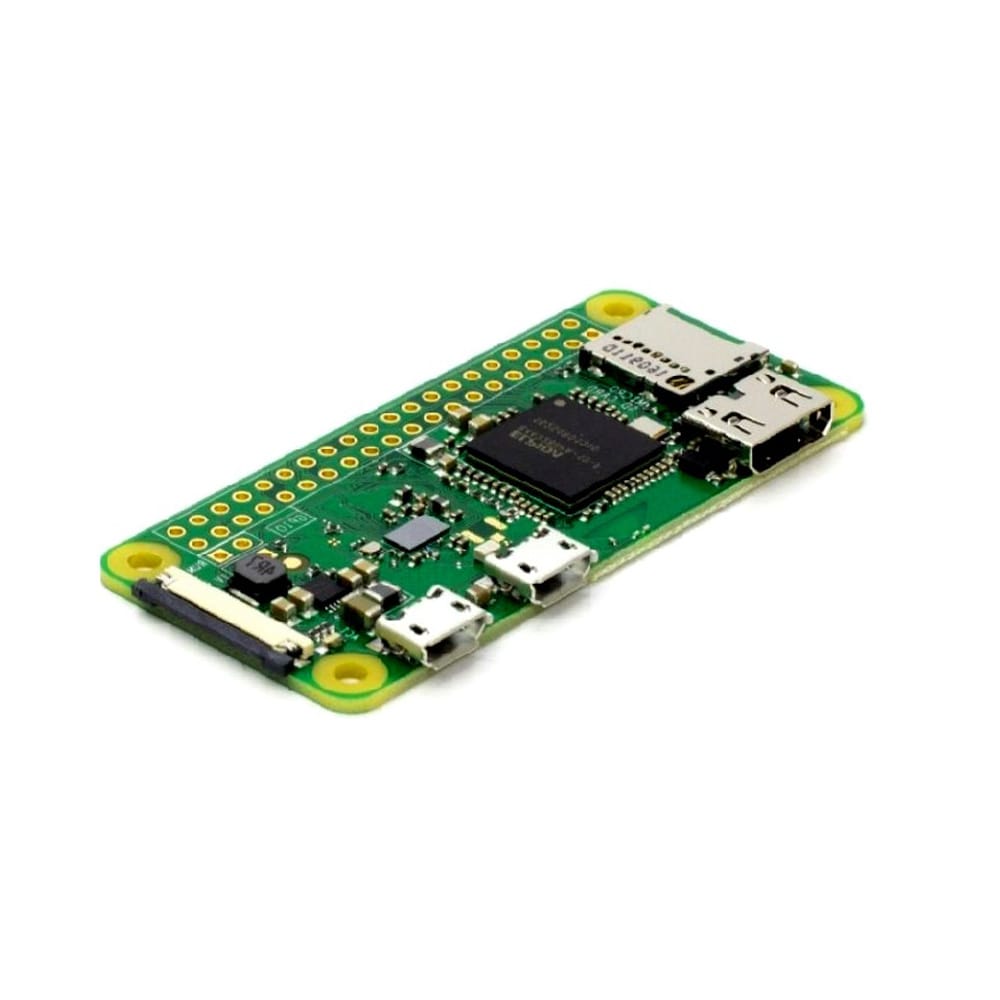
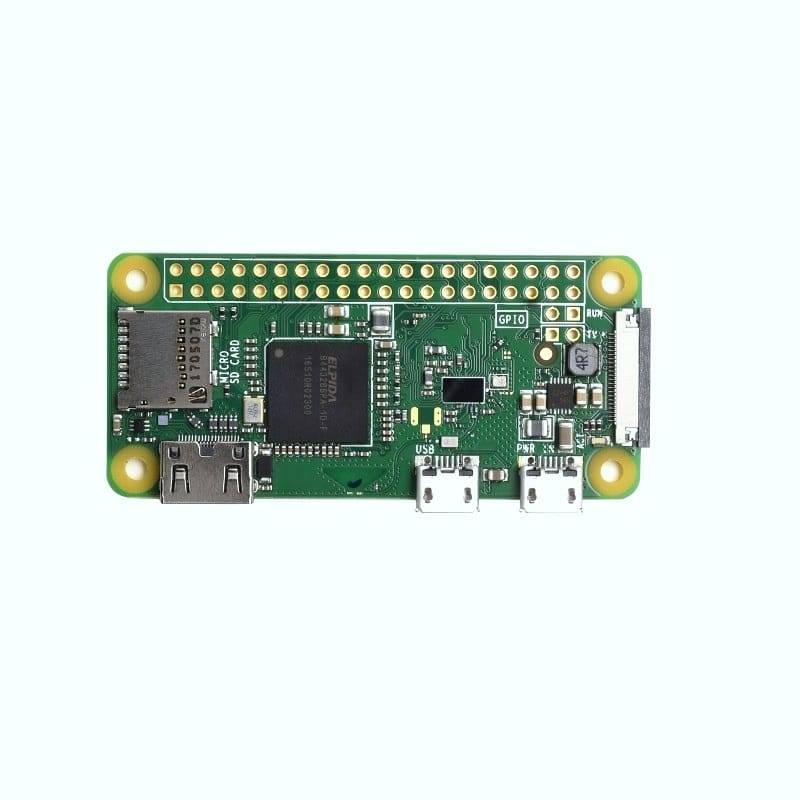
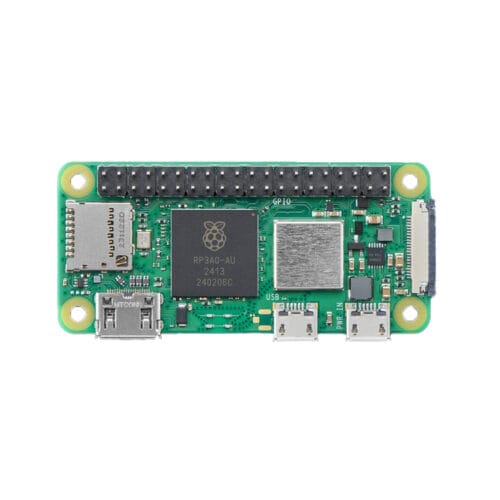
The Raspberry Pi Zero W (Wireless) is an ultra-compact, affordable single-board computer featuring a 1GHz single-core ARM processor, 512MB RAM, and built-in 2.4GHz WiFi and Bluetooth 4.1/BLE connectivity. Measuring just 65×30mm and weighing only 9 grams, this tiny powerhouse runs full Raspberry Pi OS and delivers the power of a Linux computer in a form factor smaller than a stick of gum. With mini HDMI port (1080p output), micro USB OTG, CSI camera connector, 40-pin GPIO header (unpopulated), and the same BCM2835 processor as the original Raspberry Pi, the Pi Zero W is perfect for portable projects, IoT devices, retro gaming, camera projects, home automation, robotics, wearables, and embedded applications requiring wireless connectivity in minimal space. At just $10 USD, it represents incredible value in the Raspberry Pi ecosystem.
✨ Key Highlights
- 📏 Ultra-Compact – Only 65×30mm, weighs just 9 grams!
- 📡 Built-in WiFi – 2.4GHz 802.11 b/g/n wireless LAN
- 📱 Bluetooth 4.1/BLE – Wireless connectivity for IoT projects
- ⚡ 1GHz Processor – BCM2835 single-core ARM1176JZF-S
- 💾 512MB RAM – Sufficient for most embedded applications
- 📺 Mini HDMI Output – 1080p60 video output capability
- 📷 CSI Camera Port – Connect official Raspberry Pi cameras
- 🔌 40-Pin GPIO – Compatible with HATs and accessories
- 🐧 Full Linux OS – Runs Raspberry Pi OS, Raspbian, RetroPie
- 💰 Only $10 USD – Incredible value for wireless Linux computer!
⭐ Customer Rating
★★★★★
Rated 5.00 out of 5 based on 3 customer ratings
Customers love the Pi Zero W for its compact size, built-in wireless, and incredible value!
📊 Technical Specifications
| 💻 Processor |
Broadcom BCM2835 SoC (same as Pi 1) |
| 🔧 CPU |
Single-core ARM1176JZF-S @ 1.0GHz |
| 🎮 GPU |
VideoCore IV (dual-core) |
| 💾 RAM |
512MB LPDDR2 SDRAM |
| 📡 Wireless |
2.4GHz 802.11 b/g/n WiFi (Cypress CYW43438) |
| 📱 Bluetooth |
Bluetooth 4.1, Bluetooth Low Energy (BLE) |
| 📺 Video Output |
Mini HDMI port, 1080p60 (H.264 decode) |
| 🎬 Video Encode |
H.264 @ 1080p30 |
| 📷 Camera |
CSI camera connector (15-pin ribbon cable) |
| 🔌 GPIO |
40-pin header (unpopulated, requires soldering) |
| 🔌 USB Ports |
1× Micro USB OTG, 1× Micro USB power |
| 💾 Storage |
MicroSD card slot (push-pull type) |
| ⚡ Power Input |
5V DC via micro USB, 1.2A recommended |
| 🔋 Power Consumption |
~100-150mA idle, ~200-250mA under load @ 5V |
| 🌡️ Operating Temp |
0°C to +50°C (ambient) |
| 📏 Dimensions |
65mm × 30mm × 5mm (excluding connectors) |
| ⚖️ Weight |
~9 grams (bare board without header) |
🔌 Port & Connector Layout
| Mini HDMI |
Video/audio output (requires mini HDMI to HDMI adapter/cable) |
| Micro USB (PWR IN) |
5V power input, 1.2A minimum recommended |
| Micro USB (USB OTG) |
Data port, can be USB host or device |
| CSI Camera |
15-pin FPC connector for Pi Camera v1/v2/HQ |
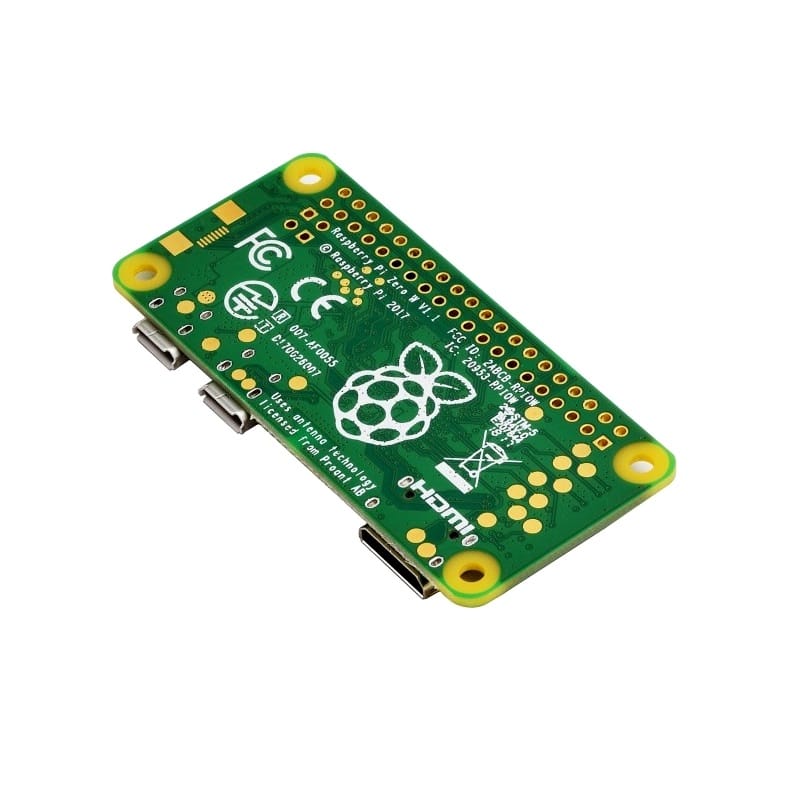
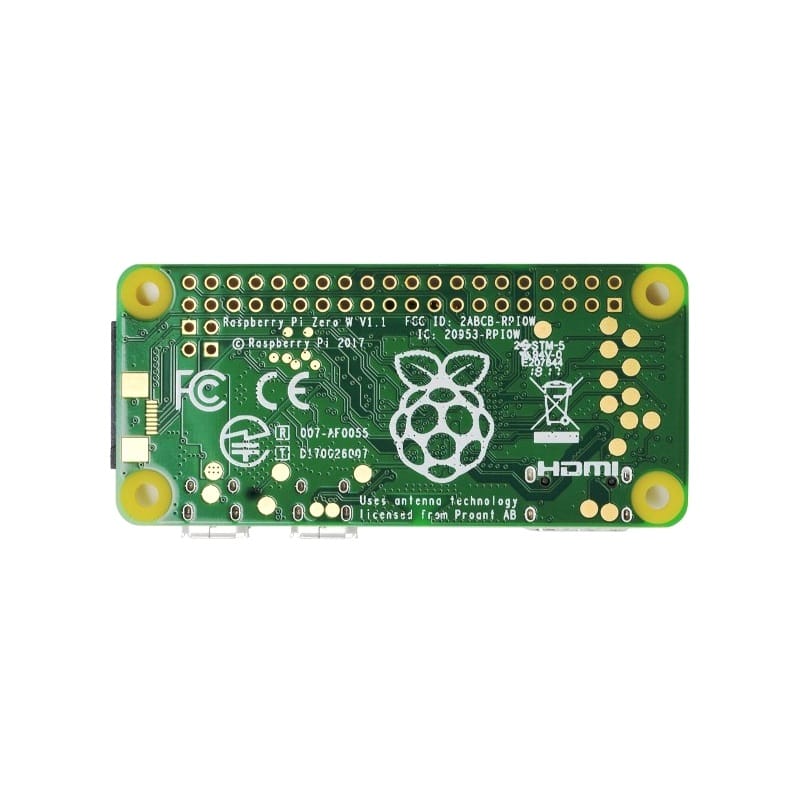
| MicroSD Slot |
Push-pull card slot on underside of board |
| 40-Pin GPIO |
Unpopulated header holes (requires soldering) |
| RUN Header |
2-pin header for reset/power control |
| TV Composite |
Composite video via test points (soldering required) |
🎯 Perfect For
- 📡 IoT Projects – WiFi-enabled sensors, smart home devices
- 🎮 Portable Gaming – RetroPie handhelds, mini arcade cabinets
- 📷 Camera Projects – Time-lapse, security cameras, wildlife monitoring
- 🏠 Home Automation – Smart home hubs, controllers, displays
- 🤖 Compact Robotics – Small robots, drones, autonomous vehicles
- 📊 Data Logging – Environmental monitoring, sensor networks
- 🔊 Audio Projects – Bluetooth speakers, music streamers
- ⌚ Wearables – Smart watches, fitness trackers (with custom case)
🆚 Pi Zero W vs Other Raspberry Pi Models
| Feature |
Pi Zero W |
Pi Zero 2 W |
Pi 3B+ |
Pi 4B |
| CPU |
1× 1GHz |
✅ 4× 1GHz |
✅ 4× 1.4GHz |
✅ 4× 1.5GHz |
| RAM |
512MB |
512MB |
1GB |
✅ 1-8GB |
| WiFi |
✅ 2.4GHz |
✅ 2.4GHz |
✅ 2.4/5GHz |
✅ 2.4/5GHz |
| Bluetooth |
✅ 4.1/BLE |
✅ 4.2/BLE |
✅ 4.2/BLE |
✅ 5.0/BLE |
| USB Ports |
1× micro OTG |
1× micro OTG |
✅ 4× USB 2.0 |
✅ 2×USB 3.0, 2×USB 2.0 |
| Size |
✅ 65×30mm |
✅ 65×30mm |
85×56mm |
85×56mm |
| Power |
✅ ~0.6-1.2W |
~1.5-2.5W |
~4-6W |
~5-8W |
| Price |
✅ $10 |
$15 |
$35 |
$35-75 |
✅ Key Advantages of Pi Zero W
- 📏 Smallest Pi with WiFi – Ultra-compact 65×30mm form factor
- 💰 Most Affordable Wireless Pi – Only $10 for WiFi + Bluetooth
- 🔋 Low Power – ~0.6-1.2W typical, perfect for battery projects
- 📡 Built-in Wireless – WiFi + BLE without dongles
- 🐧 Full Linux OS – Runs complete Raspberry Pi OS
- 📷 Camera Support – CSI connector for Pi cameras
- 🔌 GPIO Compatible – Works with HATs (with header soldered)
- ⚖️ Ultra-Light – Only 9 grams, perfect for drones/wearables
- 🎮 Gaming Capable – Runs RetroPie for retro gaming
- 🌍 Huge Community – Massive ecosystem, thousands of projects
⚠️ Important Limitations
- ⚡ Single-Core CPU – Slower than multi-core Pi models
- 💾 512MB RAM Only – May struggle with heavy desktop use
- 📡 2.4GHz WiFi Only – No 5GHz band
- 🔌 Single USB OTG – Needs hub for multiple USB devices
- 🔧 GPIO Unpopulated – Requires soldering for HAT use
- 📺 Mini HDMI – Needs adapter cable (not standard HDMI)
- 🐌 Slower Performance – Not suitable for desktop replacement
- 🔌 Limited Stock – Often out of stock due to popularity
🔧 Getting Started Essentials
| MicroSD Card |
16GB minimum, 32GB recommended (Class 10, A1 rated) |
| Power Supply |
5V 1.2A micro USB, official Pi adapter recommended |
| Mini HDMI Cable |
Mini HDMI to HDMI for display connection |
| USB OTG Adapter |
Micro USB to USB-A for keyboard/mouse/hub |
| GPIO Header (Optional) |
40-pin male header for HATs/accessories |
| Case (Optional) |
Protective case, many available designs |
| Heatsink (Optional) |
Small aluminum heatsink for extended use |
💻 Operating System Installation
| Installing Raspberry Pi OS (Recommended) |
# 1. Download Raspberry Pi Imager
# Visit: raspberrypi.com/software/
# Available for Windows, macOS, Linux
# 2. Run Raspberry Pi Imager
# – Insert microSD card (16GB+)
# – Choose OS: Raspberry Pi OS Lite (recommended for Zero W)
# – Or: Raspberry Pi OS (32-bit) for desktop
# – Choose Storage: Your microSD card
# – Click Settings gear icon (advanced options)
# 3. Configure WiFi & SSH (Important!)
# – Set hostname: raspberrypi-zero
# – Enable SSH (for headless setup)
# – Set username and password
# – Configure WiFi (SSID and password)
# – Set locale settings
# 4. Write Image
# – Click WRITE and wait (~5-10 minutes)
# – Safely eject card
# 5. First Boot
# – Insert card into Pi Zero W
# – Connect power (auto-connects to WiFi)
# – SSH access: ssh username@raspberrypi-zero.local
# For desktop use: connect mini HDMI + USB keyboard
|
🎓 Example Projects
- 📷 WiFi Security Camera – Pi Camera + motion detection, stream to phone
- 🎮 Portable RetroPie – Handheld gaming console in 3D printed case
- 🏠 Smart Home Hub – Home Assistant for automation control
- 📊 WiFi Weather Station – Sensors + web dashboard
- 🔊 Bluetooth Speaker – AirPlay receiver, Spotify Connect
- 📡 Network Monitor – Pi-hole ad blocker, network stats
- ⏱️ Smart Clock – Time/weather display with WiFi sync
- 🚪 Smart Doorbell – Camera + motion sensor + notifications
🔍 Performance Notes
💡 Pro Tips for Pi Zero W
- 🐧 Use Lite OS – Raspberry Pi OS Lite for better performance
- 📡 Configure WiFi First – Use Imager for headless setup
- 🔋 Low Power Mode – Disable HDMI/LEDs to save power
- 🔌 USB Hub Essential – Get powered hub for multiple devices
- 💾 Fast SD Card – A1/A2 rated cards improve responsiveness
- 📺 Keep Mini HDMI Adapter – Easy to lose, keep spare
- 🔧 Solder GPIO Header – Opens up HAT compatibility
- ⚡ Quality Power Supply – Undervoltage causes crashes
🔌 GPIO Header Pinout (40-Pin)
| Power Pins |
2× 5V, 2× 3.3V, 8× Ground |
| GPIO Pins |
26× general purpose I/O pins |
| I2C |
GPIO 2 (SDA), GPIO 3 (SCL) |
| SPI |
GPIO 7-11 (SPI0) |
| UART |
GPIO 14 (TXD), GPIO 15 (RXD) |
| PWM |
GPIO 12, 13, 18, 19 (hardware PWM) |
| Voltage |
All GPIO are 3.3V logic (NOT 5V tolerant) |
📦 Package Contents
- ✅ 1× Raspberry Pi Zero W board (with wireless)
- ⚠️ Note: Board ONLY – no cables, power supply, or SD card
- ⚠️ Note: GPIO header unpopulated (requires soldering)
- ⚠️ Note: Mini HDMI cable/adapter sold separately
- ⚠️ Note: Power supply sold separately (5V 1.2A micro USB)
- ⚠️ Note: MicroSD card sold separately (16GB+ required)
- ⚠️ Note: USB OTG adapter sold separately
- ✅ Tip: Consider official Pi Zero W kit with accessories
🔋 Power Consumption Details
| Idle (WiFi on, HDMI off) |
~100-120mA @ 5V (~0.5-0.6W) |
| Typical Use (WiFi, HDMI) |
~150-200mA @ 5V (~0.75-1.0W) |
| Heavy Load (CPU 100%) |
~200-250mA @ 5V (~1.0-1.25W) |
| With Camera Module |
Add ~200-250mA for camera operation |
| With USB Devices |
Depends on devices (use powered hub) |
| Recommended PSU |
5V 1.2A minimum, 5V 2A for USB devices |
🎮 Gaming Performance (RetroPie)
| NES/SNES |
✅ Excellent – smooth 60fps gameplay |
| Game Boy/GBA |
✅ Great – full speed emulation |
| Genesis/Mega Drive |
✅ Good – most games smooth |
| PlayStation 1 |
⚠️ Slow – some games playable with tweaks |
| N64 |
❌ Too slow – not recommended |
| Arcade (MAME) |
⚠️ Mixed – older arcade games work |
🔧 Compatible Accessories
- 📷 Pi Camera v2 – 8MP camera via CSI connector
- 📷 Pi Camera HQ – 12.3MP high-quality camera (C/CS mount)
- 🎩 Zero pHAT – Partial HATs designed for Zero form factor
- 📺 Displays – Small TFT displays, OLED screens
- ⌨️ Zero Keyboard – Official keyboard with integrated hub
- 🔋 LiPo Shim – Battery power for portable projects
- 📦 Cases – Official case, 3D printed designs
- 🔌 USB Hub – Micro USB powered hub for peripherals
💻 Supported Operating Systems
- ✅ Raspberry Pi OS (32-bit) – Official, best compatibility
- ✅ Raspberry Pi OS Lite – Headless, better performance
- ✅ RetroPie – Gaming-focused distribution
- ✅ LibreELEC/OSMC – Media center (Kodi)
- ✅ DietPi – Lightweight optimized OS
- ✅ Home Assistant OS – Smart home automation
- ✅ Arch Linux ARM – Rolling release
🌐 Wireless Connectivity Details
| WiFi Chip |
Cypress CYW43438 (same as Pi 3B) |
| WiFi Standards |
802.11 b/g/n (2.4GHz only) |
| WiFi Speed |
Up to 150Mbps theoretical (typical ~30-50Mbps) |
| WiFi Range |
Moderate – ~10-15m indoors typical |
| Bluetooth |
Bluetooth 4.1, BLE (Bluetooth Low Energy) |
| Bluetooth Range |
~10m typical for BLE devices |
📊 Use Case Recommendations
| Headless IoT Server |
✅ Perfect – low power, WiFi, adequate performance |
| Desktop Computer |
⚠️ Poor – single-core too slow, use Pi 4 |
| Media Center |
✅ Good – 1080p playback smooth |
| Portable Gaming |
✅ Good – retro systems work well |
| Camera Projects |
✅ Excellent – CSI support, WiFi for streaming |
| Home Automation |
✅ Perfect – low power, always-on hub |
| Learning/Education |
✅ Good – affordable Linux computer |
🛡️ Product Information
✅ Raspberry Pi Zero W – Ultra-Compact Wireless Single-Board Computer
✅ Manufacturer: Raspberry Pi Foundation (official product)
✅ Processor: Broadcom BCM2835 SoC (same as original Pi 1)
✅ CPU: Single-core ARM1176JZF-S @ 1.0GHz
✅ GPU: VideoCore IV dual-core, hardware H.264 decode
✅ RAM: 512MB LPDDR2 SDRAM (shared with GPU)
✅ Wireless: Cypress CYW43438 chip (WiFi + Bluetooth)
✅ WiFi: 2.4GHz 802.11 b/g/n (WiFi 4), WPA2 security
✅ Bluetooth: Bluetooth 4.1, BLE (Bluetooth Low Energy)
✅ Video: Mini HDMI port, 1080p60 output, H.264 hardware decode
✅ Camera: 15-pin CSI connector for Pi Camera v1/v2/HQ
✅ GPIO: 40-pin header (unpopulated, requires soldering)
✅ USB: 1× Micro USB OTG (data), 1× Micro USB (power only)
✅ Storage: MicroSD card slot (push-pull, underside)
✅ Power: 5V @ 1.2A via micro USB recommended
✅ Dimensions: 65mm × 30mm × 5mm (same as Pi Zero)
✅ Weight: ~9 grams (bare board without header)
⚠️ Important: Official MSRP $10 USD. Smallest Raspberry Pi with built-in wireless! Requires 5V 1.2A power supply – undervoltage causes instability. MicroSD card required: 16GB minimum, 32GB recommended, Class 10/A1 rated. GPIO header unpopulated – requires soldering for HAT use. Mini HDMI (not standard) – requires mini HDMI to HDMI adapter/cable. USB OTG adapter needed for USB devices (keyboard, mouse, hub). First boot: Configure WiFi in Raspberry Pi Imager for headless setup. Operating systems: Raspberry Pi OS Lite (recommended), full OS (slower), RetroPie. Single-core limitation: Slower than multi-core Pis, not for desktop replacement. WiFi: 2.4GHz only (no 5GHz), adequate for IoT/streaming. Power: ~0.6-1.2W typical, excellent for battery projects. Camera support: Works with Pi Camera v1/v2/HQ via CSI connector. Community: Huge support, thousands of projects, extensive documentation. Perfect for: IoT sensors, portable gaming, cameras, home automation, compact projects. Not suitable for: Desktop use (too slow), high-performance needs (use Pi 4), 5GHz WiFi. Best ultra-compact wireless Pi!