Description
🔧 20×4 LCD Display Module – Large Capacity Character LCD with Backlight for Arduino & Microcontrollers
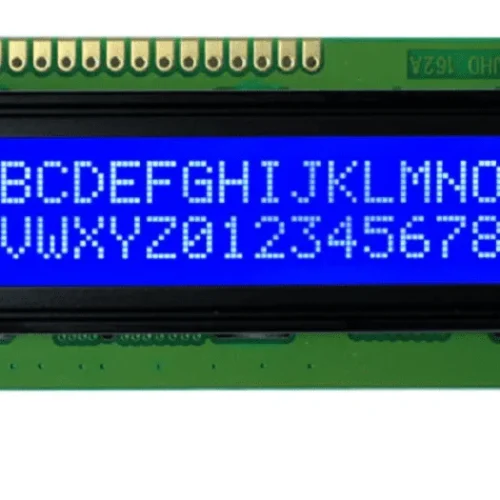
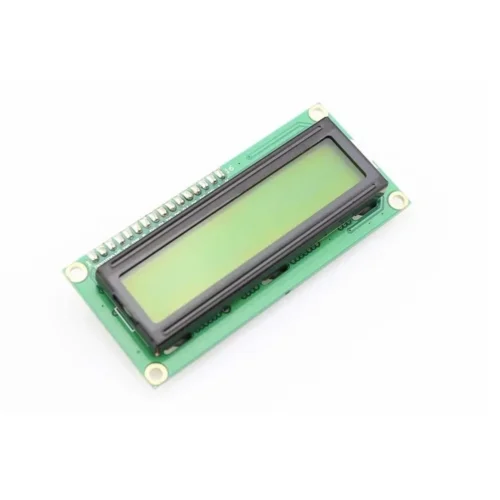
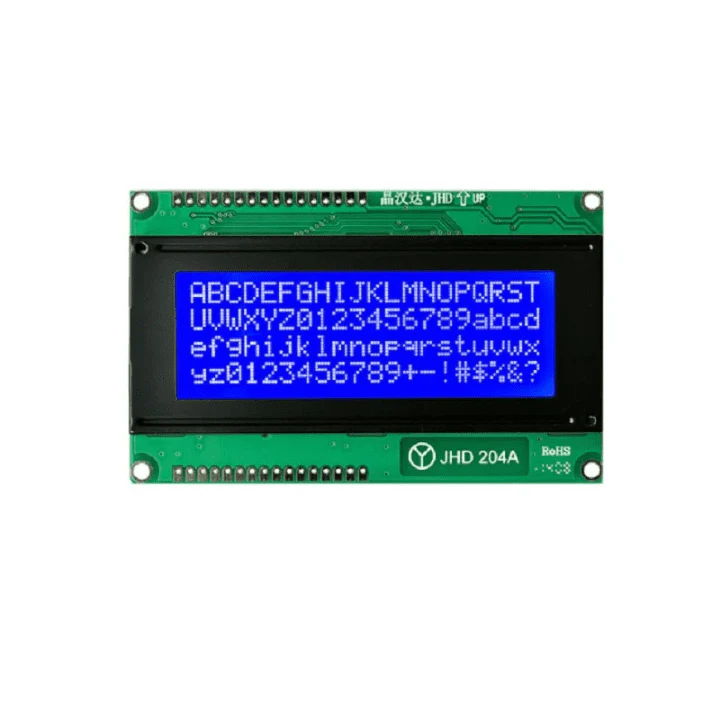
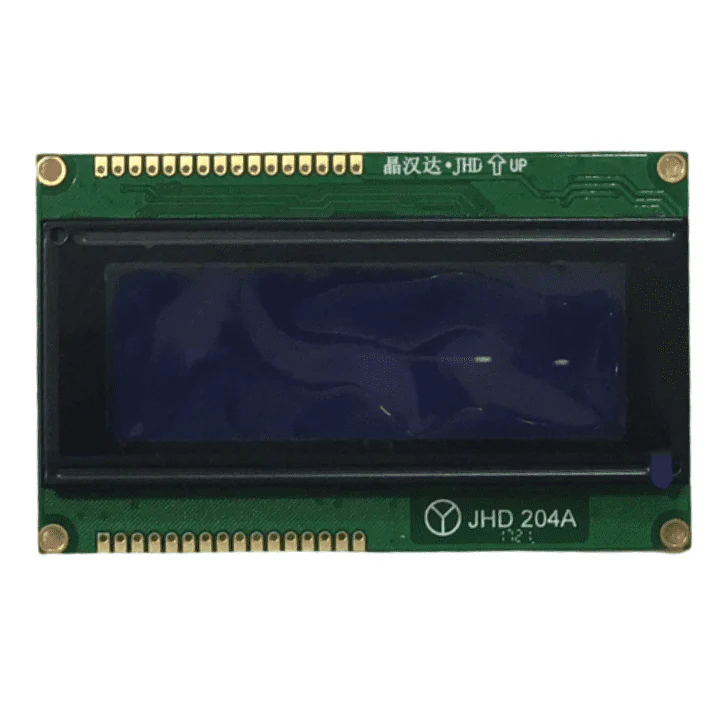
The 20×4 LCD Display Module is a high-capacity alphanumeric character display featuring 20 columns and 4 rows, capable of displaying 80 characters simultaneously – the largest commonly available character LCD. Based on the HD44780 controller with dual enable architecture, this LCD module provides maximum text display capacity for complex data visualization, detailed menus, and information-rich interfaces. Featuring adjustable blue or green backlight, high contrast display, and both parallel (4-bit/8-bit) and I2C interface options, this display is perfect for comprehensive status dashboards, multi-parameter monitoring, advanced menu systems, and professional control panels. Ideal for industrial automation, server monitoring, advanced robotics, weather stations, and applications requiring maximum text display capacity.
✨ Key Highlights
- 📺 20×4 Character Display – 80 total characters (4 lines × 20 chars)
- 📊 Maximum Text Capacity – Largest standard character LCD available
- 💡 LED Backlight – Blue or green background illumination
- 🔌 HD44780 Compatible – Industry standard LCD controller
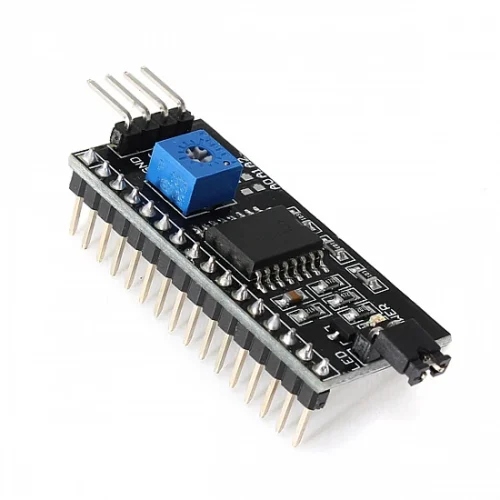
- 📡 Multiple Interfaces – Parallel (4/8-bit) or I2C module available
- ⚡ 5V Operation – Standard 5V logic level (3.3V with adapter)
- 📊 High Contrast – Adjustable contrast via potentiometer
- 🔧 Easy to Program – Uses standard LiquidCrystal library
- 📏 Professional Size – ~98×60mm display area
- 💰 Best Value – Most characters per dollar ($8-15)
📊 Technical Specifications
| 📺 Display Type | Character LCD (alphanumeric) |
| 📏 Display Format | 20 characters × 4 lines (80 total) |
| 🔤 Character Size | 5×8 dots per character |
| 💻 Controller | HD44780 or compatible (dual enable) |
| ⚡ Operating Voltage | 5V DC (logic and backlight) |
| 🔋 Current Draw | ~1-3mA (without backlight), ~100-180mA (with backlight) |
| 💡 Backlight | Blue or Green LED (varies by model) |
| 📊 Contrast | Adjustable via 10kΩ potentiometer |
| 🔌 Interface | 16-pin parallel (4-bit or 8-bit mode) |
| 📡 I2C Option | Available with I2C adapter module (2-wire) |
| 📏 Module Size | ~98×60×13mm (varies by manufacturer) |
| 📺 Viewing Area | ~77×47mm (active display area) |
| 🌡️ Operating Temp | 0°C to +50°C (standard), -20°C to +70°C (extended) |
| ⚖️ Weight | ~55-70 grams |
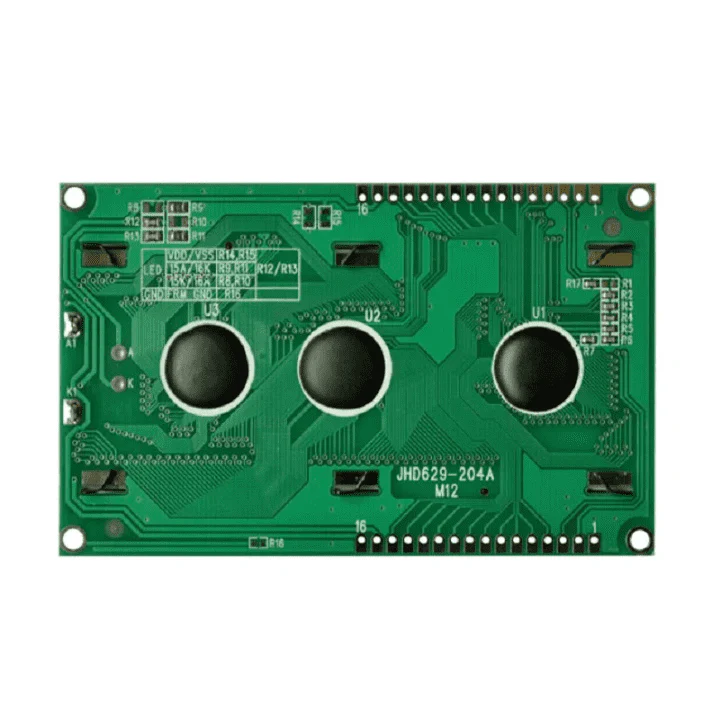
🔌 Pin Configuration (16-Pin Standard)
| Pin 1 (VSS) | Ground (GND) – 0V |
| Pin 2 (VDD) | Power supply +5V |
| Pin 3 (V0/VEE) | Contrast adjustment (connects to potentiometer) |
| Pin 4 (RS) | Register Select (0=command, 1=data) |
| Pin 5 (R/W) | Read/Write (0=write, 1=read) – usually tied to GND |
| Pin 6 (E) | Enable signal (triggers data read/write) |
| Pin 7-10 (D0-D3) | Data pins (not used in 4-bit mode) |
| Pin 11-14 (D4-D7) | Data pins (used in both 4-bit and 8-bit modes) |
| Pin 15 (A/LED+) | Backlight anode (+) – connect to 5V via resistor |
| Pin 16 (K/LED-) | Backlight cathode (-) – connect to GND |
🎯 Perfect For
- 🏭 Industrial Control Panels – Production stats, machine status, alarms
- 💻 Server Monitoring – CPU, RAM, disk, network, temperature stats
- 📊 Data Acquisition Systems – Multiple sensor readings simultaneously
- 🌡️ Advanced Weather Stations – Temp, humidity, pressure, wind, forecast
- ⚙️ CNC/3D Printer Displays – Position, speed, temp, progress, status
- 🤖 Professional Robotics – Comprehensive robot telemetry and debugging
- 🎮 Complex Menu Systems – Settings menus with multiple options visible
- 📈 Financial Displays – Stock tickers, cryptocurrency monitors
🆚 LCD Size Comparison Chart
| Size | Characters | Dimensions | Price | Best For |
| 16×2 | 32 total | 80×36mm | $3-8 | Basic displays |
| 16×4 | 64 total | 80×58mm | $5-12 | Multi-parameter |
| 20×2 | 40 total | 116×37mm | $5-10 | Wide data lines |
| 20×4 | ✅ 80 total | ✅ 98×60mm | $8-15 | ✅ Maximum capacity |
✅ Key Advantages
- 📊 Maximum Capacity – 80 characters, largest standard LCD available
- 📏 Wider Lines – 20 characters per line vs 16 (25% more)
- 📈 Comprehensive Data – Display 4 full datasets simultaneously
- 🎮 Advanced Menus – Show 4 menu options with full descriptions
- 📊 Professional Look – Impressive display for commercial applications
- 💰 Best Value – Lowest cost per character ($0.10-0.19/char)
- 🔌 Same Interface – Identical wiring to 16×2 or 16×4
- 💻 Easy Programming – Same library, just lcd.begin(20, 4)
- 📝 Detailed Messages – More space for descriptive text
- 🛡️ Proven Technology – Reliable HD44780 controller
⚠️ Important Limitations
- 📏 Largest Size – ~98×60mm, requires more mounting space
- 💰 Higher Cost – $8-15 vs $3-8 for smaller LCDs
- 💡 Higher Power – Backlight draws 100-180mA current
- ⚖️ Heavier Weight – ~55-70g, consider in portable projects
- 🎨 Text Only – No graphics, images, or complex shapes
- ⚡ 5V Required – Needs level shifter for 3.3V systems
- 🔄 Slow Updates – Not for animations or rapid changes
- 👁️ Viewing Angle – Limited compared to modern displays
🔧 Arduino Connection (4-Bit Parallel Mode)
| LCD Pin | Arduino Pin | Notes |
| VSS (Pin 1) | GND | Ground |
| VDD (Pin 2) | 5V | Power supply |
| V0 (Pin 3) | Potentiometer wiper | Contrast adjust (10kΩ pot) |
| RS (Pin 4) | Digital Pin 12 | Register select |
| R/W (Pin 5) | GND | Always write mode |
| E (Pin 6) | Digital Pin 11 | Enable |
| D4 (Pin 11) | Digital Pin 5 | Data bit 4 |
| D5 (Pin 12) | Digital Pin 4 | Data bit 5 |
| D6 (Pin 13) | Digital Pin 3 | Data bit 6 |
| D7 (Pin 14) | Digital Pin 2 | Data bit 7 |
| A (Pin 15) | 5V (via 220Ω resistor) | Backlight + |
| K (Pin 16) | GND | Backlight – |
💻 Arduino Code Example – System Monitor
| Comprehensive System Display | |
|
#include <LiquidCrystal.h>
// Initialize LCD (RS, E, D4, D5, D6, D7) void setup() { void loop() { |
📊 Professional Display Layout Examples
| Industrial Control Panel | |
|
Line 0: “Production: 1,234/hr” Line 1: “Efficiency: 96.5%” Line 2: “Downtime: 12 min” Line 3: “Status: RUNNING ” |
| Weather Station Display | |
|
Line 0: “Temp: 25.3C Feels” Line 1: “Humid: 65.2% Like: “ Line 2: “Press: 1013 hPa 26.1C” Line 3: “Wind: 15km/h NE 12:34” |
| Server Monitoring Display | |
|
Line 0: “CPU: 45% RAM: 62.3%” Line 1: “Disk: 234GB/500GB “ Line 2: “Net: ↓125MB ↑45MB “ Line 3: “Temp: 52C Up:45days” |
💡 Pro Tips for 20×4 LCD
- 📊 Use Full 20 Characters – Pad strings to exactly 20 chars to prevent artifacts
- 📏 Align Data – Use spaces for column alignment (looks professional)
- 🔄 Update Selectively – Only rewrite changed values, not entire lines
- 🎨 Group Related Data – Keep similar info on same line
- ⚡ Brightness Control – Use MOSFET + PWM for adjustable backlight
- 💻 sprintf() Formatting – Use for consistent number formatting
- 📦 I2C Essential – With 20×4, saving GPIO pins is very valuable
- 🔋 Power Management – Turn off backlight when idle (saves 100-180mA)
🔍 Troubleshooting
| No Display | Check 5V power supply, verify VDD/VSS connections |
| Blank with Backlight | Adjust contrast pot slowly, may need significant rotation |
| Only 2 Lines Visible | Verify lcd.begin(20, 4) not (20, 2) or (16, 4) |
| Garbled Characters | Check D4-D7 wiring, ensure good solder connections |
| Text Cut Off at 16 Chars | Code using lcd.begin(16, 4) – change to (20, 4) |
| Bottom Lines Not Working | Check if actual 20×4 (not 20×2 mislabeled) |
| Dim Backlight | Reduce resistor value (try 150Ω instead of 220Ω) |
| I2C Address Not Found | Try 0x27, 0x3F, or run I2C scanner sketch |
🔧 I2C Connection (Highly Recommended)
| I2C Module Pin | Arduino Pin | Notes |
| VCC | 5V | Power for I2C module |
| GND | GND | Ground |
| SDA | A4 (Uno) or SDA | I2C data line |
| SCL | A5 (Uno) or SCL | I2C clock line |
| I2C Arduino Code (Saves GPIO Pins!) | |
|
#include <Wire.h> #include <LiquidCrystal_I2C.h> // Init: address, columns, rows void setup() { |
📊 Row Addressing Reference
| Display Line | setCursor Command | Example |
| Line 1 (Top) | lcd.setCursor(0, 0) | Position 0, Row 0 |
| Line 2 | lcd.setCursor(0, 1) | Position 0, Row 1 |
| Line 3 | lcd.setCursor(0, 2) | Position 0, Row 2 |
| Line 4 (Bottom) | lcd.setCursor(0, 3) | Position 0, Row 3 |
| Last Character Line 1 | lcd.setCursor(19, 0) | Position 19, Row 0 |
📦 Package Contents (Typical)
- ✅ 1x 20×4 LCD Display Module (HD44780 compatible)
- ✅ 16-pin male header (may require soldering)
- ✅ LED backlight (blue or green, pre-installed)
- ⚠️ Note: 10kΩ potentiometer for contrast sold separately
- ⚠️ Note: I2C adapter module sold separately ($2-4 extra)
- ⚠️ Note: Jumper wires not included
- ⚠️ Note: Arduino/microcontroller sold separately
- ⚠️ Note: 220Ω backlight resistor recommended (may not be included)
🎓 Real-World Application Examples
- 🏭 Manufacturing Dashboard – Production count, efficiency, downtime, alerts
- 💻 Raspberry Pi Status – System resources, temperature, network, uptime
- 🌡️ Greenhouse Controller – Temp, humidity, soil, light, irrigation status
- 🚗 Advanced Car Computer – Speed, RPM, temp, fuel, trip, diagnostics
- ⚙️ 3D Printer Display – Progress %, layer, temps (bed/nozzle), time remaining
- 🏠 Home Automation Hub – Room temps, security, energy, schedule
- 📊 Stock Ticker – Multiple stock prices with change percentages
- 🔋 Battery Bank Monitor – Voltage, current, power, capacity, temperature
🔋 Power Consumption
| LCD Logic Only | ~1-3mA |
| Blue Backlight | ~120-180mA @ 5V |
| Green Backlight | ~100-140mA @ 5V |
| Total Power | ~100-180mA typical |
| Power @ 5V | ~0.5-0.9 watts |
| Daily Energy (24hr) | ~12-22 Wh (backlight on) |
💰 Cost & Value Analysis
| 20×4 LCD (parallel) | $8-12 |
| 20×4 LCD (with I2C) | $10-15 |
| Cost per Character | $0.10-0.19 per char |
| 16×4 LCD (comparison) | $5-12 (64 chars) |
| 16×2 LCD (comparison) | $3-8 (32 chars) |
🔧 Compatible Platforms
- ✅ Arduino – Uno, Mega, Nano, Due, Leonardo (all models)
- ✅ Raspberry Pi – All versions (GPIO or I2C recommended)
- ✅ ESP8266/ESP32 – WiFi projects (use level shifter or 5V tolerant pins)
- ✅ STM32 – ARM Cortex microcontrollers
- ✅ PIC – Microchip PIC series
- ✅ AVR – ATmega, ATtiny series
- ✅ BeagleBone – Single-board computers
- ✅ Teensy – High-performance microcontrollers
- ⚠️ 3.3V Systems – Requires level shifter for safe 5V LCD operation
🎨 Custom Character Example
| Create Degree Symbol (°) | |
|
byte degree[8] = { 0b00110, 0b01001, 0b01001, 0b00110, 0b00000, 0b00000, 0b00000, 0b00000 }; void setup() { |
🔧 Advanced Features & Tips
- 📊 Scrolling Text – Use lcd.scrollDisplayLeft() for long messages
- 🎨 8 Custom Characters – Create special symbols (°, ↑, ↓, arrows, etc.)
- 💻 Cursor Control – lcd.cursor() and lcd.blink() for input fields
- 🔄 Display On/Off – lcd.noDisplay() saves power, keeps data in memory
- 📏 String Formatting – Right-align numbers using sprintf()
- ⚡ Backlight PWM – Dim backlight at night, full bright during day
- 🔋 Auto-Off Timer – Turn off backlight after inactivity
- 📊 Data Validation – Display “—” for invalid/missing sensor data
🛡️ Product Information
✅ 20×4 Character LCD Display Module – HD44780 Compatible
✅ Display format: 20 characters × 4 lines (80 characters total)
✅ Character size: 5×8 dots per character
✅ Controller: HD44780 or compatible (dual enable architecture)
✅ Operating voltage: 5V DC (logic and backlight)
✅ Current draw: 1-3mA (logic), 100-180mA (with backlight)
✅ Backlight: Blue or Green LED (varies by model)
✅ Interface: 16-pin parallel (4-bit/8-bit) or I2C (with adapter)
✅ Contrast: Adjustable via 10kΩ potentiometer (Pin 3)
✅ Module size: ~98×60×13mm, Viewing area: ~77×47mm
✅ Operating temperature: 0°C to +50°C standard
✅ Weight: ~55-70 grams
✅ Custom characters: 8 custom 5×8 characters supported
⚠️ Important: Requires 5V power – use level shifter for 3.3V microcontrollers. Contrast potentiometer essential (10kΩ on Pin 3). Backlight needs current-limiting resistor (220Ω recommended, 150-330Ω range). Arduino code: lcd.begin(20, 4) for proper initialization. Parallel mode uses 6 GPIO pins minimum (4-bit). I2C adapter HIGHLY recommended – reduces to 2 pins, costs only $2-4 extra. Pin 5 (R/W) typically tied to GND. Backlight draws 100-180mA – consider power budget. Row addressing: 0, 1, 2, 3 (top to bottom). Columns: 0-19 (left to right). Arduino library: LiquidCrystal (parallel) or LiquidCrystal_I2C (I2C mode). I2C address typically 0x27 or 0x3F. Largest standard character LCD available (80 chars). Best value: $0.10-0.19 per character. Best for: Industrial panels, server monitoring, complex menus, data acquisition, professional displays, comprehensive dashboards.