Description
🔧 5 Inch TFT LCD Display – High-Resolution Full-Color Touchscreen Display Module
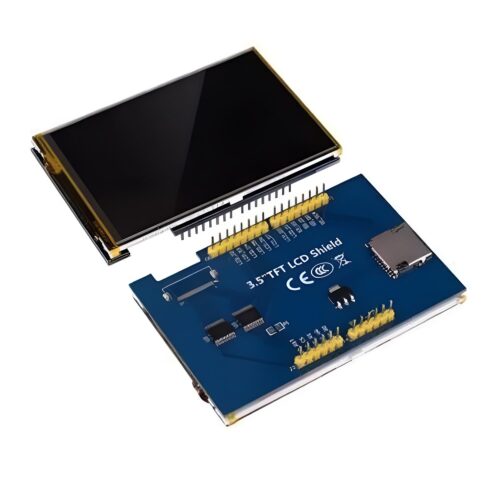
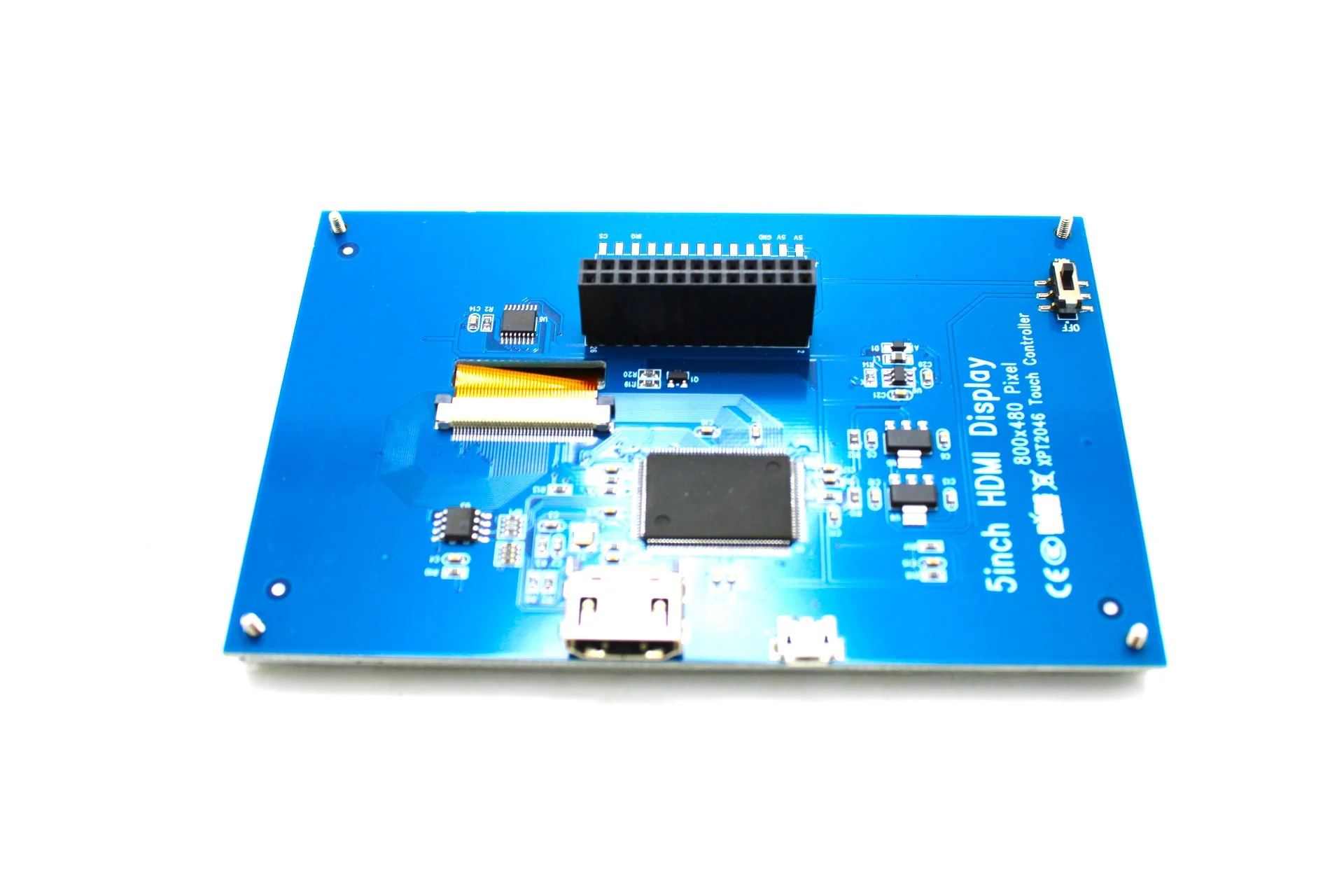
The 5 Inch TFT LCD Display is a large, high-resolution full-color touchscreen display module featuring 800×480 pixel resolution with 65K vibrant colors and optional resistive or capacitive touch panel. Based on industry-standard driver chips (ILI9486, ILI9488, or compatible), this display offers professional-grade visual quality with crisp text and detailed graphics. Available in multiple interface options including HDMI, SPI, and parallel configurations, featuring wide viewing angles, high brightness, and compatibility with Raspberry Pi, Arduino (Mega), ESP32, and other development platforms, this display is perfect for automotive displays, industrial HMI, medical devices, instrumentation, home automation panels, multimedia applications, and embedded systems requiring large-format color displays with superior readability. Suitable for professional and commercial applications.
✨ Key Highlights
- 📺 Large 5″ Display – 800×480 pixel resolution (384,000 pixels)
- 🎨 65K Colors – 16-bit color depth, vibrant full-color display
- 👆 Touch Options – Resistive or capacitive touchscreen available
- 📊 High Resolution – 800×480 WVGA, superior clarity and detail
- 🔌 Multiple Interfaces – HDMI, SPI, or parallel options
- 💻 Wide Compatibility – Raspberry Pi, Arduino Mega, ESP32, PC
- 👁️ Wide Viewing Angle – 160° horizontal, excellent visibility
- 💡 High Brightness – ~250-400 cd/m², visible in various lighting
- 📏 Professional Grade – Suitable for commercial applications
- 💰 Great Value – $25-50, best large display option
📊 Technical Specifications
| 📺 Display Type | TFT LCD (Thin-Film Transistor Liquid Crystal) |
| 📏 Screen Size | 5.0 inch diagonal (~127mm) |
| 📊 Resolution | 800×480 pixels (WVGA, 384,000 total) |
| 📐 Active Area | ~108×64.8mm display area |
| 🎨 Color Depth | 65K colors (16-bit RGB, RGB565 format) |
| 💻 Driver IC | ILI9486, ILI9488, or compatible (varies by model) |
| 👆 Touch Type | Resistive (4-wire) or Capacitive (varies by model) |
| 📡 Interface Options | HDMI, SPI, 16-bit parallel (model dependent) |
| ⚡ Operating Voltage | 5V DC or 12V DC (model dependent) |
| 🔋 Current Draw | ~200-400mA @ 5V (backlight on, typical) |
| 💡 Backlight | White LED, 12-18 LEDs, PWM dimmable |
| 💡 Brightness | ~250-400 cd/m² (varies by model) |
| 👁️ Viewing Angle | 160° horizontal / 140° vertical (typical) |
| 📊 Contrast Ratio | 500:1 to 800:1 (typical) |
| 🌡️ Operating Temp | -20°C to +70°C (industrial grade) |
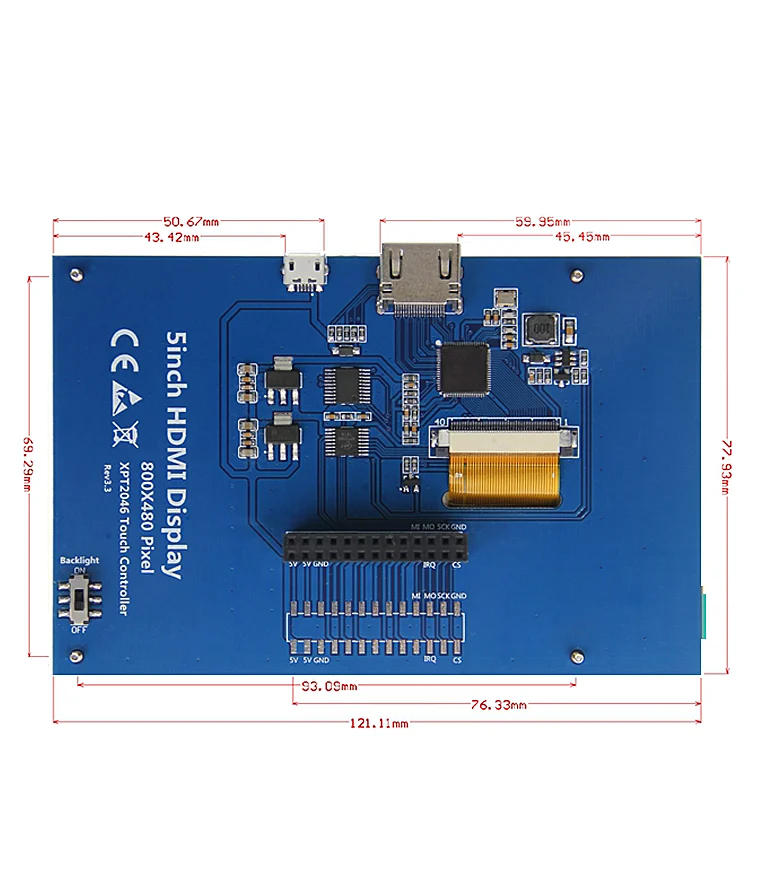
| 📏 Module Size | ~121×76×5mm (varies by manufacturer) |
| ⚖️ Weight | ~100-150 grams |
🔌 Common Interface Types
| HDMI Interface | Plug-and-play with Raspberry Pi, PC, laptops (most popular) |
| SPI Interface | For microcontrollers (Arduino Mega, ESP32), fewer pins |
| 16-bit Parallel | High-speed interface for Arduino Mega, faster than SPI |
| USB Touch | Touch data via USB (HDMI models with capacitive touch) |
| Composite | Analog video input (some older models) |
🎯 Perfect For
- 🚗 Automotive Displays – Backup cameras, dashboards, OBD displays
- 🏭 Industrial HMI – Machine control panels, process monitoring
- ⚕️ Medical Devices – Patient monitors, diagnostic equipment
- 📊 Data Visualization – Real-time monitoring, dashboards, graphs
- 🎮 Gaming Displays – Portable consoles, arcade machines
- 🏠 Home Automation – Smart home control panels, security displays
- 📺 Multimedia – Video players, digital signage, displays
- 🔬 Test Equipment – Oscilloscopes, signal generators, meters
🆚 Display Size Comparison
| Feature | 3.5″ TFT | 5″ TFT | 7″ TFT |
| Screen Size | 3.5″ diagonal | ✅ 5″ diagonal | 7″ diagonal |
| Resolution | 320×480 pixels | ✅ 800×480 pixels | 800×480 or 1024×600 |
| Total Pixels | 153,600 pixels | ✅ 384,000 pixels | 384,000 – 614,400 |
| Pixel Density | ~167 PPI | ✅ ~187 PPI | ~133 PPI |
| Readability | Good (close) | ✅ Excellent | Excellent (large) |
| Portability | ✅ Very compact | ✅ Compact | ⚠️ Larger |
| Power Draw | ~120-200mA | ~200-400mA | ~300-600mA |
| Price | $15-25 | ✅ $25-50 | $40-80 |
✅ Key Advantages
- 📏 Large Screen – 5″ provides excellent visibility and readability
- 📊 High Resolution – 800×480 pixels for crisp text and graphics
- 🎨 Full Color Display – 65K colors for vibrant images
- 👁️ Wide Viewing Angle – 160° viewable from multiple positions
- 💡 High Brightness – Visible in various lighting conditions
- 🔌 HDMI Option – Plug-and-play with Raspberry Pi, PC
- 👆 Touch Capable – Resistive or capacitive touch available
- 🏭 Professional Grade – Suitable for commercial/industrial use
- 💰 Great Value – Affordable for size and resolution
- 📦 Compact Design – Larger than 3.5″ but still portable
⚠️ Important Limitations
- ⚡ Higher Power Draw – ~200-400mA, not ideal for battery projects
- 📏 Larger Footprint – ~121×76mm requires more mounting space
- 💰 Higher Cost – More expensive than smaller displays
- 🔌 Interface Dependent – HDMI/SPI/Parallel each have trade-offs
- 📌 Pin Usage (SPI/Parallel) – Uses many GPIO pins on microcontrollers
- 💾 Memory Intensive – 800×480 requires significant RAM for buffers
- 🐌 Slow on Arduino – Uno cannot handle 5″, Mega struggles
- ⚖️ Heavier – ~100-150g, consider weight in portable designs
🔧 Raspberry Pi HDMI Connection
| Display Connection | Raspberry Pi Pin | Notes |
| HDMI Video | HDMI port | Standard HDMI cable (mini/micro HDMI on Pi 4/Zero) |
| USB Touch (capacitive) | USB port | USB cable for touch input (if capacitive) |
| 5V Power | 5V GPIO or external | Some displays can be powered from Pi |
| GND | GND GPIO or external | Common ground connection |
🐧 Raspberry Pi Configuration (HDMI)
| Edit /boot/config.txt for 800×480 Display | |
|
# Uncomment to force HDMI mode hdmi_force_hotplug=1 # Set HDMI group (2 = DMT) # Set HDMI mode for 800×480 # Custom HDMI timing for 800×480 @ 60Hz # Disable overscan # Save and reboot: |
💻 Arduino Connection (SPI Mode)
| Display Pin | Arduino Mega | ESP32 |
| VCC | 5V | 3.3V or 5V (check display) |
| GND | GND | GND |
| CS | 10 (or any) | 15 (or any) |
| DC/RS | 9 (or any) | 2 (or any) |
| MOSI/SDA | 51 (MOSI) | 23 (MOSI) |
| SCK | 52 (SCK) | 18 (SCK) |
| MISO | 50 (MISO) | 19 (MISO) |
| RST/RESET | 8 (or any) | 4 (or any) |
| LED/BL | 5V or PWM pin | 3.3V or PWM pin |
🎨 Graphics Capabilities
| Text Display | Multiple fonts, sizes 1-10, smooth fonts, anti-aliased text |
| Resolution | 800×480 allows ~100 chars × 30 lines (8×16 font) |
| Images | BMP, JPEG (with library), PNG (with library), full-screen support |
| Shapes | Lines, rectangles, circles, triangles, polygons, curves |
| Colors | 65,536 colors (RGB565: 5-6-5 bit color depth) |
| GUI Elements | Buttons, sliders, progress bars, graphs, charts |
| Animations | Smooth transitions, sprite movement, video playback (Pi) |
| Touch UI | Interactive buttons, swipe gestures, multi-point (capacitive) |
🎓 Example Projects
- 🚗 Car Dashboard – OBD-II data display, backup camera monitor
- 🏠 Smart Home Panel – Home Assistant, OpenHAB control interface
- 📊 Industrial Monitor – Production data, machine status, alarms
- 🎮 Gaming Console – Portable RetroPie with large screen
- 📺 Media Center – Kodi/Plex display for bedroom/kitchen
- ⚕️ Health Monitor – Multi-parameter patient monitoring display
- 📈 Stock Ticker – Real-time financial data with charts
- 🌡️ Weather Station – Large display with detailed forecasts
🔍 Troubleshooting Guide
| No Display (HDMI) | Check HDMI cable, edit /boot/config.txt, verify power supply |
| Wrong Resolution | Edit config.txt with correct hdmi_cvt values for 800×480 |
| Black Screen | Check backlight connection/jumper, verify 5V power adequate |
| Touch Not Working | Check USB connection (capacitive) or calibration (resistive) |
| Flickering Display | Inadequate power supply, use 2A+ adapter, check connections |
| Slow Performance (Arduino) | Normal – use ESP32 or Raspberry Pi for better speed |
| Touch Offset | Calibrate touch using xinput-calibrator (Pi) or touch library |
| Dim Backlight | Check backlight voltage, PWM settings, LED driver current |
💡 Pro Tips for 5″ Displays
- 🐧 Pi Best Choice – HDMI interface easiest with Raspberry Pi
- ⚡ Use ESP32 – Better than Arduino for SPI performance
- 🔋 Adequate Power – Use 2A+ power supply, display draws 200-400mA
- 📊 Landscape Preferred – 800×480 wide format great for dashboards
- 👆 Capacitive Better – More responsive than resistive touch
- 🎨 High Resolution – Take advantage of 800×480 with detailed graphics
- 💻 Use LVGL – Lightweight GUI library perfect for embedded displays
- 📦 Heatsink Recommended – For long-term operation at full brightness
📦 Package Contents (Typical)
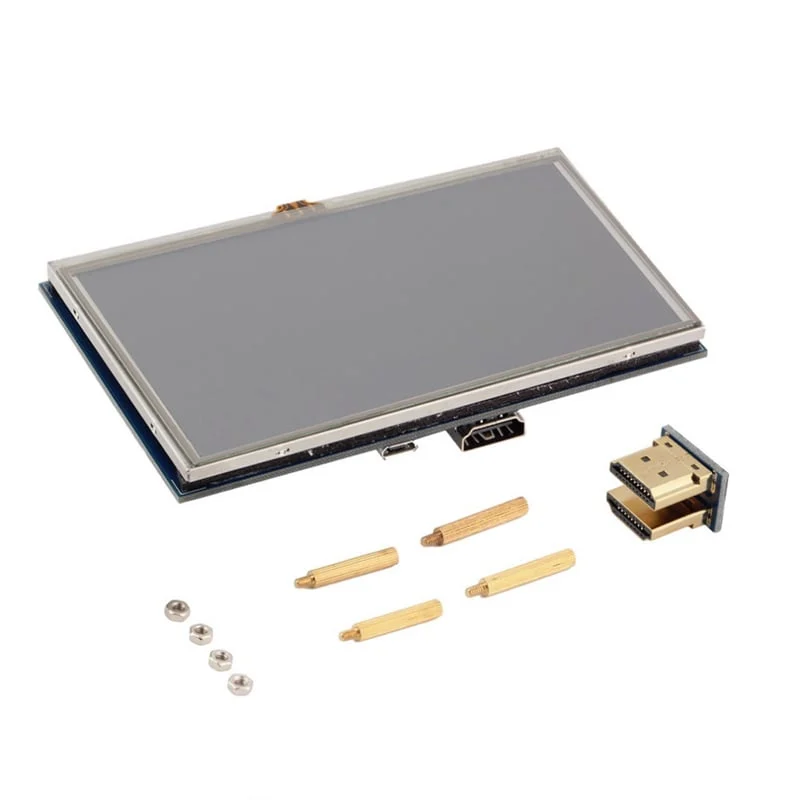
- ✅ 1x 5″ TFT LCD Display Module 800×480
- ✅ Touch panel (resistive or capacitive, model dependent)
- ✅ Driver board (HDMI or SPI controller board)
- ✅ Cables (HDMI/USB, varies by model)
- ✅ Mounting screws/standoffs (some models)
- ⚠️ Note: Power supply sold separately (5V 2A recommended)
- ⚠️ Note: Raspberry Pi/Arduino sold separately
- ⚠️ Note: Touch stylus may or may not be included
- ⚠️ Note: Interface type varies – HDMI, SPI, or parallel
🔋 Power Consumption
| Display Only (Full Brightness) | ~200-400mA @ 5V (1-2W) |
| Display + Pi 4 | ~200-400mA + ~600mA = ~800-1000mA total |
| Display + Pi 3B+ | ~200-400mA + ~400mA = ~600-800mA total |
| Display + ESP32 | ~200-400mA + ~150-250mA = ~350-650mA total |
| Backlight Dimmed (50%) | ~100-200mA @ 5V |
| Recommended PSU | 5V 2A minimum, 5V 3A recommended for Pi 4 |
💰 Cost & Availability
| 5″ HDMI Display (Resistive) | $25-35 (best for Pi) |
| 5″ HDMI Display (Capacitive) | $35-50 (better touch) |
| 5″ SPI Display | $30-45 (for microcontrollers) |
| Industrial 5″ Display | $50-100 (ruggedized, wide temp) |
| Best Value | ✅ HDMI resistive touch offers best price/performance |
🔧 Compatible Platforms
- ✅ Raspberry Pi (HDMI) – All models (4, 3B+, Zero 2 W with adapter)
- ✅ Arduino Mega (SPI) – Works but slow for full-screen updates
- ✅ ESP32 (SPI) – Good performance, 240MHz handles graphics well
- ✅ STM32 (SPI/Parallel) – Excellent performance with DMA
- ✅ PC/Laptop (HDMI) – Works as external monitor
- ✅ Jetson Nano (HDMI) – Perfect for AI/ML applications
- ⚠️ Arduino Uno – Not recommended (insufficient RAM/speed)
📊 Resolution Comparison
| QVGA | 320×240 (small displays) |
| HVGA | 320×480 (3.5″ displays) |
| WVGA | ✅ 800×480 (5″ displays) |
| SVGA | 800×600 (larger displays) |
| WSVGA | 1024×600 (7″ displays) |
| Best for 5″ | ✅ 800×480 offers perfect balance |
🎮 Touch Technology Comparison
| Feature | Resistive Touch | Capacitive Touch |
| Response | ⚠️ Requires pressure | ✅ Light touch |
| Accuracy | ✅ High accuracy | ✅ High accuracy |
| Multi-touch | ❌ Single point only | ✅ Multi-point (up to 10) |
| Stylus | ✅ Any object works | ⚠️ Requires conductive stylus |
| Durability | ⚠️ Less durable (flex) | ✅ More durable (glass) |
| Cost | ✅ Lower cost | ⚠️ Higher cost |
| Best For | Industrial, gloved use | ✅ Consumer, modern UI |
🏭 Application-Specific Recommendations
- 🚗 Automotive – HDMI + capacitive, high brightness (400 cd/m²)
- 🏭 Industrial – Resistive touch, wide temperature range
- ⚕️ Medical – Capacitive touch, easy-clean glass surface
- 🎮 Gaming – HDMI + Raspberry Pi, capacitive for gestures
- 🏠 Home Automation – HDMI + Pi, capacitive for family use
- 📊 Data Display – No touch needed, HDMI for simplicity
💻 Software & Libraries
| Raspberry Pi (HDMI) | Standard framebuffer, X11, PyGame, Qt |
| Arduino/ESP32 (SPI) | TFT_eSPI, Adafruit_GFX, LVGL |
| Touch (Resistive) | XPT2046 library, TouchScreen library |
| Touch (Capacitive) | USB HID (automatic), FT5406 library |
| GUI Framework | LVGL (embedded), Qt (Pi), Tkinter (Python) |
🔧 Mounting & Installation
- 📏 VESA Compatible – Some models have 75×75mm VESA mounts
- 🔩 Screw Holes – M3 or M4 mounting holes on corners
- 📦 Enclosures – 3D printable cases available online
- 🚗 Dashboard Mount – Car-specific mounts for automotive use
- 🏭 Panel Mount – Fits into cutouts for industrial panels
- 📐 Bezel Options – Custom bezels for professional appearance
🛡️ Product Information
✅ 5 Inch TFT LCD Display – High-Resolution Full-Color Touchscreen Module
✅ Display technology: TFT LCD (Thin-Film Transistor Liquid Crystal)
✅ Screen size: 5.0 inch diagonal (~127mm), Active area: ~108×64.8mm
✅ Resolution: 800×480 pixels (WVGA, 384,000 pixels total)
✅ Color depth: 65,536 colors (16-bit RGB, RGB565 format)
✅ Driver IC: ILI9486, ILI9488, or compatible (varies by model)
✅ Touch options: 4-wire resistive or capacitive multi-touch (model dependent)
✅ Interface options: HDMI (most common), SPI, or 16-bit parallel
✅ Operating voltage: 5V DC or 12V DC (model dependent)
✅ Current consumption: ~200-400mA @ 5V (backlight on full brightness)
✅ Backlight: White LED (12-18 LEDs), PWM dimmable, ~250-400 cd/m²
✅ Viewing angle: 160° horizontal / 140° vertical (typical)
✅ Contrast ratio: 500:1 to 800:1 (typical TFT LCD)
✅ Module size: ~121×76×5mm (varies), Weight: ~100-150 grams
✅ Operating temperature: -20°C to +70°C (industrial grade models)
⚠️ Important: HDMI models: Best for Raspberry Pi, plug-and-play with proper config.txt settings. Edit /boot/config.txt: hdmi_cvt=800 480 60 6 0 0 0. SPI models: Work with Arduino Mega, ESP32, STM32 – NOT Arduino Uno (insufficient RAM). Capacitive touch: USB interface for touch data. Resistive touch: SPI interface (XPT2046 controller typical). Power: 5V 2A minimum recommended, backlight draws 200-400mA. Compatible platforms: Raspberry Pi (all models with HDMI), Arduino Mega (SPI, slow), ESP32 (SPI, good), PC/laptop (HDMI monitor). Libraries: TFT_eSPI (ESP32/Mega), Adafruit_GFX, LVGL for GUI. Touch libraries: XPT2046_Touchscreen (resistive), USB HID automatic (capacitive). Resolution advantage: 800×480 = 2.5× more pixels than 3.5″ (320×480). Text capacity: ~100 chars × 30 lines (8×16 font). Professional applications: Automotive, industrial HMI, medical devices, test equipment. Perfect for: Dashboard displays, control panels, multimedia, gaming, home automation. Not suitable for: Ultra-low-power battery projects, Arduino Uno (use Mega/ESP32), pocket-sized portables. Best large display for embedded systems!