
Description
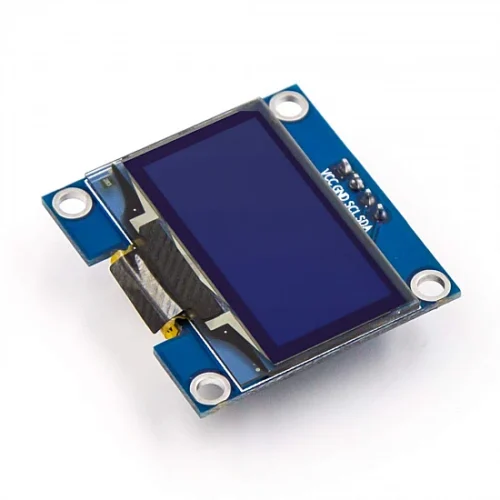
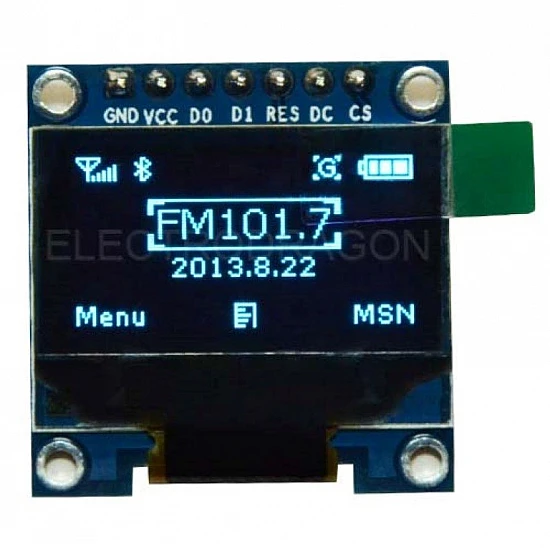
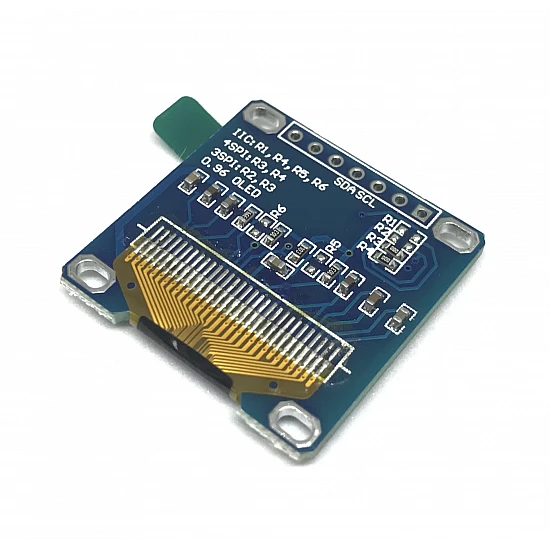
🔧 0.96 Inch OLED Display (Blue) 128×64 – High-Resolution I2C Monochrome Display Module
The 0.96 Inch OLED Display (Blue) 128×64 is a compact, high-resolution organic light-emitting diode display featuring 128×64 pixel resolution with vibrant blue illumination. Based on the SSD1306 driver chip, this self-illuminating display requires no backlight and delivers exceptional visibility in all lighting conditions with 160° wide viewing angles. Featuring I2C interface (4-wire connection), ultra-low power consumption, crisp graphics capability, and extensive library support, this display is perfect for IoT devices, Arduino projects, sensor readouts, wearables, portable gadgets, menu systems, and applications requiring compact displays with excellent readability. Compatible with Arduino, ESP32, Raspberry Pi, STM32, and most microcontrollers with I2C support.
✨ Key Highlights
- 📺 128×64 Pixel Resolution – 8192 individually addressable pixels
- 📏 Compact 0.96″ Screen – Perfect balance of size and readability
- 💙 Vibrant Blue OLED – Self-illuminating, no backlight needed
- 💡 Pure Black Background – Infinite contrast ratio, crisp display
- 📡 I2C Interface – Only 4 wires needed (VCC, GND, SDA, SCL)
- ⚡ Ultra Low Power – ~15-30mA typical (depends on content)
- 👁️ Wide Viewing Angle – 160°+ with no color shift
- 🔧 SSD1306 Driver – Industry standard, excellent library support
- 💻 Full Graphics – Text, shapes, icons, bitmaps, animations
- 💰 Great Value – $4-8, most popular OLED size
📊 Technical Specifications
| 📺 Display Type | Organic LED (OLED), monochrome blue |
| 📏 Screen Size | 0.96 inch diagonal |
| 📊 Resolution | 128×64 pixels (8192 total) |
| 📐 Active Area | ~26.7×19.26mm display area |
| 💙 Color | Blue monochrome (single color) |
| 💻 Driver IC | SSD1306 or SH1106 (128×64 native) |
| 📡 Interface | I2C (default) or SPI (some models) |
| 🔌 I2C Address | 0x3C (default) or 0x3D (selectable) |
| ⚡ Operating Voltage | 3.3V – 5V DC (onboard regulator) |
| 🔋 Current Draw | ~15-30mA @ 5V (depends on displayed pixels) |
| 👁️ Viewing Angle | >160° (all directions) |
| 📊 Contrast Ratio | >2000:1 (OLED technology) |
| 🌡️ Operating Temp | -40°C to +70°C |
| 📏 Module Size | ~27×27mm (varies slightly by manufacturer) |
| ⚖️ Weight | ~3-5 grams (ultra lightweight) |
🔌 Pin Configuration (I2C Mode – 4 Pin)
| Pin | Function | Connection |
| GND | Ground | Connect to microcontroller GND |
| VCC (or VDD) | Power Supply | Connect to 3.3V or 5V (onboard regulator) |
| SCL (or SCK) | I2C Clock | Connect to microcontroller SCL pin |
| SDA | I2C Data | Connect to microcontroller SDA pin |
🎯 Perfect For
- 🤖 Arduino Projects – Uno, Nano, Mega displays and interfaces
- 🌡️ Sensor Displays – Temperature, humidity, pressure, air quality
- 📡 IoT Devices – ESP32/ESP8266 WiFi projects with display
- ⌚ Wearable Tech – Smart watches, fitness trackers, badges
- 🎮 Gaming Devices – Retro games, handheld consoles
- 📊 Menu Systems – Settings menus, navigation interfaces
- 🔋 Battery Projects – Low power ideal for portable devices
- 🚗 Automotive Displays – Dashboard readouts, diagnostics
🆚 OLED Display Size Comparison
| Feature | 0.91″ 128×32 | 0.96″ 128×64 | 1.3″ 128×64 |
| Screen Size | 0.91″ diagonal | ✅ 0.96″ diagonal | 1.3″ diagonal |
| Resolution | 128×32 pixels | ✅ 128×64 pixels | 128×64 pixels |
| Display Area | ~22.4×11.2mm | ✅ ~26.7×19.3mm | ~29.4×21.7mm |
| Text Lines (Size 1) | 4 lines | ✅ 8 lines | 8 lines |
| Graphics Space | ⚠️ Limited (4096px) | ✅ Good (8192px) | ✅ Good (8192px) |
| Power Draw | ~8-20mA | ~15-30mA | ~20-40mA |
| Price | $3-5 | ✅ $4-8 | $8-12 |
| Best For | Tiny devices | ✅ Most projects | Readability priority |
✅ Key Advantages
- 📊 High Resolution – 128×64 (double the 128×32 version)
- 💙 Vibrant Blue – Bright, eye-catching display color
- 💡 Self-Illuminating – Perfect blacks, infinite contrast
- 👁️ Excellent Visibility – Clear in bright sunlight and darkness
- ⚡ Very Low Power – 15-30mA, excellent for battery projects
- 🔌 Simple Wiring – Only 4 wires via I2C interface
- 🎨 Full Graphics – Text, shapes, icons, bitmaps, animations
- 📏 8 Lines of Text – Double capacity vs 128×32 displays
- 💻 Excellent Libraries – Adafruit GFX, U8g2, widespread support
- 💰 Great Value – Best balance of size, resolution, and price
⚠️ Important Limitations
- 🎨 Monochrome Only – Single blue color, no multi-color capability
- ⏱️ OLED Lifespan – ~10,000-20,000 hours (degrades over time)
- 🔥 Burn-In Risk – Static images cause permanent ghosting
- 📏 Small Screen – 0.96″ may be small for some detailed applications
- 💰 More Than LCD – Costs more than character LCDs (worth it)
- 🔄 I2C Speed Limit – Slower than SPI (acceptable for most uses)
- ⚡ 5V vs 3.3V – Some modules work better at specific voltages
- 🔧 Driver Variants – SSD1306 vs SH1106 (slightly different)
🔧 Arduino Connection Guide
| OLED Pin | Arduino Uno | Arduino Mega | ESP32 | ESP8266 |
| GND | GND | GND | GND | GND |
| VCC | 5V or 3.3V | 5V or 3.3V | 3.3V | 3.3V |
| SCL | A5 | 21 (SCL) | GPIO 22 | D1 (GPIO 5) |
| SDA | A4 | 20 (SDA) | GPIO 21 | D2 (GPIO 4) |
💻 Arduino Code Example (Adafruit Library)
| Basic OLED Display Setup | |
|
#include <Wire.h> #include <Adafruit_GFX.h> #include <Adafruit_SSD1306.h> #define SCREEN_WIDTH 128 Adafruit_SSD1306 display(SCREEN_WIDTH, SCREEN_HEIGHT, &Wire, OLED_RESET); void setup() { void loop() { |
🎨 Graphics Capabilities
| Text Display | Multiple fonts, sizes 1-4, up to 8 lines @ size 1 |
| Geometric Shapes | Lines, rectangles, circles, triangles, rounded corners |
| Bitmaps/Icons | Custom images, logos, sprites (up to 128×64) |
| Pixel Control | Individual pixel drawing for custom graphics |
| Animations | Frame-by-frame animations, scrolling effects |
| Scrolling | Hardware scrolling (horizontal, vertical, diagonal) |
| Invert Display | Reverse colors (blue on black → black on blue) |
| Custom Fonts | Import custom fonts for unique styling |
📊 Text Display Capacity
| Text Size 1 (Small) | 21 characters × 8 lines (best capacity) |
| Text Size 2 (Medium) | 10 characters × 4 lines (clear, readable) |
| Text Size 3 (Large) | 7 characters × 2 lines (bold, prominent) |
| Text Size 4 (Extra Large) | 5 characters × 2 lines (maximum size) |
| Mixed Sizes | Combine different text sizes on same display |
🎓 Example Projects
- 🌡️ Weather Station – Temp, humidity, pressure with icons
- ⌚ Digital Clock – RTC module with date/time display
- 💓 Heart Rate Monitor – Pulse sensor with BPM graph
- 📊 System Monitor – CPU, RAM, network stats display
- 🎮 Retro Games – Pong, Snake, Tetris, space invaders
- 🔋 Battery Monitor – Voltage, current, capacity with graphs
- 📏 Distance Meter – Ultrasonic sensor with visual display
- 🎵 Music Visualizer – Audio spectrum analyzer display
🎨 Sensor Display Example Code
| Temperature & Humidity Display | |
|
void displaySensorData(float temp, float humidity) { display.clearDisplay(); // Title display.setTextSize(1); display.setCursor(20, 0); display.println(“Weather Station”); // Temperature display.setTextSize(2); display.setCursor(0, 15); display.print(“Temp:”); display.setCursor(0, 32); display.print(temp, 1); display.println(” C”); // Humidity display.setCursor(0, 48); display.print(“Hum: “); display.print(humidity, 0); display.println(“%”); display.display(); } |
🔍 Troubleshooting Guide
| Blank Display | Check I2C address (0x3C or 0x3D), verify VCC/GND wiring |
| Display Not Found | Run I2C scanner sketch, check SDA/SCL connections |
| Partial/Cut Display | Wrong driver (SH1106 vs SSD1306), adjust library settings |
| Flickering | Use display.clearDisplay() before updates, check power supply |
| Dim Display | OLED aging, adjust contrast: display.dim(true) or .dim(false) |
| Ghosting/Burn-in | Permanent from static images, prevent with varied content |
| Text Garbled | Verify 128×64 resolution in code, not 128×32 |
| I2C Error | Add pull-up resistors (4.7kΩ) to SDA/SCL if long wires |
💡 Pro Tips
- 📊 Size 1 for Max Info – Fit 8 lines of text, great data density
- 🔄 Avoid Burn-In – Vary content every few minutes, use screen timeout
- ⚡ clearDisplay() First – Always clear before updating to avoid artifacts
- 💻 Call display.display() – Required to update screen (buffered)
- 🎨 Use Graphics – Icons communicate faster than text
- 📏 Plan Layout – Sketch design on paper first (128×64 grid)
- 🔋 Power from 3.3V – Use lower voltage for battery projects
- ⏱️ Screen Timeout – Turn off when idle to extend lifespan
📦 Installing Arduino Libraries
| Method 1: Library Manager | Arduino IDE → Tools → Manage Libraries → Search “SSD1306” |
| Required Libraries | Adafruit_SSD1306 + Adafruit_GFX (dependency) |
| Alternative Library | U8g2 (more efficient, different syntax) |
| ESP32/ESP8266 | Same libraries work, install via Library Manager |
🎨 Drawing Shapes Example
| Graphics Demonstration | |
|
void drawShapes() { display.clearDisplay(); // Rectangle display.drawRect(10, 10, 40, 30, SSD1306_WHITE); // Filled circle display.fillCircle(80, 25, 15, SSD1306_WHITE); // Line display.drawLine(0, 45, 128, 45, SSD1306_WHITE); // Triangle display.drawTriangle(30, 50, 10, 63, 50, 63, SSD1306_WHITE); display.display(); } |
📦 Package Contents (Typical)
- ✅ 1x 0.96″ OLED Display Module 128×64 Blue (SSD1306/SH1106)
- ✅ 4-pin header (usually pre-soldered)
- ✅ Blue monochrome OLED (vibrant color)
- ⚠️ Note: Jumper wires not included
- ⚠️ Note: Arduino/microcontroller sold separately
- ⚠️ Note: Some modules require header soldering
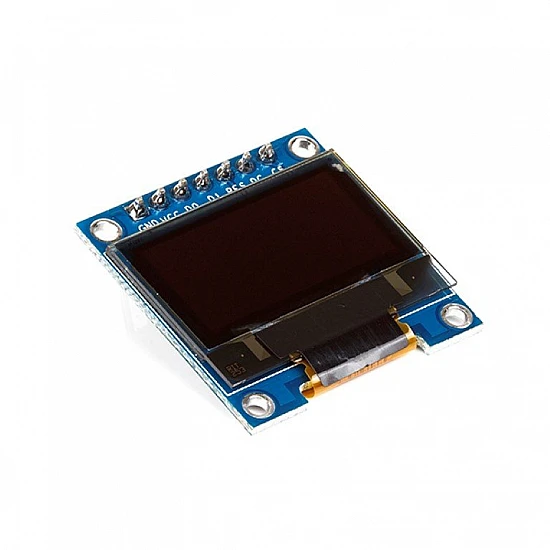
- ⚠️ Note: I2C interface (SPI available on some 7-pin versions)
🔋 Power Consumption Analysis
| All Pixels OFF (Black) | ~10-15mA @ 5V (minimum draw) |
| Typical Mixed Display | ~20-25mA @ 5V (text/graphics) |
| All Pixels ON (White) | ~30-40mA @ 5V (maximum draw) |
| At 3.3V Operation | ~10-25mA (lower power) |
| Sleep Mode | ~10-20µA (display off, circuit active) |
| Power Calculation | Black pixels = OFF, Blue pixels = ON |
🔧 SSD1306 vs SH1106 Driver
| Feature | SSD1306 | SH1106 |
| Compatibility | ✅ Most common, best support | Similar but different |
| Display Offset | None (0,0 = top-left) | 2-pixel horizontal offset |
| Library Support | ✅ Excellent (Adafruit, U8g2) | Good (U8g2 preferred) |
| Initialization | Standard SSD1306 code | Requires SH1106 specific init |
| How to Tell | Usually labeled, test with both | Try if SSD1306 doesn’t work |
💰 Cost & Value Analysis
| 0.96″ OLED 128×64 Blue | $4-8 (excellent value) |
| 0.96″ OLED 128×64 White | $4-8 (same price, different color) |
| 0.91″ OLED 128×32 | $3-5 (half resolution) |
| 1.3″ OLED 128×64 | $8-12 (larger screen, same resolution) |
| Best Value | ✅ 0.96″ offers best size/resolution/price |
⚙️ I2C Address Configuration
| Default Address | 0x3C (most common configuration) |
| Alternate Address | 0x3D (if available via solder jumper) |
| Finding Address | Use I2C scanner sketch to detect |
| Multiple Displays | Use different addresses on same I2C bus |
🔧 Compatible Platforms
- ✅ Arduino – Uno, Nano, Mega, Leonardo, Due (all models)
- ✅ ESP8266 – NodeMCU, Wemos D1 Mini (WiFi projects)
- ✅ ESP32 – All variants (WiFi + Bluetooth projects)
- ✅ Raspberry Pi – All models (Python libraries available)
- ✅ STM32 – Blue Pill, Black Pill (ARM Cortex)
- ✅ Teensy – All versions (high-performance boards)
- ✅ Micro:bit – BBC micro:bit V2
- ✅ MicroPython – ESP32, Raspberry Pi Pico
⏱️ OLED Lifespan & Maintenance
| Expected Lifespan | ~10,000-20,000 hours continuous use |
| Blue Degradation | Blue OLEDs may dim faster than white |
| Burn-in Prevention | Avoid static content, vary display every 5-10 min |
| Screen Timeout | Turn off after 30-60 seconds idle |
| Brightness Control | Lower brightness extends life: display.dim(true) |
| Pixel Saver | Move static elements slightly, use animations |
🎓 Screen Layout Design Tips
- 📊 Header (0-10px) – Title or status bar
- 📊 Main Content (11-50px) – Primary data, large text/graphics
- 📊 Footer (51-63px) – Secondary info, time, status
- 🎨 Left Icons – Use 16-24 pixels for status icons
- 📏 Center Text – Calculate X position: (128 – textWidth) / 2
- 📊 Progress Bars – Use drawRect + fillRect for visual feedback
- 🎨 Bitmap Placement – Pre-convert images to C arrays
🛡️ Product Information
✅ 0.96 Inch OLED Display Module – 128×64 Pixel Blue Monochrome
✅ Display technology: Organic LED (OLED), self-illuminating, no backlight
✅ Screen size: 0.96 inch diagonal, Active area: ~26.7×19.3mm
✅ Resolution: 128×64 pixels (8192 individually addressable pixels)
✅ Color: Blue monochrome (vibrant blue on black background)
✅ Driver IC: SSD1306 or SH1106 (check your specific module)
✅ Interface: I2C (4-wire: VCC, GND, SDA, SCL), SPI on 7-pin models
✅ I2C address: 0x3C default (0x3D selectable via jumper)
✅ Operating voltage: 3.3V – 5V DC (onboard voltage regulator)
✅ Current consumption: ~15-30mA @ 5V (pixel-dependent, OLED draws power only for lit pixels)
✅ Viewing angle: >160° all directions, no color shift
✅ Contrast ratio: >2000:1 (true OLED blacks, infinite contrast)
✅ Module size: ~27×27mm, Weight: ~3-5 grams (ultra lightweight)
✅ Operating temperature: -40°C to +70°C
⚠️ Important: Requires Adafruit_SSD1306 + Adafruit_GFX libraries (or U8g2). Arduino Uno: SDA=A4, SCL=A5. Initialize: display.begin(SSD1306_SWITCHCAPVCC, 0x3C). Must call display.display() to update screen (buffered output). Text capacity: Size 1 = 21 chars × 8 lines, Size 2 = 10 chars × 4 lines. Graphics capable: full bitmap support, shapes, animations. OLED lifespan: ~10,000-20,000 hours – avoid static images to prevent burn-in. Blue OLEDs may dim faster than white versions. Power depends on lit pixels (black=off, blue=on). Works with 3.3V or 5V supply. Some modules use SH1106 driver instead of SSD1306 – try U8g2 library if Adafruit doesn’t work. Perfect for: Arduino projects, ESP32/ESP8266 IoT, wearables, sensor displays, menus, portable devices. Not suitable for: Full-color needs, high-speed video, permanent static displays. Best size/resolution balance for most projects!