Description
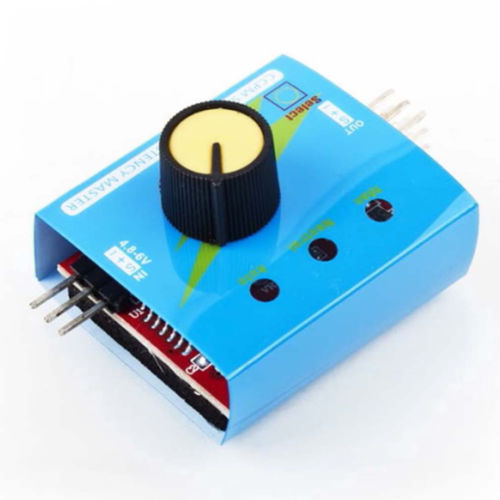
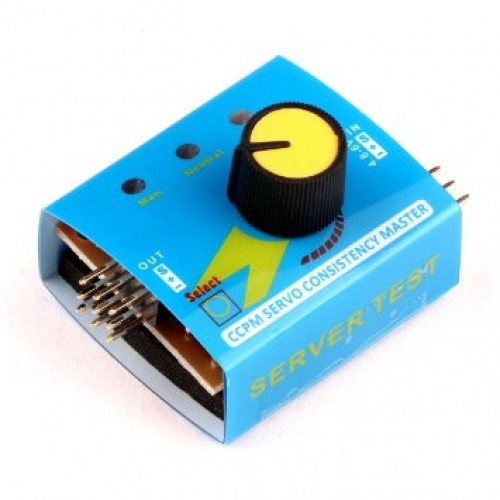
🔧 Servo Tester – Multi-Mode 3-Channel Digital Servo Tester & Controller
The Multi-Mode Servo Tester is an essential diagnostic and testing tool for hobbyists and professionals working with RC servos. This compact 3-channel digital tester allows you to test, adjust, and control up to three servos simultaneously without the need for a radio transmitter or microcontroller. Featuring multiple testing modes (manual, automatic sweep, neutral position), adjustable speed control, and universal servo compatibility, this tester is perfect for bench testing, troubleshooting, centering servos, and verifying servo performance before installation in RC vehicles, robots, or automation projects.
✨ Key Highlights
- 🔌 3-Channel Support – Test up to 3 servos simultaneously
- 🎮 Multiple Testing Modes – Manual, automatic sweep, neutral position
- ⚙️ Adjustable Speed Control – Variable sweep speed with potentiometer
- 📐 Full Range Testing – 0° to 180° servo range coverage
- 🔋 Wide Voltage Input – 4.8V – 6V DC operation
- 🎯 Precise Centering – Accurately find servo neutral (90°) position
- 💡 LED Indicators – Visual status for power and mode selection
- 🔧 No Programming Required – Simple knob operation
- 📦 Compact Design – Portable, bench-friendly form factor
- 🌐 Universal Compatibility – Works with all standard analog/digital servos
📊 Technical Specifications
| Specification |
Details |
| 🏷️ Product Name |
Multi-Mode 3-Channel Servo Tester |
| 🔧 Device Type |
Digital Servo Tester & Controller |
| 📏 Channel Count |
3 Independent Channels |
| ⚡ Input Voltage |
4.8V – 6V DC |
| 🔋 Recommended Power |
5V – 6V DC (4x AA batteries or external PSU) |
| 💡 Current Capacity |
Up to 3A total (1A per channel recommended) |
| 📡 Output Signal |
Standard PWM servo signal (50Hz) |
| 📏 Pulse Width Range |
1ms (0°) to 2ms (180°), 1.5ms (90° neutral) |
| 🎮 Testing Modes |
3 Modes – Manual, Automatic Sweep, Neutral/Center |
| 🎯 Manual Mode |
Potentiometer control from 0° to 180° |
| 🔄 Automatic Mode |
Continuous sweep from 0° to 180° and back |
| 📍 Neutral Mode |
Fixed 90° center position for servo centering |
| ⚙️ Speed Control |
Adjustable sweep speed via potentiometer |
| 💡 LED Indicators |
Power LED + Mode indicator LEDs |
| 🔌 Input Connector |
Standard servo connector (3-pin female) or DC jack |
| 🔌 Output Connectors |
3x Standard servo connectors (3-pin male) |
| 🎛️ Controls |
Mode button + Speed/Position potentiometer |
| 📐 Dimensions |
~60mm x 40mm x 15mm (approximate) |
| ⚖️ Weight |
~25g (without batteries) |
| 🌡️ Operating Temperature |
0°C to +50°C |
| 🔋 Power Options |
4x AA batteries, 5V USB, or 6V external PSU |
| 🌐 Servo Compatibility |
All standard analog and digital servos (SG90, MG90S, MG995, etc.) |
🎮 Operating Modes Explained
| Mode |
Function |
Use Case |
| Mode 1: Manual |
Potentiometer controls servo position (0° – 180°) |
Testing full servo range, finding specific angles, troubleshooting |
| Mode 2: Automatic Sweep |
Continuous automatic sweep from 0° to 180° and back |
Stress testing, checking for binding/noise, burn-in testing |
| Mode 3: Neutral/Center |
Fixed 90° center position (1.5ms pulse width) |
Centering servos before installing horns, calibration, setup |
🔌 Connector Pinout
| Pin |
Wire Color |
Function |
| Pin 1 |
Brown/Black |
Ground (GND) |
| Pin 2 |
Red |
Power (VCC) – 4.8V to 6V |
| Pin 3 |
Orange/Yellow/White |
Signal (PWM Output) |
🎯 Perfect For
| Application |
Description |
| 🔍 Servo Testing |
Test new servos before installation, verify functionality |
| 🛠️ Troubleshooting |
Diagnose servo issues, identify dead servos, check range |
| 📐 Servo Centering |
Find neutral position before attaching servo horns |
| 🚗 RC Vehicle Setup |
Adjust steering/throttle servos, test ESC connections |
| ✈️ RC Aircraft Setup |
Center control surface servos, verify throw limits |
| 🤖 Robotics Development |
Test robot arm servos, verify movement before programming |
| 🔧 Bench Testing |
Quick servo checks without full system power-up |
| 📦 Inventory Management |
Test servos from stock, verify used servo condition |
| 🎓 Education |
Demonstrate servo operation, teaching PWM concepts |
| ⚙️ Burn-In Testing |
Run new servos through cycles before critical use |
📦 Package Contents
- ✅ 1x Multi-Mode 3-Channel Servo Tester
- ✅ User manual (may vary by model)
- ⚠️ Note: Power supply NOT included (use 4x AA batteries or 5V-6V PSU)
- ⚠️ Note: Servos NOT included – for testing purposes only
- ⚠️ Note: Battery holder may be included depending on model
🔧 How to Use
| Step |
Action |
| 1. Power Connection |
Connect 4.8V-6V power source (4x AA batteries or external PSU) |
| 2. Servo Connection |
Plug servo(s) into Channel 1, 2, and/or 3 connectors |
| 3. Power On |
Turn on power – LED indicator should light up |
| 4. Select Mode |
Press mode button to cycle through: Manual → Auto Sweep → Neutral |
| 5. Manual Mode |
Turn potentiometer to move servo from 0° to 180° |
| 6. Auto Mode |
Adjust speed potentiometer to control sweep speed |
| 7. Neutral Mode |
Servo automatically moves to 90° center position |
| 8. Testing Complete |
Power off and disconnect servos |
✅ Advantages of Servo Tester
| Feature |
Benefit |
| 🔌 3-Channel Capability |
Test multiple servos simultaneously – save time |
| 🎮 Multiple Modes |
Versatile testing options for different scenarios |
| 🔧 No Controller Needed |
Test servos without Arduino, radio, or complex setup |
| ⚡ Quick Testing |
Instant servo verification – no programming required |
| 📐 Precise Centering |
Neutral mode ensures accurate 90° positioning |
| 💡 Visual Feedback |
LED indicators show mode and power status clearly |
| 🔋 Portable |
Battery-powered operation – take anywhere |
| 💰 Cost-Effective |
Affordable essential tool for every RC/robotics workbench |
| 🌐 Universal |
Works with all standard servos regardless of brand |
| 📦 Compact |
Small footprint – doesn’t clutter workspace |
⚠️ Important Usage Notes
- 🔋 Power requirements – Use 4.8V-6V power source (4x AA batteries or regulated PSU)
- 💪 Current capacity – Maximum 3A total across all channels (1A per channel safe)
- ⚠️ High-torque servos – For servos >15kg·cm, use external power supply (not batteries)
- 🔌 Correct polarity – Verify servo connector orientation (signal wire correct side)
- 🎯 Centering servos – Always use neutral mode (90°) before attaching servo horns
- ⚙️ Speed control – In auto mode, adjust potentiometer to prevent jerky movement
- 💡 LED indicators – If LED doesn’t light, check power connections and battery level
- 🔧 Not a controller – This is a testing tool, not for permanent installations
- ⚡ Multiple servos – When testing 3 servos, ensure adequate power supply
- 🌡️ Heat management – Don’t run servos in auto mode continuously for >10 minutes
🔋 Power Supply Options
| Power Source |
Voltage |
Pros |
Cons |
| 4x AA Batteries |
6V (1.5V each) |
✅ Portable, no wires, convenient |
⚠️ Limited current, needs replacement |
| 4x AA Rechargeable (NiMH) |
4.8V (1.2V each) |
✅ Rechargeable, eco-friendly |
⚠️ Slightly lower voltage, needs charger |
| 5V USB Power Bank |
5V |
✅ Rechargeable, high capacity |
⚠️ Requires USB adapter, bulkier |
| 6V External PSU |
6V |
✅ High current, stable voltage |
⚠️ Needs wall outlet, not portable |
| 5V Bench PSU |
5V-6V |
✅ Adjustable, high current, precise |
⚠️ Expensive, not portable |
🔍 Troubleshooting Guide
| Problem |
Possible Cause |
Solution |
| No Power LED |
Dead batteries or no power |
✅ Replace batteries or check PSU connection |
| Servo Doesn’t Move |
Incorrect connection or dead servo |
✅ Check polarity, try different channel, test servo elsewhere |
| Servo Jitters |
Weak batteries or insufficient current |
✅ Replace batteries or use external PSU with higher current |
| Mode Won’t Change |
Button stuck or defective |
✅ Press button firmly, check for physical damage |
| Potentiometer No Effect |
Wrong mode selected |
✅ Ensure in Manual mode for position control |
| Auto Sweep Too Fast/Slow |
Speed pot needs adjustment |
✅ Turn speed potentiometer to adjust sweep rate |
| Servo Runs Hot |
Continuous operation or binding |
✅ Allow cooling breaks, check for mechanical binding |
| Only 1 Channel Works |
Other channels may be defective |
✅ Test with known-good servo, contact support if confirmed |
💡 Pro Tips for Servo Testing
- 🎯 Always center first – Use neutral mode before attaching servo horns to avoid binding
- 🔋 Fresh batteries – Use new or fully charged batteries for accurate testing
- ⚙️ Burn-in new servos – Run auto sweep for 5-10 minutes to break in new servos
- 🔍 Listen for noise – Grinding or clicking sounds indicate gear damage
- 💪 Test under load – Attach servo horn and apply gentle resistance to verify torque
- 📐 Check full range – Verify servo reaches both 0° and 180° limits in manual mode
- 🔧 Label your servos – Mark tested/good servos to avoid confusion
- 💡 Speed adjustment – Slow sweep speed reveals binding issues better than fast
- 📊 Compare servos – Test multiple servos side-by-side to identify outliers
- 🛡️ External PSU for heavy servos – Use bench power supply for 20KG+ servos
- ⏱️ Duty cycle – Don’t run auto sweep continuously for >10 min to prevent overheating
- 📦 Organize workspace – Keep tester, servos, and tools in dedicated testing area
🆚 Manual Testing vs Servo Tester
| Aspect |
Manual Testing (Arduino/Radio) |
Servo Tester |
| Setup Time |
5-10 minutes (code upload, wiring) |
30 seconds (plug and test) |
| Equipment Needed |
Arduino/Radio, computer, cables, breadboard |
Just the tester + power source |
| Portability |
⚠️ Limited (needs computer/transmitter) |
✅ Highly portable (battery powered) |
| Ease of Use |
⚠️ Requires programming/RC knowledge |
✅ Simple knob operation |
| Multi-Servo Testing |
⚠️ Complex wiring for multiple servos |
✅ 3 channels built-in |
| Centering Accuracy |
✅ Very accurate (programmable) |
✅ Accurate (dedicated neutral mode) |
| Cost |
💰💰 Higher (Arduino + accessories) |
💰 Very affordable |
| Best For |
Development, programming, custom sequences |
Quick testing, centering, troubleshooting |
🎓 Example Testing Scenarios
| Scenario |
Recommended Mode |
Procedure |
| Testing New Servo |
Manual Mode |
Slowly rotate pot from 0° to 180°, verify smooth motion |
| Installing Servo Horn |
Neutral Mode |
Set to neutral (90°), attach horn perpendicular to servo body |
| Diagnosing Dead Servo |
Manual Mode |
Connect servo, rotate pot – no movement = dead servo |
| Burn-In Testing |
Auto Sweep |
Set medium speed, run for 5-10 minutes to break in gears |
| Checking for Binding |
Auto Sweep (Slow) |
Set slow speed, listen for grinding/clicking sounds |
| Comparing Servo Speed |
Auto Sweep |
Test 2-3 servos simultaneously, observe speed differences |
| RC Car Steering Setup |
Neutral Mode → Manual |
Center servo, install horn, then adjust endpoints manually |
| Robot Arm Testing |
Manual Mode |
Test each joint servo individually before assembly |
🛡️ Product Information & Support
✅ Multi-Mode 3-Channel Digital Servo Tester
✅ 3 independent servo channels for simultaneous testing
✅ Multiple testing modes: Manual, Auto Sweep, Neutral/Center
✅ Adjustable speed control for sweep mode
✅ Wide voltage input: 4.8V – 6V DC
✅ Current capacity: Up to 3A total (1A per channel recommended)
✅ Standard PWM output (50Hz, 1-2ms pulse width)
✅ LED indicators for power and mode status
✅ Universal servo compatibility (analog and digital servos)
✅ Compact and portable design (~60x40x15mm)
✅ Simple operation with mode button and potentiometer
✅ Battery-powered or external PSU operation
✅ Perfect for bench testing, troubleshooting, and centering
✅ No programming or computer required
✅ Essential tool for RC hobbyists, robotics, and automation
⚠️ Important Notes: Power supply NOT included – use 4x AA batteries (6V) or 5V-6V external PSU. For high-torque servos (20KG+), use external power supply instead of batteries. Maximum current capacity is 3A total – when testing multiple heavy servos, use adequate power source. This is a testing tool, not suitable for permanent installations. Always use neutral mode (90°) when centering servos before attaching servo horns. Allow cooling breaks during extended auto sweep testing (>10 minutes continuous). Not waterproof – keep away from moisture. Verify servo connector polarity before connecting.