🔧 Raspberry Pi Zero 2 W – Ultra-Compact Quad-Core Single-Board Computer with Wireless
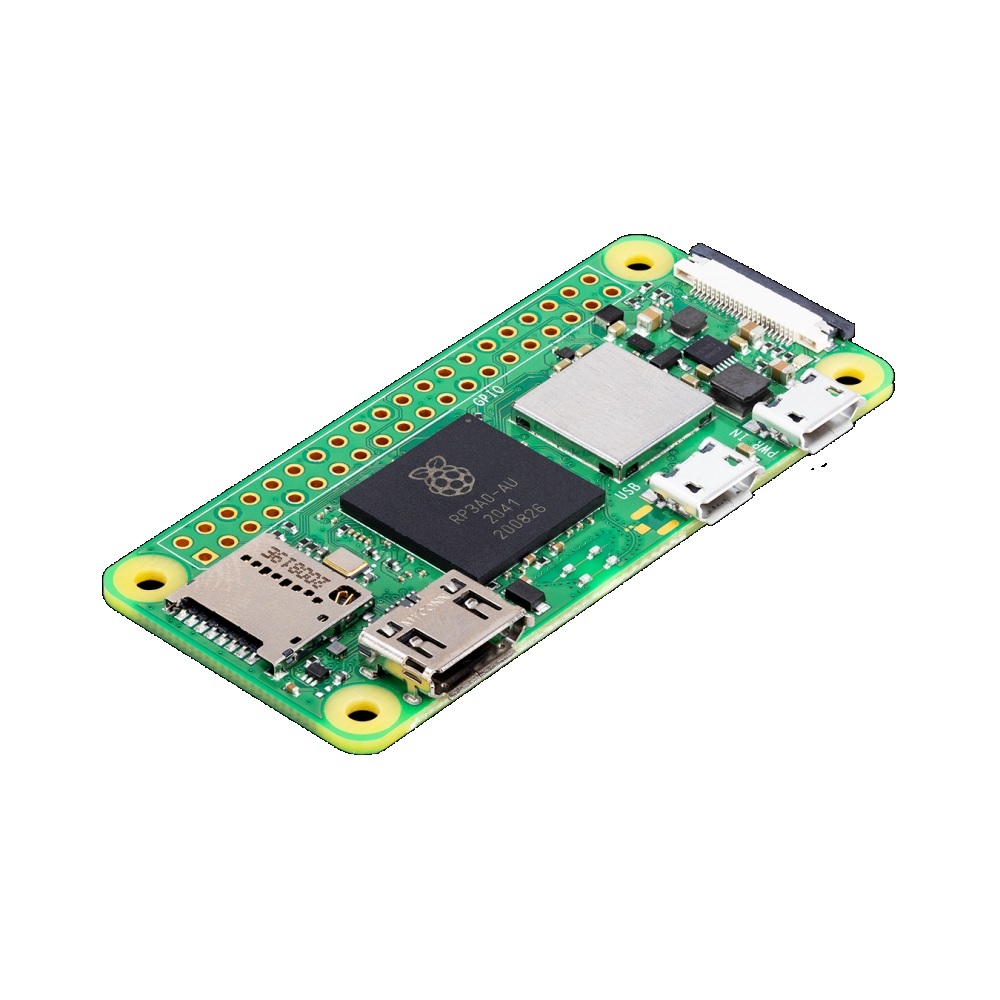
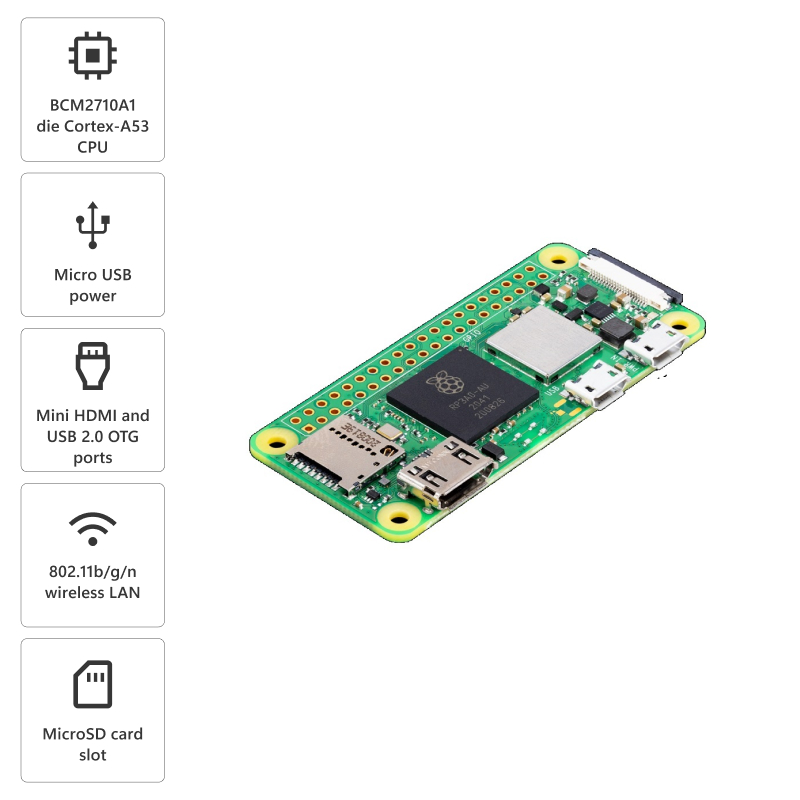
The Raspberry Pi Zero 2 W is a powerful ultra-compact single-board computer featuring a quad-core 64-bit ARM Cortex-A53 processor running at 1GHz, delivering up to 5× the performance of the original Pi Zero while maintaining the same tiny 65×30mm form factor. Equipped with 512MB LPDDR2 RAM, dual-band 2.4GHz wireless LAN, Bluetooth 4.2/BLE, mini HDMI port, micro USB OTG, CSI camera connector, and 40-pin GPIO header, this board combines the power of the Raspberry Pi 3 into the footprint of the Pi Zero. Perfect for embedded projects, IoT devices, robotics, wearables, portable gaming, compact cameras, home automation, and space-constrained applications requiring significant processing power. Represents the ultimate balance of performance, size, and affordability in the Raspberry Pi lineup.
✨ Key Highlights
- ⚡ Quad-Core 1GHz CPU – BCM2837 SoC, 5× faster than Pi Zero
- 💾 512MB RAM – LPDDR2 SDRAM for better multitasking
- 📡 Built-in WiFi – 2.4GHz 802.11 b/g/n wireless LAN
- 📱 Bluetooth 4.2/BLE – Wireless connectivity for IoT projects
- 📏 Ultra-Compact – Only 65×30mm, same size as Pi Zero
- 📺 Mini HDMI Output – 1080p60 video output capability
- 📷 CSI Camera Port – Connect official Pi camera modules
- 🔌 40-Pin GPIO – Compatible with HATs and accessories
- 💰 Affordable – Only $15 USD (official MSRP)
- 🐧 Full Pi OS Support – Runs Raspberry Pi OS, Linux distros
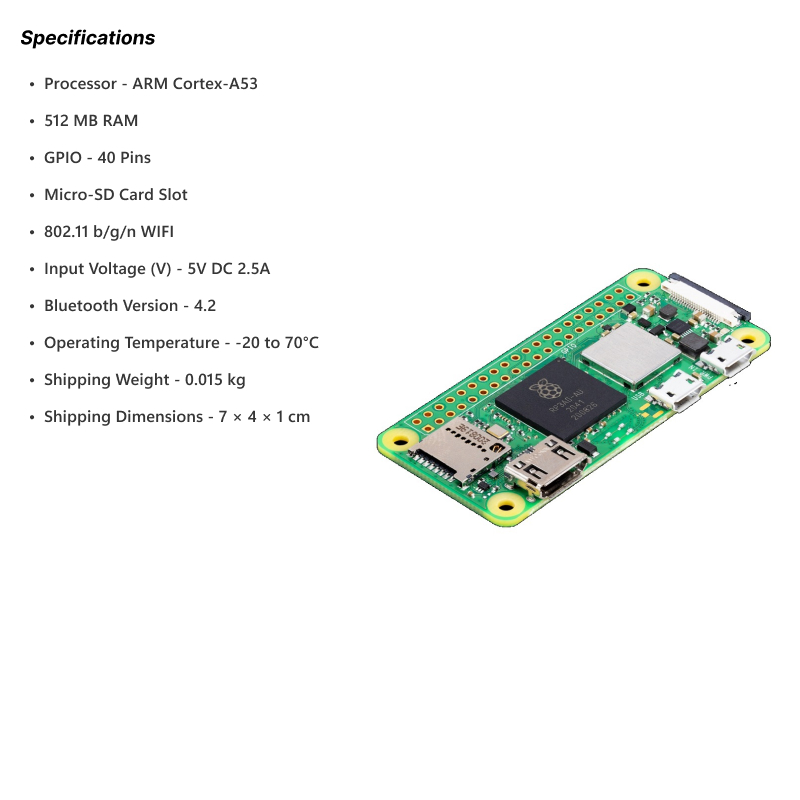
📊 Technical Specifications
| 💻 Processor |
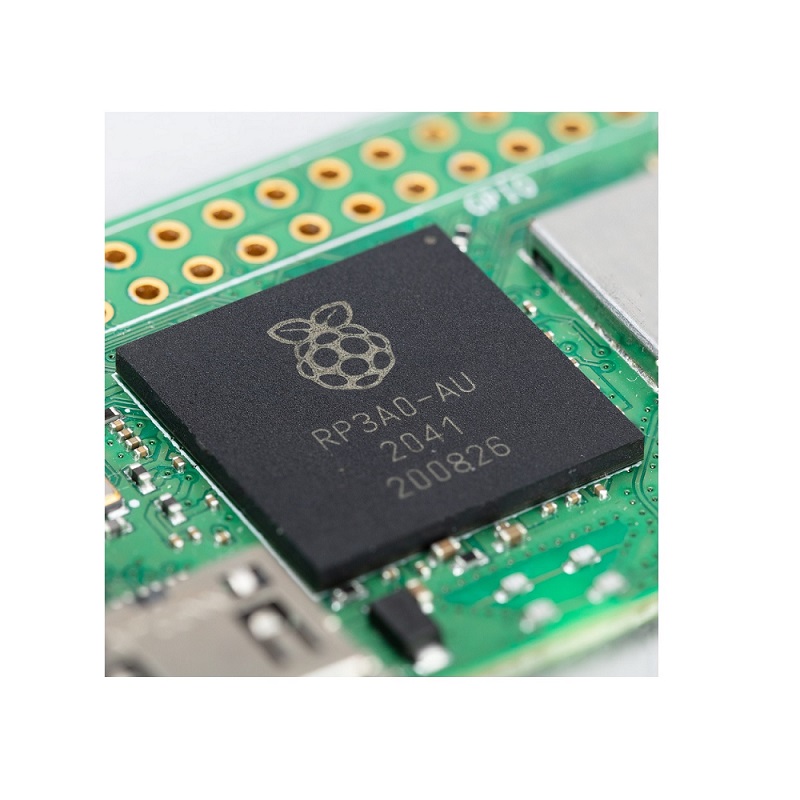
Broadcom BCM2837 SoC |
| 🔧 CPU |
Quad-core 64-bit ARM Cortex-A53 @ 1.0GHz |
| 💾 RAM |
512MB LPDDR2 SDRAM |
| 📡 Wireless |
2.4GHz 802.11 b/g/n WiFi (Cypress CYW43438) |
| 📱 Bluetooth |
Bluetooth 4.2, Bluetooth Low Energy (BLE) |
| 📺 Video Output |
Mini HDMI port, 1080p60 (H.264, MPEG-4 decode) |
| 🎬 Video Encode |
H.264 @ 1080p30 |
| 📷 Camera |
CSI camera connector (15-pin ribbon cable) |
| 🔌 GPIO |
40-pin header (unpopulated, requires soldering) |
| 🔌 USB Ports |
1× Micro USB OTG, 1× Micro USB power |
| 💾 Storage |
MicroSD card slot (push-pull type) |
| ⚡ Power Input |
5V DC via micro USB, 2.5A recommended |
| 🔋 Power Consumption |
~350-400mA idle, ~500-600mA under load @ 5V |
| 🌡️ Operating Temp |
0°C to +50°C (ambient) |
| 📏 Dimensions |
65mm × 30mm × 5.4mm (excluding connectors) |
| ⚖️ Weight |
~12 grams (bare board) |
🔌 Port & Connector Layout
| Mini HDMI |
Video/audio output (requires mini HDMI to HDMI adapter/cable) |
| Micro USB (PWR IN) |
5V power input, 2.5A recommended minimum |
| Micro USB (USB OTG) |
Data port, can be USB host or device |
| CSI Camera |
15-pin FPC connector for Pi Camera v1/v2/HQ |
| MicroSD Slot |
Push-pull card slot on underside of board |
| 40-Pin GPIO |
Unpopulated header holes (requires soldering) |
| RUN Header |
2-pin header for reset/power control |
| TV Composite |
Composite video via test points (soldering required) |
🎯 Perfect For
- 📡 IoT Projects – Smart sensors, home automation, edge computing
- 🤖 Compact Robotics – Small robots, drones, autonomous vehicles
- ⌚ Wearables – Smart watches, fitness trackers, AR glasses
- 📷 Camera Projects – Time-lapse, security cameras, wildlife monitoring
- 🎮 Portable Gaming – RetroPie handhelds, mini arcade cabinets
- 🔊 Audio Projects – Bluetooth speakers, music streamers, voice assistants
- 🏠 Home Automation – Smart home hubs, controllers, displays
- 📊 Data Logging – Environmental monitoring, sensor networks
🆚 Pi Zero 2 W vs Other Pi Models
| Feature |
Pi Zero 2 W |
Pi Zero W |
Pi 3B+ |
Pi 4B (2GB) |
| CPU Cores |
✅ Quad-core |
Single-core |
Quad-core |
Quad-core |
| CPU Speed |
1.0GHz |
1.0GHz |
✅ 1.4GHz |
✅ 1.5GHz |
| RAM |
512MB |
512MB |
1GB |
✅ 2GB |
| WiFi |
✅ 2.4GHz |
✅ 2.4GHz |
✅ 2.4/5GHz |
✅ 2.4/5GHz |
| Bluetooth |
✅ 4.2/BLE |
✅ 4.1/BLE |
✅ 4.2/BLE |
✅ 5.0/BLE |
| USB Ports |
1× micro OTG |
1× micro OTG |
✅ 4× USB 2.0 |
✅ 2× USB 3.0, 2× USB 2.0 |
| Size |
✅ 65×30mm |
✅ 65×30mm |
85×56mm |
85×56mm |
| Price |
✅ $15 |
✅ $10 |
$35 |
$45 |
✅ Key Advantages
- ⚡ 5× Faster CPU – Quad-core vs single-core Pi Zero W
- 📏 Ultra-Compact – Smallest quad-core Pi, fits anywhere
- 📡 Built-in Wireless – WiFi + Bluetooth without dongles
- 💰 Excellent Value – Only $15 for quad-core performance
- 🔋 Low Power – ~500mA typical, battery-friendly
- 🎨 Full Pi Compatibility – Runs all Pi OS software
- 📷 Camera Support – CSI connector for Pi cameras
- 🔌 GPIO Compatible – Works with HATs and accessories
- 🐧 64-bit Capable – Can run 64-bit operating systems
- 🌍 Large Community – Extensive tutorials, projects, support
⚠️ Important Limitations
- 💾 512MB RAM Only – May struggle with heavy multitasking
- 🔌 Single USB OTG – Needs hub for multiple USB devices
- 📡 2.4GHz WiFi Only – No 5GHz band (unlike Pi 3B+/4)
- 🔧 GPIO Unpopulated – Requires soldering header pins
- ⚡ No Power Button – Must unplug to hard shutdown
- 🌡️ No Heatsink Mounting – Can throttle under sustained load
- 📺 Mini HDMI – Needs adapter cable (not standard HDMI)
- 🔌 Limited Stock – Often out of stock due to popularity
🔧 Getting Started Essentials
| MicroSD Card |
16GB minimum, 32GB recommended (Class 10, A1 rated) |
| Power Supply |
5V 2.5A micro USB, official Pi adapter recommended |
| Mini HDMI Cable |
Mini HDMI to HDMI for display connection |
| USB OTG Adapter |
Micro USB to USB-A for keyboard/mouse/hub |
| GPIO Header (Optional) |
40-pin male header for HATs/accessories |
| Case (Optional) |
Protective case, many 3D printable options |
| Heatsink (Recommended) |
Small aluminum heatsink for CPU cooling |
💻 Operating System Installation
| Installing Raspberry Pi OS (Recommended Method) |
# 1. Download Raspberry Pi Imager
# Visit: raspberrypi.com/software/
# Available for Windows, macOS, Linux
# 2. Run Raspberry Pi Imager
# – Insert microSD card (16GB+)
# – Choose OS: Raspberry Pi OS (32-bit or 64-bit)
# – Choose Storage: Your microSD card
# – Click Settings gear icon (advanced options)
# 3. Configure Advanced Options:
# – Set hostname: raspberrypi-zero2
# – Enable SSH (recommended)
# – Set username and password
# – Configure WiFi (SSID and password)
# – Set locale settings
# 4. Write Image
# – Click WRITE and wait for completion
# – Safely eject card
# 5. First Boot
# – Insert card into Pi Zero 2 W
# – Connect power (auto-connects to WiFi)
# – SSH access: ssh username@raspberrypi-zero2.local
|
🎓 Example Projects
- 📷 Time-Lapse Camera – Pi Camera + Python for automated photography
- 🎮 Portable RetroPie – Handheld gaming console in compact case
- 🏠 Smart Home Hub – Home Assistant for automation control
- 📡 WiFi Weather Station – Sensors + display for weather monitoring
- 🔊 Bluetooth Speaker – Network audio streamer, AirPlay receiver
- 🤖 Line-Following Robot – Small autonomous robot with camera
- 📊 Network Monitor – Pi-hole ad blocker, network stats display
- ⌚ Smartwatch – DIY wearable with touchscreen display
🔍 Performance Benchmarks
| vs Pi Zero W |
~5× faster multi-threaded performance |
| vs Pi 3B |
~90% of Pi 3B performance in same form factor |
| Sysbench (CPU) |
~7.5 seconds (vs ~40s Pi Zero W) |
| Boot Time |
~15-25 seconds to desktop (32-bit OS) |
| Video Playback |
1080p30 H.264 smooth, 1080p60 with optimization |
| Python Script |
~4× faster than Pi Zero W for typical tasks |
💡 Pro Tips for Pi Zero 2 W
- 🔋 Use Quality PSU – Undervoltage causes instability, use 2.5A adapter
- 🌡️ Add Heatsink – Small 14×14mm heatsink prevents thermal throttling
- 📡 WiFi Setup First – Configure in Imager for headless setup
- 🔌 USB Hub Essential – Get powered USB hub for multiple devices
- 💾 Use Fast SD Card – A1/A2 rated cards improve performance
- 📺 Mini HDMI Adapter – Keep spare, easy to lose/break
- 🔧 Solder GPIO Header – Opens up HAT compatibility
- ⚡ Disable Services – Disable unused services to save RAM
🔌 GPIO Header Pinout (40-Pin)
| Power Pins |
2× 5V, 2× 3.3V, 8× Ground |
| GPIO Pins |
26× general purpose I/O pins |
| I2C |
GPIO 2 (SDA), GPIO 3 (SCL) |
| SPI |
GPIO 7-11 (SPI0), GPIO 16-21 (SPI1) |
| UART |
GPIO 14 (TXD), GPIO 15 (RXD) |
| PWM |
GPIO 12, 13, 18, 19 (hardware PWM) |
| Voltage |
All GPIO are 3.3V logic (NOT 5V tolerant) |
🎮 Gaming Performance (RetroPie)
| NES/SNES |
✅ Perfect – smooth 60fps gameplay |
| Game Boy/GBA |
✅ Excellent – full speed emulation |
| Genesis/Mega Drive |
✅ Great – smooth performance |
| PlayStation 1 |
✅ Good – most games playable at full speed |
| N64 |
⚠️ Mixed – some games playable, some slow |
| Dreamcast |
❌ Too slow – not recommended |
| Arcade (MAME) |
✅ Good – older arcade games work well |
📦 Package Contents
- ✅ 1× Raspberry Pi Zero 2 W board
- ⚠️ Note: Board ONLY – no cables, power supply, or SD card
- ⚠️ Note: GPIO header unpopulated (requires soldering)
- ⚠️ Note: Mini HDMI cable/adapter sold separately
- ⚠️ Note: Power supply sold separately (5V 2.5A micro USB)
- ⚠️ Note: MicroSD card sold separately (16GB+ required)
- ⚠️ Note: USB OTG adapter sold separately
- ✅ Tip: Consider buying official Raspberry Pi Zero 2 W kit
🔋 Power Consumption Details
| Idle (WiFi on, HDMI off) |
~350-400mA @ 5V (~1.8-2.0W) |
| Typical Use (WiFi, HDMI) |
~450-550mA @ 5V (~2.3-2.8W) |
| Heavy Load (all cores) |
~500-600mA @ 5V (~2.5-3.0W) |
| With Camera Module |
Add ~250mA for camera operation |
| With USB Devices |
Depends on devices (use powered hub) |
| Recommended PSU |
5V 2.5A (12.5W) minimum capacity |
🛡️ Thermal Management
| Operating Temp |
0°C to +50°C (ambient) |
| Throttle Point |
80°C (CPU slows down to prevent damage) |
| No Heatsink Temp |
~60-75°C under sustained load |
| With Heatsink |
~50-60°C under sustained load |
| Thermal Pad |
Small thermal pad + heatsink recommended |
| Active Cooling |
Not typically needed for Zero 2 W |
🎓 Compatible Accessories
- 📷 Pi Camera v2 – 8MP camera via CSI connector
- 📷 Pi Camera HQ – 12.3MP high-quality camera (C/CS mount)
- 🎩 HATs – Most HATs compatible (requires soldered GPIO header)
- 🔊 pHAT – Partial HATs designed for Zero form factor
- 📺 Displays – 3.5″/5″ TFT displays via GPIO or mini HDMI
- ⌨️ Zero Keyboard – Official keyboard with integrated hub
- 🔋 LiPo Shim – Battery power solutions for portable projects
- 📦 Cases – Official case, 3D printed designs, aluminum cases
💻 Supported Operating Systems
- ✅ Raspberry Pi OS (32-bit) – Official, best compatibility
- ✅ Raspberry Pi OS (64-bit) – Better performance for some apps
- ✅ RetroPie – Gaming-focused distribution
- ✅ LibreELEC/OSMC – Media center distributions (Kodi)
- ✅ Ubuntu – Ubuntu Core, Ubuntu Server, Desktop (64-bit)
- ✅ Home Assistant OS – Smart home automation
- ✅ DietPi – Lightweight optimized OS
- ✅ Arch Linux ARM – Rolling release for advanced users
🔧 Common Use Cases
| Headless Server |
Perfect – low power, WiFi, adequate performance |
| Desktop Replacement |
Moderate – works but 512MB RAM is limiting |
| Gaming (RetroPie) |
Excellent – handles most retro systems well |
| IoT/Automation |
Perfect – WiFi, GPIO, low power consumption |
| Media Center |
Good – 1080p playback, limited by RAM for heavy skins |
| Camera Projects |
Excellent – CSI support, WiFi for streaming |
| Portable Projects |
Perfect – small size, low power, battery-friendly |
🌐 Wireless Connectivity Details
| WiFi Chip |
Cypress CYW43438 (same as Pi 3B) |
| WiFi Standards |
802.11 b/g/n (2.4GHz only) |
| WiFi Speed |
Up to 150Mbps theoretical (typical ~40-70Mbps) |
| WiFi Range |
Moderate – internal antenna, ~10-15m indoors |
| Bluetooth |
Bluetooth 4.2, BLE (Bluetooth Low Energy) |
| Bluetooth Range |
~10m typical for BLE devices |
🛡️ Product Information
✅ Raspberry Pi Zero 2 W – Ultra-Compact Quad-Core Single-Board Computer
✅ Manufacturer: Raspberry Pi Foundation (official product)
✅ Processor: Broadcom BCM2837 SoC (same as Raspberry Pi 3)
✅ CPU: Quad-core 64-bit ARM Cortex-A53 @ 1.0GHz
✅ RAM: 512MB LPDDR2 SDRAM (shared with GPU)
✅ GPU: VideoCore IV (same as other Pi models)
✅ Wireless: 2.4GHz 802.11 b/g/n WiFi (Cypress CYW43438)
✅ Bluetooth: Bluetooth 4.2, Bluetooth Low Energy (BLE)
✅ Video: Mini HDMI port, 1080p60 output, H.264 decode
✅ Camera: 15-pin CSI connector for official Pi cameras
✅ GPIO: 40-pin header (unpopulated, requires soldering)
✅ USB: 1× Micro USB OTG (data), 1× Micro USB (power only)
✅ Storage: MicroSD card slot (push-pull, underside of board)
✅ Power: 5V @ 2.5A via micro USB recommended
✅ Dimensions: 65mm × 30mm × 5.4mm (same as Pi Zero/Zero W)
✅ Weight: ~12 grams (bare board without header)
⚠️ Important: Official MSRP $15 USD (check authorized resellers). 5× faster than Pi Zero W due to quad-core CPU. Requires 5V 2.5A power supply – undervoltage causes instability. MicroSD card required: 16GB minimum, 32GB recommended, Class 10/A1 rated. GPIO header unpopulated – requires soldering for HAT/accessory use. Mini HDMI (not standard) – requires mini HDMI to HDMI adapter/cable. USB OTG adapter needed for USB devices (keyboard, mouse, hub). First boot setup: Use Raspberry Pi Imager to configure WiFi/SSH beforehand. Operating systems: Raspberry Pi OS (32/64-bit), Ubuntu, RetroPie, LibreELEC. 512MB RAM limitation: Adequate for most projects but may struggle with heavy desktop use. Wireless: 2.4GHz WiFi only (no 5GHz), Bluetooth 4.2/BLE for IoT. Performance: ~90% of Pi 3B in ultra-compact form factor. Thermal: Add small heatsink (14×14mm) to prevent throttling under sustained load. Camera support: Works with Pi Camera v1/v2/HQ via CSI connector. Community: Massive online community, extensive tutorials, thousands of projects. Perfect for: IoT, robotics, wearables, portable gaming, cameras, compact automation. Not suitable for: Heavy multitasking, desktop replacement (use Pi 4), projects needing 5GHz WiFi. Best ultra-compact Pi available!