Description
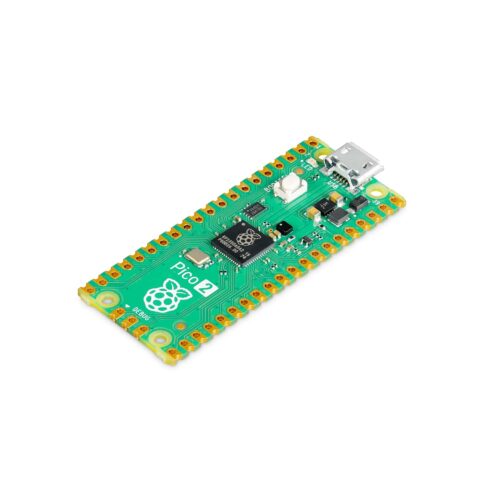
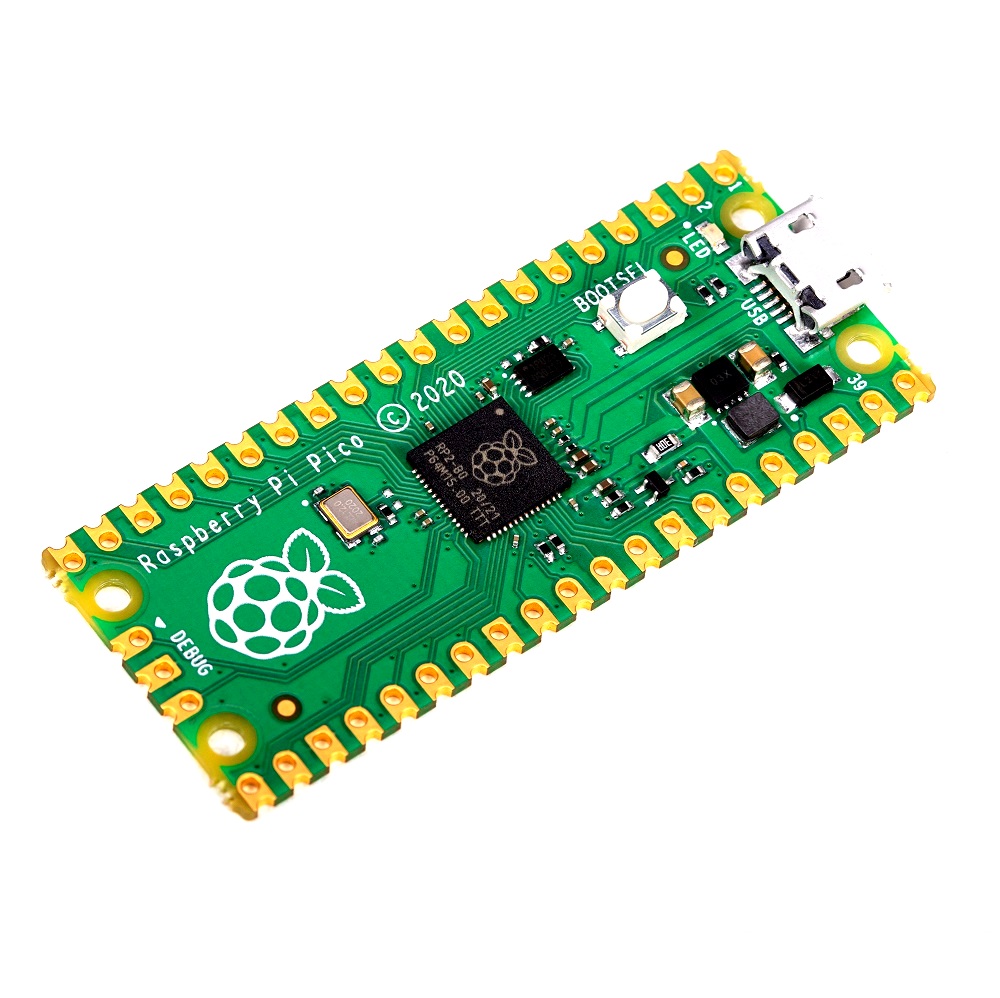
🔧 Raspberry Pi Pico H – Microcontroller Board with Pre-Soldered Headers
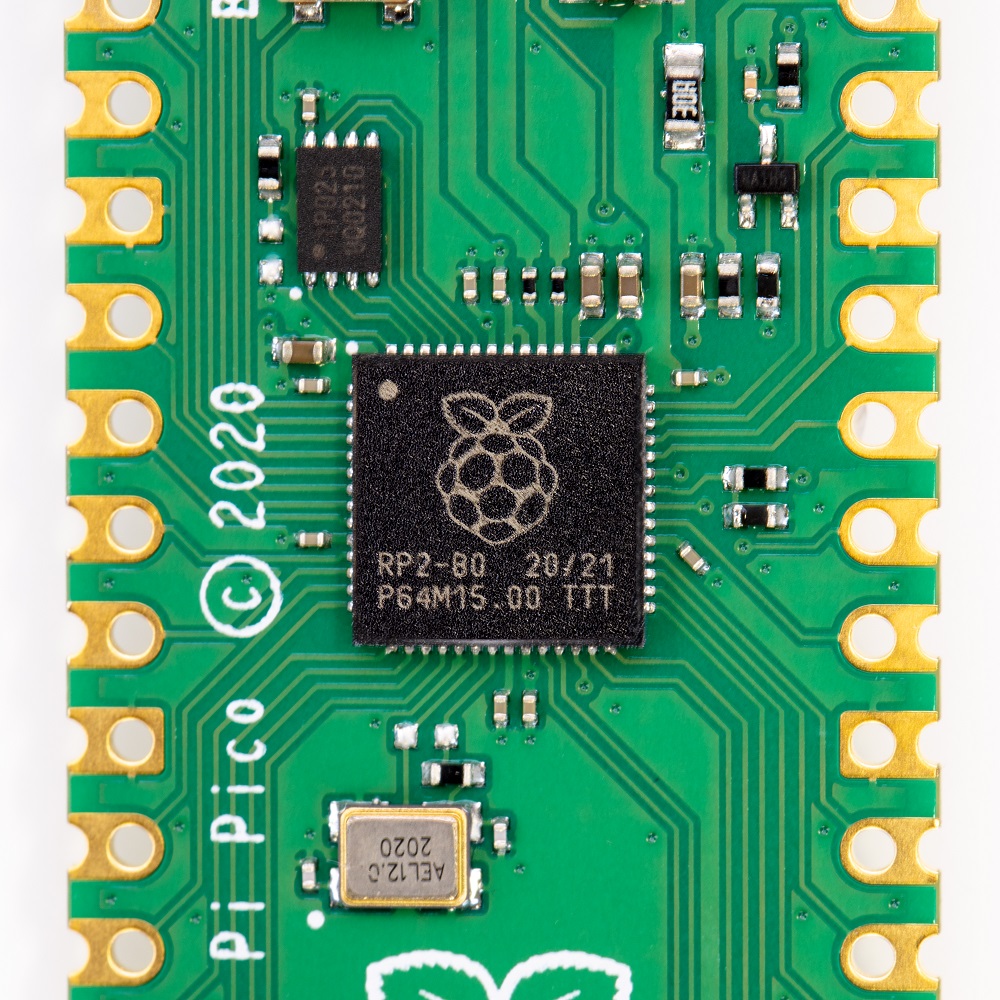
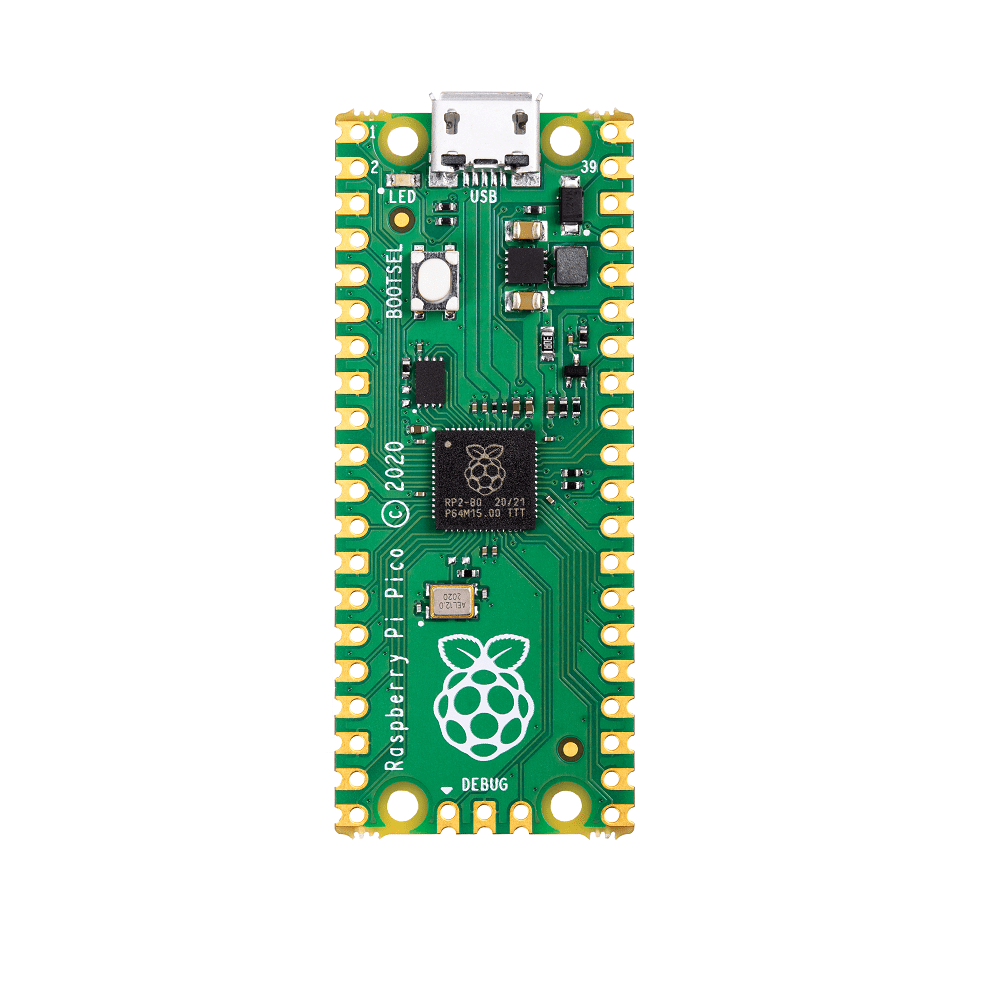
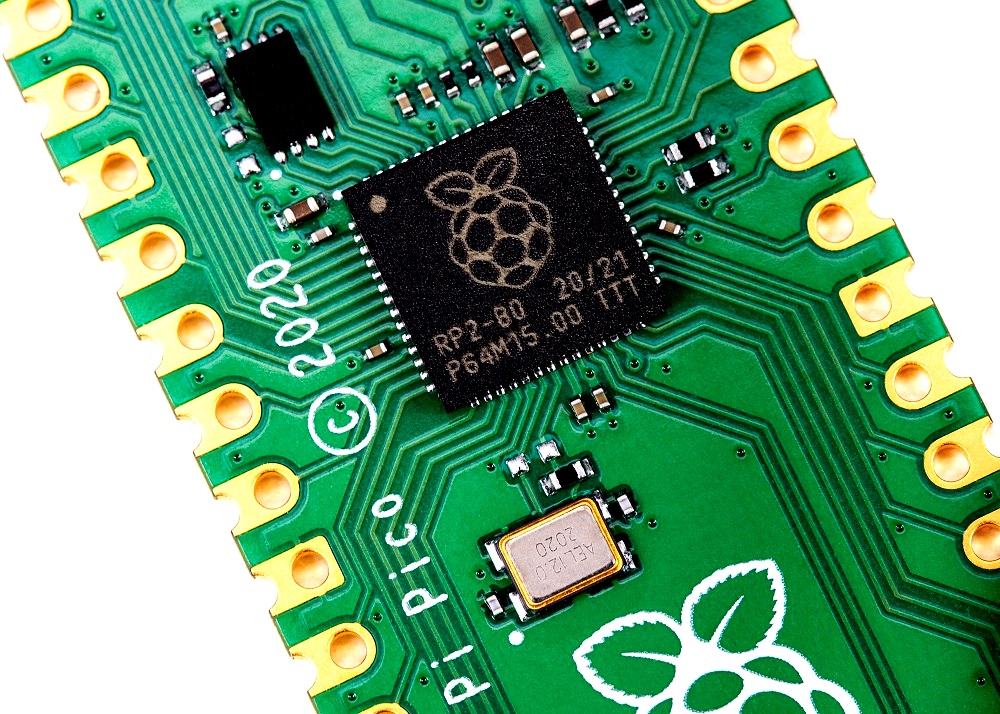
The Raspberry Pi Pico H is the official version of the Raspberry Pi Pico microcontroller board featuring pre-soldered GPIO headers for instant plug-and-play connectivity with breadboards, HATs, and accessories. Powered by the revolutionary RP2040 chip with dual-core ARM Cortex-M0+ processors running at 133MHz, 264KB RAM, and 2MB flash storage, this board eliminates the need for soldering while maintaining all the powerful features of the original Pico. With 26 GPIO pins (3 analog inputs), dual UART, dual SPI, dual I2C, 16 PWM channels, programmable I/O (PIO), and comprehensive support for MicroPython, C/C++, and Arduino IDE, the Pico H is perfect for beginners, educators, prototyping, robotics, embedded systems, automation projects, and anyone who wants the power of RP2040 without soldering skills. Represents the most accessible entry point into the Raspberry Pi microcontroller ecosystem at just $5 USD.
✨ Key Highlights
- 🔌 Pre-Soldered Headers – Ready to use, no soldering required!
- ⚡ Dual-Core RP2040 – 2× ARM Cortex-M0+ @ 133MHz
- 💾 264KB RAM – On-chip SRAM for program execution
- 💾 2MB Flash – Onboard QSPI flash memory for storage
- 🔌 26 GPIO Pins – All pins accessible via soldered headers
- 📊 3 Analog Inputs – 12-bit ADC (500ksps)
- ⚡ 16 PWM Channels – Precise motor control, LED dimming
- 🎨 Programmable I/O – Unique PIO for custom protocols
- 🐍 MicroPython Ready – Drag-and-drop firmware installation
- 💰 Only $5 USD – Best value microcontroller with headers!
📊 Technical Specifications
| 💻 Microcontroller | RP2040 (Raspberry Pi silicon) |
| 🔧 CPU | Dual-core ARM Cortex-M0+ @ 133MHz (overclockable to ~250MHz) |
| 💾 SRAM | 264KB on-chip SRAM (six independent banks) |
| 💾 Flash Memory | 2MB onboard QSPI flash (W25Q16JV) |
| 🔌 GPIO Pins | 26× multifunction GPIO pins (pre-soldered 40-pin header) |
| 📊 ADC | 3× 12-bit ADC channels (500ksps, 0-3.3V) |
| ⚡ PWM | 16× PWM channels (8 slices, 2 channels each) |
| 🔌 UART | 2× UART interfaces |
| 📡 SPI | 2× SPI interfaces |
| 📡 I2C | 2× I2C interfaces |
| 🎨 PIO | 8× Programmable I/O state machines |
| 🔌 USB | Micro USB (device mode, USB 1.1 full-speed) |
| ⚡ Operating Voltage | 1.8V – 5.5V (3.3V logic levels) |
| 🔋 Power Input | 5V via micro USB or VSYS pin (1.8-5.5V) |
| 🔋 Current Draw | ~30-50mA typical, ~1mA sleep mode |
| 🌡️ Operating Temp | -20°C to +85°C |
| 📏 Dimensions | 51mm × 21mm × 9mm (including headers) |
| ⚖️ Weight | ~5 grams (with headers) |
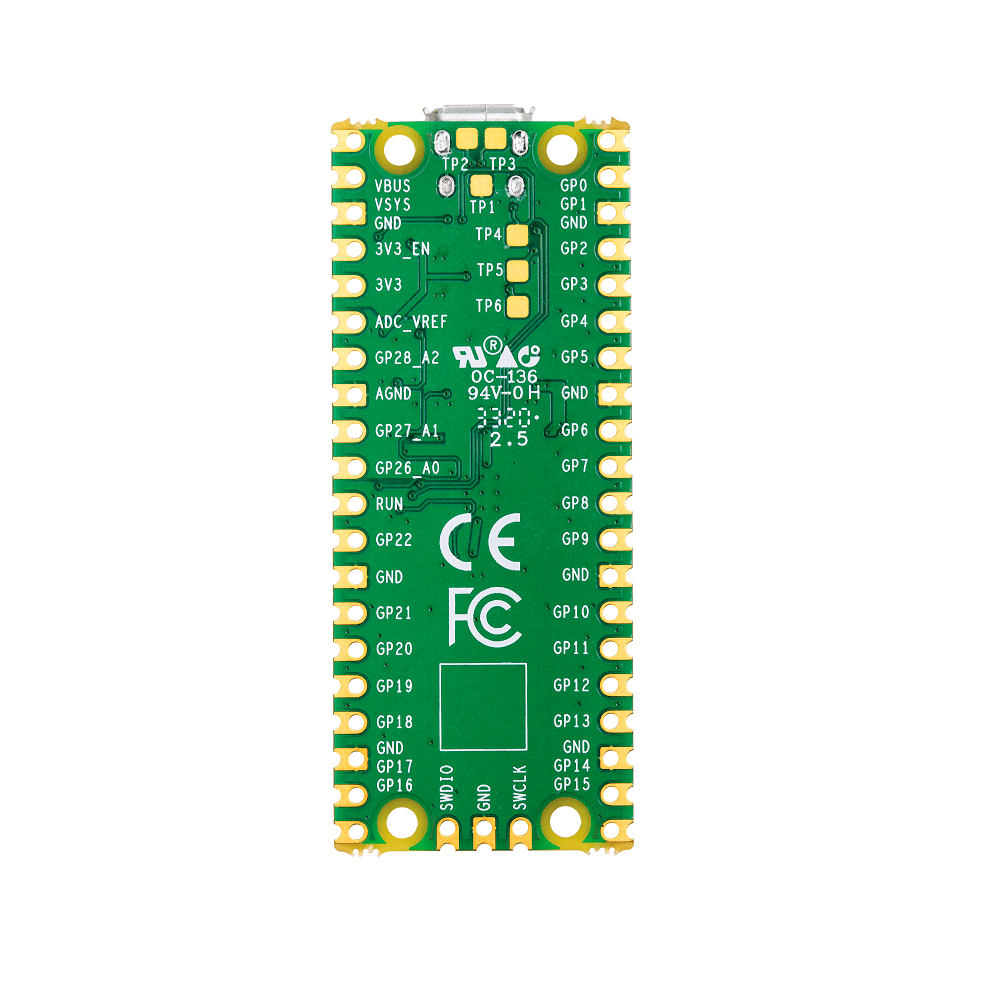
🔌 40-Pin Pre-Soldered Header Pinout
| GPIO 0-22 | 23× general-purpose I/O pins (3.3V logic) |
| ADC 0-2 (GPIO 26-28) | 3× analog input pins (12-bit, 0-3.3V) |
| ADC_VREF | ADC voltage reference (typically 3.3V) |
| 3V3 (OUT) | 3.3V power output (max 300mA from onboard regulator) |
| 3V3_EN | Enable pin for 3.3V regulator (pull low to disable) |
| VSYS | System voltage input (1.8-5.5V, ideal for battery) |
| VBUS | USB 5V input (powered when USB connected) |
| GND | 8× ground pins distributed around header |
| RUN | Reset pin (pull low to reset, release to run) |
| BOOTSEL | Boot mode button (press during power-on for bootloader) |
| DEBUG | 3-pin SWD debug header (unpopulated) |
🎯 Perfect For
- 🎓 Education – Schools, universities, STEM learning, workshops
- 🔰 Beginners – First microcontroller project, no soldering needed
- 🔬 Prototyping – Breadboard projects, quick testing, proof-of-concept
- 🤖 Robotics – Motor control, sensors, autonomous vehicles
- 💡 LED Projects – NeoPixel strips, LED matrices, lighting control
- 🏠 Home Automation – Smart sensors, controllers, displays
- 🎮 Gaming – Custom controllers, arcade buttons, retro consoles
- 📊 Data Logging – Environmental monitoring, sensor networks
🆚 Pico H vs Pico vs Pico W
| Feature | Pico H | Pico (Original) | Pico W |
| GPIO Headers | ✅ Pre-soldered | ❌ Unpopulated | ❌ Unpopulated |
| CPU | Dual-core 133MHz | Dual-core 133MHz | Dual-core 133MHz |
| RAM | 264KB | 264KB | 264KB |
| Flash | 2MB | 2MB | 2MB |
| WiFi | ❌ No | ❌ No | ✅ 2.4GHz 802.11n |
| Bluetooth | ❌ No | ❌ No | ✅ BLE 5.2 |
| Soldering Needed | ✅ No (plug & play) | ⚠️ Yes (for headers) | ⚠️ Yes (for headers) |
| Price | ✅ $5 | ✅ $4 | $6 |
✅ Key Advantages of Pico H
- 🔌 Instant Breadboard Ready – No soldering, plug directly into breadboard
- 🎓 Perfect for Learning – Beginners can start immediately
- ⚡ Same RP2040 Power – Identical performance to regular Pico
- 💰 Best Value – Only $5 for soldered headers (vs $4 + soldering)
- 🔧 HAT Compatible – Works with Pico-compatible HATs and add-ons
- 🎨 Full GPIO Access – All 26 GPIO pins easily accessible
- 📚 Extensive Support – Same ecosystem as regular Pico
- 🐍 MicroPython Ready – Drag-and-drop programming
- 💻 Multiple Languages – Python, C/C++, Arduino IDE
- 🌍 Huge Community – Thousands of tutorials and projects
⚠️ Important Considerations
- 📡 No Wireless – Use Pico W/WH for WiFi/Bluetooth projects
- 🔌 3.3V Logic – Not 5V tolerant (requires level shifters)
- 📏 Slightly Taller – Headers add ~8mm height vs bare Pico
- 📊 Limited ADC – Only 3 analog inputs (vs 8 on some boards)
- 🔊 No Built-in DAC – Use PWM or external DAC for analog output
- 💾 USB Device Only – Not USB host (cannot connect USB devices directly)
- 🔧 Male Headers Only – Female-to-male jumpers needed for some connections
🔧 Getting Started in 3 Easy Steps
| Quick Start Guide – No Soldering Required! | |
|
Step 1: Install MicroPython (5 minutes) 1. Download MicroPython .uf2 file from: micropython.org/download/rp2-pico/ 2. Hold BOOTSEL button on Pico H Step 2: Install Thonny IDE (Free) Step 3: Run Your First Program led = Pin(25, Pin.OUT) # Onboard LED while True: # Click green “Run” button in Thonny! |
🎓 Beginner-Friendly Example Projects
- 💡 Blink LED – Classic first project, understand GPIO output
- 🔘 Button Input – Read button presses, control LED with button
- 🌡️ Temperature Display – Read DHT22 sensor, show on OLED
- 🎵 Buzzer Alarm – Create tones with PWM, build alarm clock
- 🚦 Traffic Light – Simulate traffic lights with timing
- 📊 Analog Reader – Read potentiometer, control LED brightness
- 🌈 NeoPixel Rainbow – Control WS2812B LED strip with PIO
- ⏱️ Digital Clock – 7-segment display showing time
🔌 Breadboard-Ready Features
| Standard Breadboard | Fits perfectly in standard 830-point breadboard |
| Both Sides Accessible | Pins on both sides of board for easy wiring |
| Pin Spacing | Standard 0.1″ (2.54mm) pitch, compatible with jumper wires |
| Power Rails | Easy access to 3V3 and GND on both sides |
| Labeling | All pins clearly labeled on PCB silkscreen |
| LED Indicator | Onboard LED on GPIO 25 for testing |
💻 Programming Language Support
| MicroPython | ✅ Official support, best for beginners, interactive REPL |
| CircuitPython | ✅ Adafruit’s beginner-friendly variant, hardware abstraction |
| C/C++ (Pico SDK) | ✅ Maximum performance, professional development |
| Arduino IDE | ✅ Familiar Arduino environment via Earle Philhower core |
| Rust | ✅ Memory-safe embedded programming |
| TinyGo | ✅ Go language for embedded systems |
🎨 GPIO Configuration Examples
| Digital Output | LED control, relay switching, motor direction |
| Digital Input | Button reading, switch detection, limit switches |
| Analog Input (ADC) | Potentiometer, joystick, light sensor (LDR) |
| PWM Output | LED brightness, servo control, motor speed |
| I2C | OLED displays, sensors (BME280, MPU6050) |
| SPI | SD cards, TFT displays, radio modules |
| UART | GPS modules, Bluetooth modules, serial debug |
| PIO | WS2812B LEDs, VGA output, custom protocols |
🔍 Educational Use Cases
- 🎓 STEM Classes – Pre-soldered headers save class time
- 📚 Workshops – Students start coding immediately
- 🏫 Maker Spaces – Quick prototyping without soldering stations
- 👨🏫 Teaching – Focus on programming, not hardware assembly
- 🎖️ Competitions – Fast project assembly, more time coding
- 🏠 Home Learning – Kids can use safely without soldering
- 📖 Curriculum – Standard platform for coding education
🔧 Compatible Accessories & HATs
- 📺 Pico Display Pack – 1.14″ IPS display with buttons (Pimoroni)
- 🎨 Pico Explorer – Prototyping board with motors, ADC, audio
- 🌈 Pico RGB Keypad – 4×4 mechanical keypad with RGB LEDs
- 🔊 Pico Audio Pack – I2S DAC for high-quality audio output
- 📡 Pico Wireless Pack – WiFi module add-on (alternative to Pico W)
- 🎮 Game HAT – Retro gaming expansion with display and buttons
- ⚙️ Motor Driver HATs – L298N, TB6612 motor control shields
- 📊 Sensor Packs – Grove connectors for easy sensor connection
💡 Pro Tips for Pico H
- 🔌 Use Female-Male Jumpers – Connect sensors/modules to male header pins
- 📏 Breadboard Position – Leave outer rails free for power distribution
- 🔋 Power from VSYS – Use for 3.7V LiPo battery (more efficient than USB)
- 💾 Save Code to Pico – Save as main.py to auto-run on power-up
- 🌡️ Internal Temp Sensor – Use ADC channel 4 for CPU temperature
- ⚡ Test with Onboard LED – GPIO 25 LED perfect for testing code
- 🐍 REPL for Debugging – Interactive Python shell in Thonny
- 📚 Start with Examples – Pico SDK includes many ready-to-run examples
🔍 Troubleshooting Common Issues
| Pico Not Recognized | Try different USB cable (must be data cable, not charge-only) |
| BOOTSEL Not Working | Hold button BEFORE connecting USB, keep holding until drive appears |
| Code Won’t Run | Check for syntax errors, verify file saved as main.py |
| GPIO Not Responding | Verify pin number, check 3.3V logic levels, test with LED first |
| Breadboard Connection Loose | Push Pico firmly into breadboard, check header quality |
| Module Not Working | Check wiring, verify voltage (3.3V not 5V), test I2C address |
| Overheating | Normal under load (~50°C), add heatsink if sustained heavy use |
| Random Resets | Power supply issue – use quality USB adapter (1A minimum) |
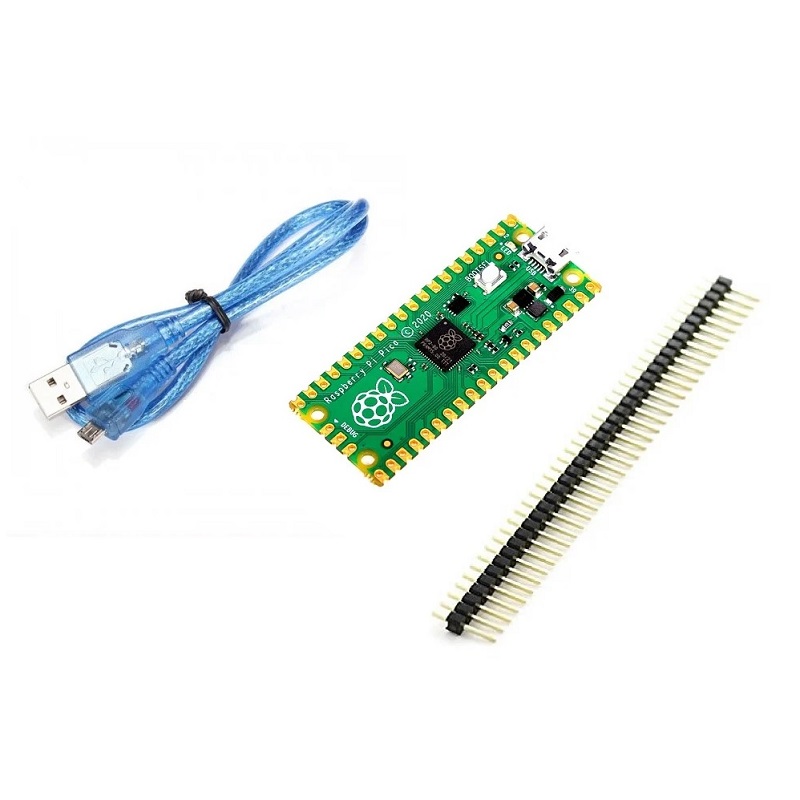
📦 Package Contents
- ✅ 1× Raspberry Pi Pico H board
- ✅ 40-pin male header (pre-soldered to board)
- ⚠️ Note: USB cable NOT included (micro USB required)
- ⚠️ Note: Breadboard NOT included
- ⚠️ Note: Jumper wires NOT included
- ✅ Tip: Consider starter kit with cables, breadboard, components
- ✅ Ready to Use: Just add USB cable and start coding!
🔋 Power Options
| USB Power (5V) | Via micro USB port, most common method |
| VSYS Pin (1.8-5.5V) | Battery input, ideal for 3.7V LiPo, portable projects |
| VBUS Pin (5V) | Direct USB 5V (when USB connected) |
| 3V3 Output | Powers external 3.3V devices (max 300mA) |
| Current Draw | ~30-50mA typical, ~1mA deep sleep |
| Recommended PSU | 5V 1A USB adapter or computer USB port |
💰 Pricing & Value
| Raspberry Pi Pico H | $5 USD (official MSRP) |
| Raspberry Pi Pico (original) | $4 USD (requires soldering headers) |
| 40-Pin Header Pins | ~$1 USD (if buying separately) |
| Soldering Cost | Time + equipment (soldering iron, solder) |
| Value Proposition | ✅ $1 extra saves time and guarantees quality solder joints |
📚 Learning Resources
- 📖 Official Get Started Guide – Free PDF from Raspberry Pi Foundation
- 💻 Pico Datasheet – Complete technical documentation
- 🐍 MicroPython Documentation – docs.micropython.org
- 📘 Pico SDK – C/C++ development resources
- 🎓 YouTube Tutorials – Thousands of beginner-friendly videos
- 🌐 Forums – Active community at forums.raspberrypi.com
- 📝 Project Examples – GitHub repos with complete code
- 📚 Books – “Get Started with MicroPython on Raspberry Pi Pico”
🛠️ Recommended Starter Kit Components
- 🔌 Micro USB Cable – Data cable (not charge-only)
- 📦 Breadboard – 830-point solderless breadboard
- 🔗 Jumper Wires – Male-to-male, male-to-female sets
- 💡 LEDs – Assorted colors (5mm) with 220Ω resistors
- 🔘 Push Buttons – Tactile switches for input
- 📊 Potentiometer – 10kΩ for analog input testing
- 🌡️ DHT22 Sensor – Temperature/humidity for first sensor project
- 📺 OLED Display – 0.96″ I2C SSD1306 for visual output
🎨 Unique RP2040 Features
| Dual-Core | Run two programs simultaneously, perfect multitasking |
| PIO (Programmable I/O) | Create custom hardware interfaces (unique to RP2040) |
| Flexible GPIO | Any GPIO can be UART/SPI/I2C/PWM (ultra-flexible) |
| Fast Clock | 133MHz default, overclock to 250MHz+ safely |
| Large RAM | 264KB for complex programs and data buffers |
| USB Boot Mode | Drag-and-drop programming, no external programmer |
🛡️ Product Information
✅ Raspberry Pi Pico H – Microcontroller Board with Pre-Soldered Headers
✅ Manufacturer: Raspberry Pi Ltd (official product)
✅ “H” designation: Pre-soldered 40-pin male header included
✅ Microcontroller: RP2040 (Raspberry Pi silicon, dual-core ARM Cortex-M0+)
✅ CPU: 2× ARM Cortex-M0+ cores @ 133MHz (overclockable to ~250MHz)
✅ RAM: 264KB on-chip SRAM (six independent banks)
✅ Flash: 2MB onboard QSPI flash (W25Q16JV from Winbond)
✅ GPIO: 26× multifunction GPIO pins via pre-soldered 40-pin header
✅ ADC: 3× 12-bit 500ksps ADC (GPIO 26-28), plus internal temperature sensor
✅ PWM: 16 PWM channels (8 slices × 2 channels each)
✅ Interfaces: 2× UART, 2× SPI, 2× I2C (all on configurable GPIO pins)
✅ PIO: 8× Programmable I/O state machines (unique RP2040 feature)
✅ USB: Micro USB (device mode, USB 1.1 full-speed)
✅ Power: 5V via USB or 1.8-5.5V via VSYS pin
✅ Header: Standard 0.1″ pitch, breadboard-compatible male pins
✅ Dimensions: 51mm × 21mm × 9mm (including headers)
✅ Weight: ~5 grams (with soldered headers)
⚠️ Important: Official MSRP $5 USD. Headers PRE-SOLDERED – ready for immediate use! No soldering skills or equipment needed. Plug directly into breadboard or use female-to-male jumper wires. Same RP2040 chip and features as regular Pico – only difference is pre-soldered headers. 3.3V logic only – NOT 5V tolerant (use level shifters for 5V devices). USB cable NOT included – requires micro USB data cable (not charge-only). Programming: MicroPython (easiest), C/C++ SDK (fastest), Arduino IDE (familiar). Bootloader: Hold BOOTSEL button while connecting USB, drag .uf2 firmware file. Onboard LED: GPIO 25 for testing/status indication. GPIO flexibility: Any pin can be UART/SPI/I2C/PWM (highly configurable). PIO advantage: Custom hardware interfaces (WS2812B, VGA) without CPU load. Educational: Perfect for classrooms, no soldering saves time, focus on coding. Beginner-friendly: Thonny IDE with MicroPython = easiest embedded start. Community: Massive support, thousands of tutorials, extensive documentation. Perfect for: Education, prototyping, robotics, automation, LED projects, beginners. Not suitable for: WiFi/Bluetooth projects (use Pico W/WH), 5V logic (needs level shifters). Best value microcontroller with pre-soldered headers!