
Description
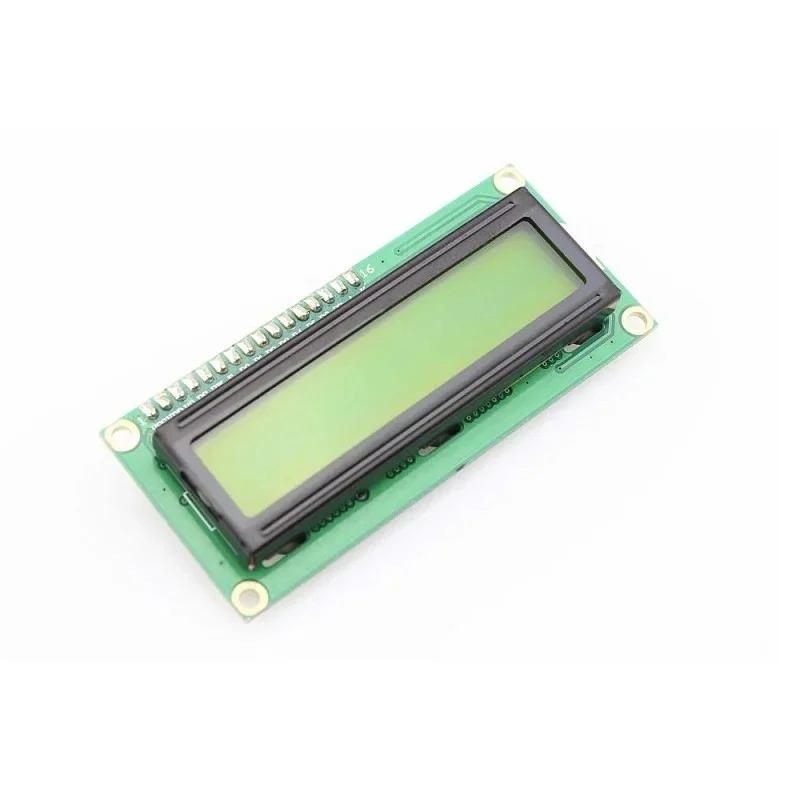
🔧 16×2 LCD Display Module – Character LCD with Backlight for Arduino & Microcontrollers
The 16×2 LCD Display Module is a versatile alphanumeric character display featuring 16 columns and 2 rows, capable of displaying 32 characters simultaneously. Based on the HD44780 controller, this LCD module provides easy integration with Arduino, Raspberry Pi, ESP32, PIC, AVR, and other microcontrollers. Featuring adjustable blue or green backlight, high contrast display, and both parallel (4-bit/8-bit) and I2C interface options, this display is perfect for showing sensor data, system status, menu interfaces, and text-based information. Ideal for DIY electronics projects, robotics, IoT devices, industrial control panels, and hobbyists building embedded systems.
✨ Key Highlights
- 📺 16×2 Character Display – 32 total characters (2 lines × 16 chars)
- 💡 LED Backlight – Blue or green background illumination
- 🔌 HD44780 Compatible – Industry standard LCD controller
- 📡 Multiple Interfaces – Parallel (4/8-bit) or I2C module available
- ⚡ 5V Operation – Standard 5V logic level (3.3V with adapter)
- 📊 High Contrast – Adjustable contrast via potentiometer
- 🔧 Easy to Program – Extensive Arduino library support
- 📏 Compact Size – ~80×36mm display area
- 💰 Cost Effective – Affordable display solution ($3-8)
- 🛡️ Proven Reliability – Widely used in embedded systems
📊 Technical Specifications
| 📺 Display Type | Character LCD (alphanumeric) |
| 📏 Display Format | 16 characters × 2 lines (32 total) |
| 🔤 Character Size | 5×8 dots per character |
| 💻 Controller | HD44780 or compatible (Sitronix ST7066) |
| ⚡ Operating Voltage | 5V DC (logic and backlight) |
| 🔋 Current Draw | ~1-3mA (without backlight), ~50-120mA (with backlight) |
| 💡 Backlight | Blue or Green LED (varies by model) |
| 📊 Contrast | Adjustable via 10kΩ potentiometer |
| 🔌 Interface | 16-pin parallel (4-bit or 8-bit mode) |
| 📡 I2C Option | Available with I2C adapter module (2-wire) |
| 📏 Module Size | ~80×36×13mm (varies slightly) |
| 📺 Viewing Area | ~64×16mm (active display) |
| 🌡️ Operating Temp | 0°C to +50°C (standard), -20°C to +70°C (extended) |
| ⚖️ Weight | ~30-40 grams |
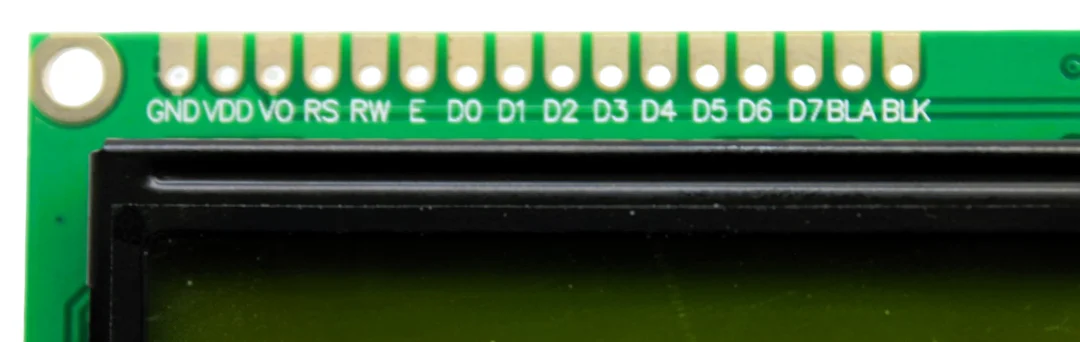
🔌 Pin Configuration (16-Pin Standard)
| Pin 1 (VSS) | Ground (GND) – 0V |
| Pin 2 (VDD) | Power supply +5V |
| Pin 3 (V0/VEE) | Contrast adjustment (connects to potentiometer) |
| Pin 4 (RS) | Register Select (0=command, 1=data) |
| Pin 5 (R/W) | Read/Write (0=write, 1=read) – usually tied to GND |
| Pin 6 (E) | Enable signal (triggers data read/write) |
| Pin 7-10 (D0-D3) | Data pins (not used in 4-bit mode) |
| Pin 11-14 (D4-D7) | Data pins (used in both 4-bit and 8-bit modes) |
| Pin 15 (A/LED+) | Backlight anode (+) – connect to 5V via resistor |
| Pin 16 (K/LED-) | Backlight cathode (-) – connect to GND |
🎯 Perfect For
- 🤖 Arduino Projects – Display sensor readings, menu systems
- 🌡️ IoT Devices – Temperature, humidity, weather stations
- ⚙️ Robotics – Robot status display, debugging interface
- 🏭 Industrial Control – Machine status, process monitoring
- 🔬 Educational Projects – STEM learning, programming basics
- 🏠 Home Automation – Smart home displays, security panels
- 📊 Data Logging – Real-time data visualization
- 🎮 DIY Electronics – Custom gadgets, retro projects
🆚 Parallel Interface vs I2C Module
| Feature | Parallel (Standard) | I2C Adapter |
| Wiring | ⚠️ 6-16 wires required | ✅ Only 2 wires (SDA, SCL) |
| Pins Used | ⚠️ 6 GPIO pins (4-bit mode) | ✅ 2 GPIO pins (I2C) |
| Speed | ✅ Faster updates | ⚠️ Slightly slower |
| Setup | ⚠️ More complex wiring | ✅ Simpler connections |
| Cost | ✅ $2-4 | 💰 $5-8 (with adapter) |
| Libraries | ✅ LiquidCrystal (built-in) | ✅ LiquidCrystal_I2C |
| Best For | Speed, direct control | Pin-limited projects |
✅ Key Advantages
- 📺 Simple Text Display – Easy to read characters, no graphics needed
- 🔌 Universal Compatibility – Works with virtually all microcontrollers
- 💰 Very Affordable – $2-8 depending on backlight and interface
- 📚 Extensive Documentation – Huge community support and examples
- 💡 Built-in Backlight – Readable in low-light conditions
- 🔧 Easy Programming – Arduino libraries make it simple
- ⚡ Low Power – Minimal current draw (except backlight)
- 🎨 Custom Characters – Can create 8 custom 5×8 characters
- 📏 Compact Size – Fits most project enclosures
- 🛡️ Proven Technology – HD44780 standard since 1980s
⚠️ Important Limitations
- 📏 Limited Characters – Only 32 characters total (16×2)
- 🎨 Text Only – Cannot display graphics, images, or complex shapes
- ⚡ 5V Logic – Requires level shifter for 3.3V microcontrollers
- 💡 Backlight Power – Backlight draws significant current (50-120mA)
- 🔄 Slow Updates – Not suitable for high-speed animations
- 📊 No Color – Monochrome display (text color = backlight color)
- 🔌 Many Wires (Parallel) – Standard version needs 6+ connections
- 👁️ Viewing Angle – Limited viewing angle compared to modern displays
🔧 Arduino Connection (4-Bit Parallel Mode)
| LCD Pin | Arduino Pin | Notes |
| VSS (Pin 1) | GND | Ground |
| VDD (Pin 2) | 5V | Power supply |
| V0 (Pin 3) | Potentiometer wiper | Contrast adjust (10kΩ pot) |
| RS (Pin 4) | Digital Pin 12 | Register select |
| R/W (Pin 5) | GND | Always write mode |
| E (Pin 6) | Digital Pin 11 | Enable |
| D4 (Pin 11) | Digital Pin 5 | Data bit 4 |
| D5 (Pin 12) | Digital Pin 4 | Data bit 5 |
| D6 (Pin 13) | Digital Pin 3 | Data bit 6 |
| D7 (Pin 14) | Digital Pin 2 | Data bit 7 |
| A (Pin 15) | 5V (via 220Ω resistor) | Backlight + |
| K (Pin 16) | GND | Backlight – |
💻 Basic Arduino Code Example
| 4-Bit Parallel Mode (Standard Library) | |
|
#include <LiquidCrystal.h>
// Initialize LCD (RS, E, D4, D5, D6, D7) void setup() { void loop() { |
| I2C Mode (Requires I2C Adapter) | |
|
#include <Wire.h> #include <LiquidCrystal_I2C.h> // Initialize LCD (address 0x27, 16 cols, 2 rows) void setup() { void loop() { |
🔍 Troubleshooting
| No Display Visible | Check power connections (VDD/VSS), verify 5V supply |
| Blank Screen (Backlight On) | Adjust contrast potentiometer (turn V0 adjustment) |
| White Boxes Only | Contrast too high or code not running, check wiring |
| Garbled Text | Check data pin connections (D4-D7), verify pin numbers in code |
| No Backlight | Check A/K connections, verify backlight resistor (220Ω) |
| Dim Display | Increase backlight current (lower resistor value, min 100Ω) |
| I2C Not Working | Verify I2C address (0x27 or 0x3F), check SDA/SCL wiring |
| Characters Cut Off | Verify lcd.begin(16, 2) matches your display size |
💡 Pro Tips
- 🔌 Use I2C Module – Saves GPIO pins, cleaner wiring, worth extra $2-3
- 📊 Adjust Contrast First – Turn potentiometer until text is clearest
- ⚡ Control Backlight – Use transistor to PWM backlight for brightness control
- 🔋 Save Power – Turn off backlight when not needed (reduces 50-120mA)
- 🎨 Create Custom Characters – Use lcd.createChar() for special symbols
- 📏 String Formatting – Pad strings with spaces to overwrite old text
- 🔧 Find I2C Address – Use I2C scanner sketch if unsure of address
- 💻 Clear Before Update – Use lcd.clear() sparingly (causes flicker)
🎨 Custom Character Creation
| Example: Create Heart Symbol | |
|
byte heart[8] = { 0b00000, 0b01010, 0b11111, 0b11111, 0b01110, 0b00100, 0b00000, 0b00000 }; void setup() { |
📦 Package Contents (Typical)
- ✅ 1x 16×2 LCD Display Module (HD44780 compatible)
- ✅ 16-pin male header (may need soldering)
- ✅ LED backlight (blue or green, pre-installed)
- ⚠️ Note: Potentiometer for contrast sold separately (10kΩ trim pot)
- ⚠️ Note: I2C adapter sold separately ($2-3 extra)
- ⚠️ Note: Jumper wires not included
- ⚠️ Note: Arduino/microcontroller sold separately
- ⚠️ Note: 220Ω resistor for backlight recommended (may not be included)
🔧 Compatible Platforms
- ✅ Arduino – Uno, Mega, Nano, Due (all models)
- ✅ Raspberry Pi – All models (GPIO or I2C)
- ✅ ESP8266/ESP32 – WiFi-enabled projects (use 5V tolerant pins or level shifter)
- ✅ STM32 – ARM Cortex microcontrollers
- ✅ PIC Microcontrollers – Microchip PIC series
- ✅ AVR – ATmega, ATtiny series
- ✅ BeagleBone – Single-board computers
- ⚠️ 3.3V Systems – Requires level shifter for safe operation
🆚 16×2 vs Other LCD Sizes
| Size | Characters | Best For | Price |
| 8×2 | 16 total | Very compact projects | ~$3-5 |
| 16×2 | ✅ 32 total | Most projects, best balance | ~$3-8 |
| 20×2 | 40 total | More data display | ~$5-10 |
| 20×4 | 80 total | Complex menus, lots of data | ~$8-15 |
🎓 Example Projects
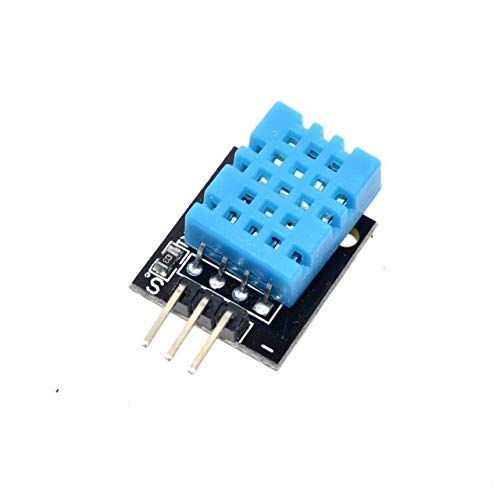
- 🌡️ Temperature Monitor – DHT11/DHT22 sensor with LCD display
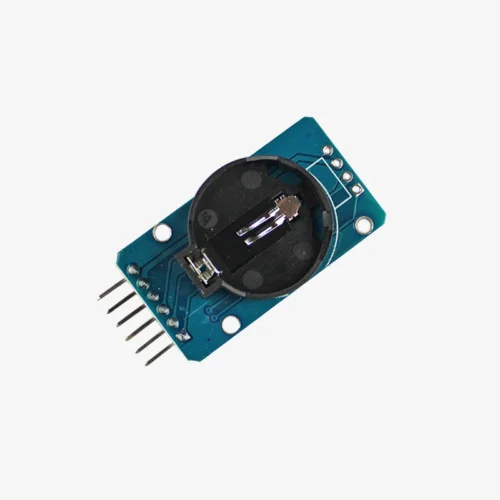
- ⏱️ Digital Clock – RTC module + LCD for time/date display
- 📏 Ultrasonic Distance Meter – HC-SR04 sensor showing distance in cm
- ⚖️ Weight Scale – HX711 load cell with LCD readout
- 🔋 Battery Monitor – Voltage/current display for power systems
- 🎮 Menu System – Navigation interface with buttons
- 💧 Water Level Indicator – Tank level monitoring display
- 🏃 Pedometer – Step counter with LCD output
🔋 Power Consumption
| LCD Logic (no backlight) | ~1-3mA |
| Blue Backlight | ~80-120mA @ 5V |
| Green Backlight | ~50-80mA @ 5V |
| Total (with backlight) | ~50-120mA typical |
| Power Saving Tip | Control backlight with transistor, turn off when idle |
💰 Cost & Availability
- 💵 Standard 16×2 (no I2C) – $2-4
- 💵 16×2 with I2C Module – $5-8
- 💵 I2C Adapter Only – $2-3 (can add to existing LCD)
- 💵 10kΩ Potentiometer – $0.50-1 (for contrast)
- 📦 Availability – Widely available online and electronics stores
🛡️ Product Information
✅ 16×2 Character LCD Display Module – HD44780 Compatible
✅ Display format: 16 characters × 2 lines (32 characters total)
✅ Character size: 5×8 dots per character
✅ Controller: HD44780 or compatible (Sitronix ST7066)
✅ Operating voltage: 5V DC (logic and backlight)
✅ Current draw: 1-3mA (logic), 50-120mA (with backlight)
✅ Backlight: Blue or Green LED (varies by model)
✅ Interface: 16-pin parallel (4-bit/8-bit) or I2C (with adapter)
✅ Contrast: Adjustable via 10kΩ potentiometer (Pin 3)
✅ Module size: ~80×36×13mm, Viewing area: ~64×16mm
✅ Operating temperature: 0°C to +50°C standard
✅ Compatible: Arduino, Raspberry Pi, ESP32, PIC, AVR, STM32
✅ Custom characters: Can create 8 custom 5×8 characters
⚠️ Important: Requires 5V power supply – use level shifter for 3.3V microcontrollers. Contrast potentiometer required for proper display (10kΩ trim pot on Pin 3). Backlight requires current-limiting resistor (220Ω recommended, 100-330Ω acceptable). Standard parallel mode uses 6 GPIO pins minimum (4-bit mode). I2C adapter reduces to 2 GPIO pins (SDA/SCL) but costs $2-3 extra. Pin 5 (R/W) typically connected to GND (write-only mode). Backlight draws significant current (50-120mA) – consider PWM control for brightness/power saving. Not suitable for graphics – text/characters only. Limited to 32 characters total display. Arduino library: LiquidCrystal (parallel) or LiquidCrystal_I2C (I2C mode). I2C address typically 0x27 or 0x3F – use I2C scanner to verify. Best for: Sensor displays, menu systems, status indicators, hobbyist projects.